Step 1: Log in to your SEAGM account.
Step 2: Click your profile icon in the top-right corner, then select My Orders from the dropdown menu.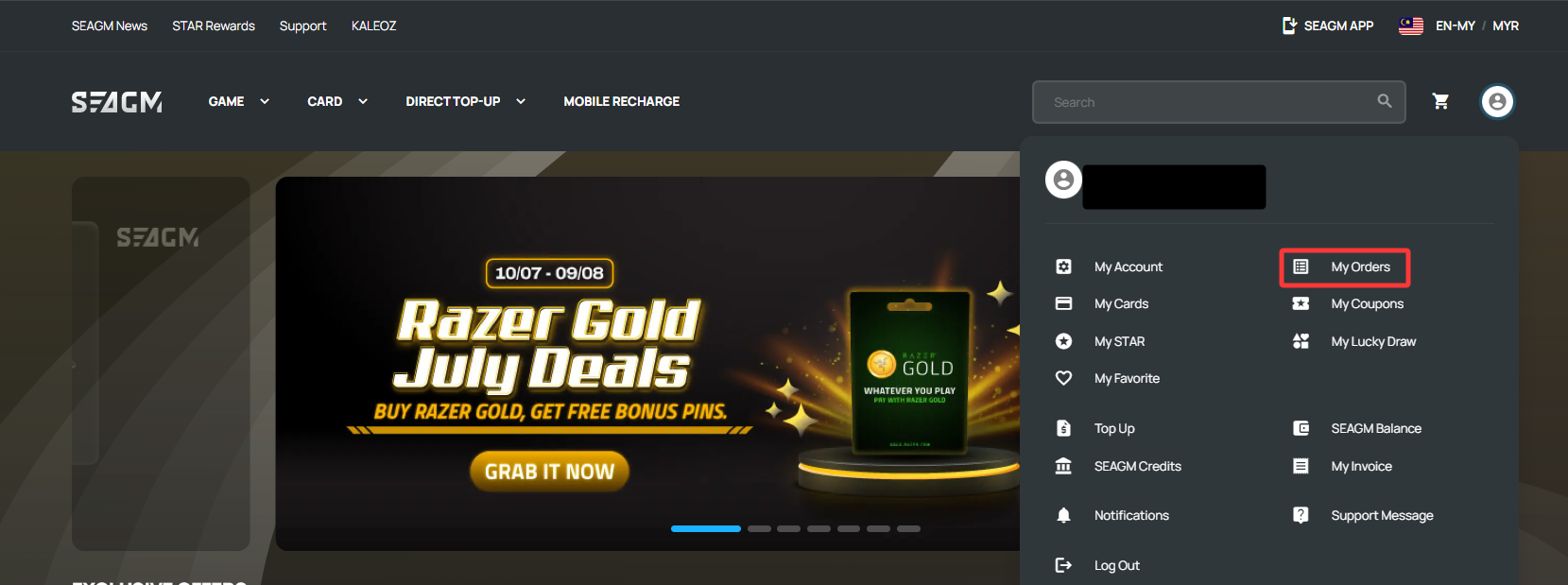
Step 3: On the My Orders page, you can track your orders using the status tabs at the top.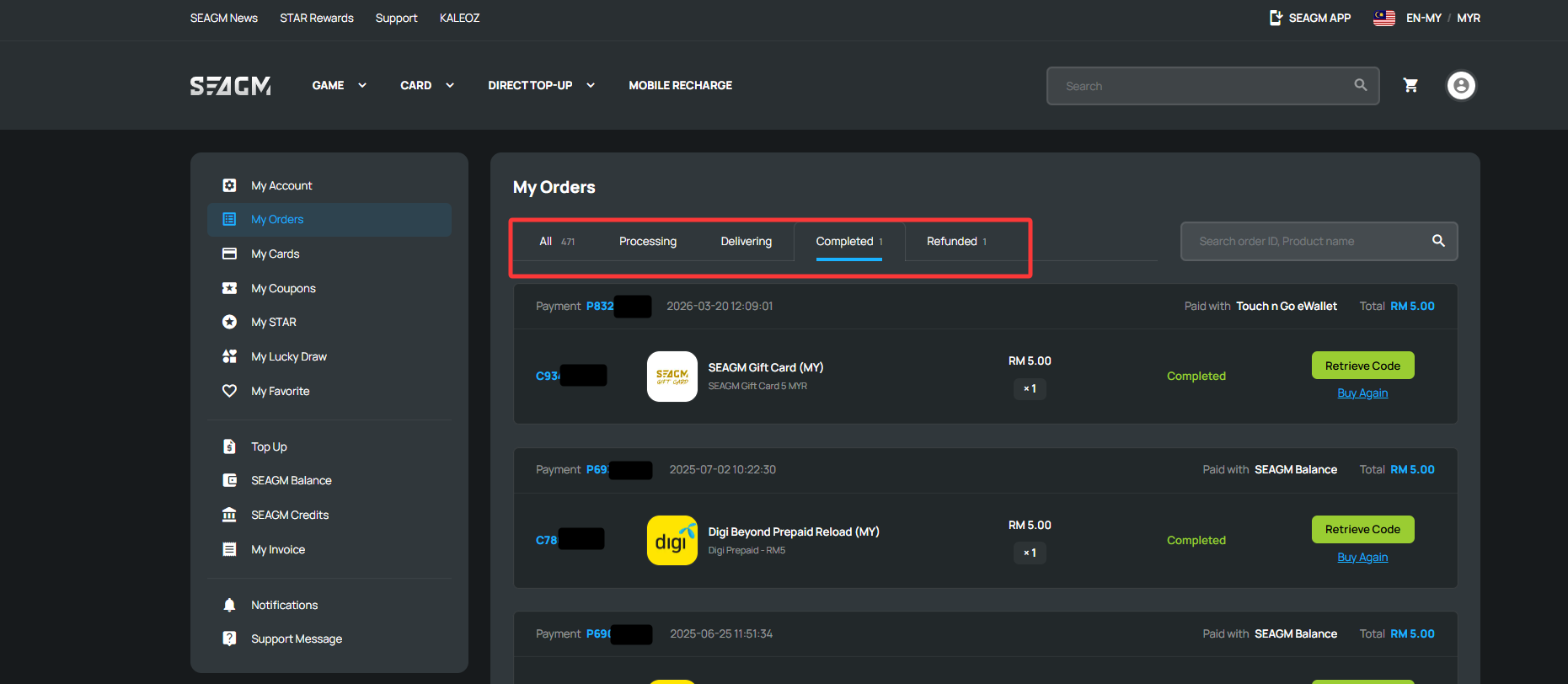
| Order Status | Description |
| All | Displays all of your orders, including both paid and unpaid orders. |
| Processing | Your payment has been received, and your order is waiting to be processed. |
| Delivering | Your order is currently being processed or delivered. |
| Completed | Your order has been successfully delivered. |
| Refunded | Your order has been refunded. For more information, please refer to our Refund article. |
Tip: Click any Order Number to view detailed order information and track its progress.
Thank you.
Visit the SEAGM Support site for quick answers and guides.
Need support? Contact our Customer Support via LiveChat .