Step 1: Visit the SEAGM website and log in using your registered account.
Step 2: After logging in, click the profile icon in the top-right corner of the page.
Step 3: Select [My Orders] from the menu, then click on the order number you would like to check.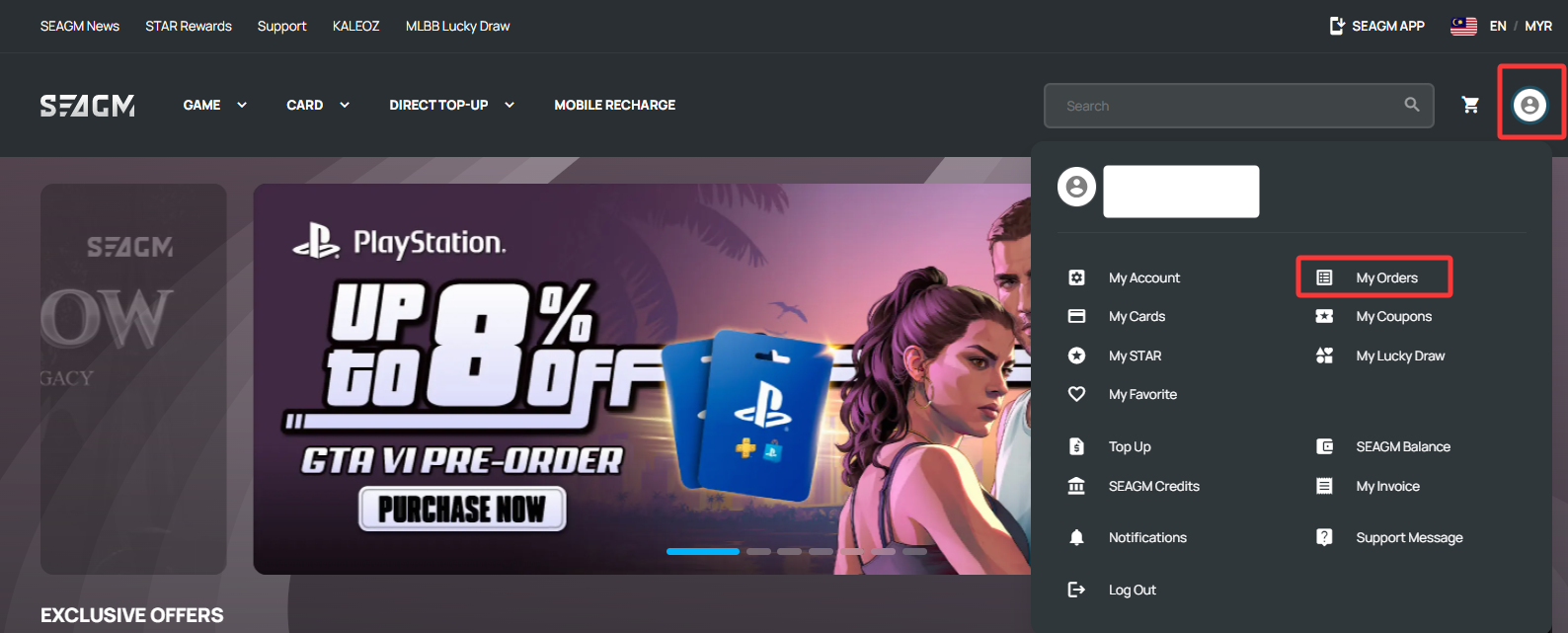
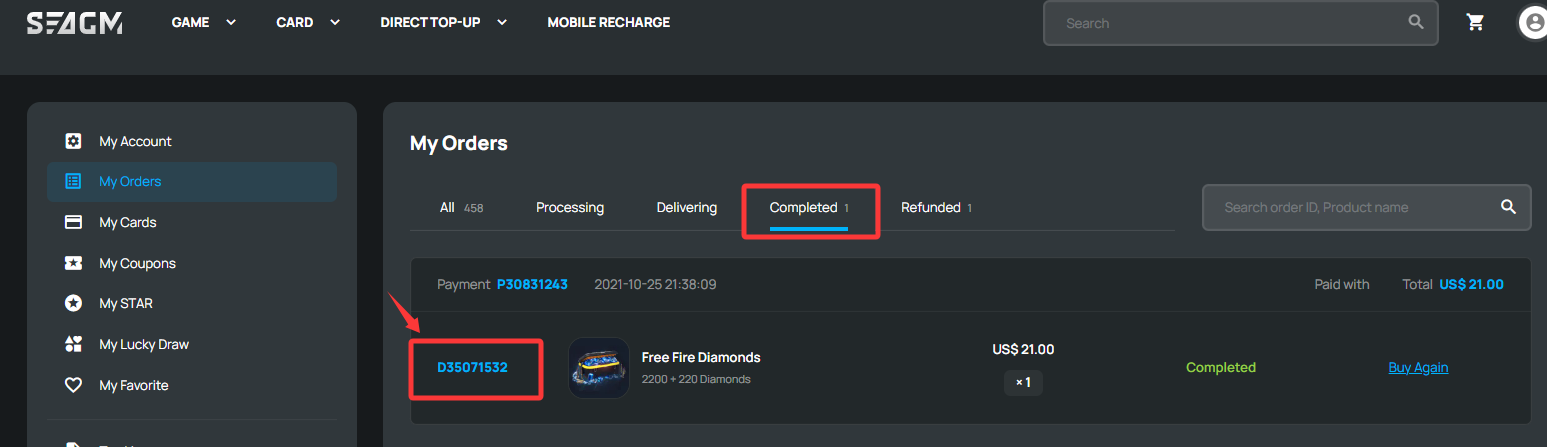
Step 4: After opening the order, you will be able to view the order details and current order status. You may check the Player ID or mobile recharge number under the [Product Details] section.
i. Direct Top Up: The Player ID and related top-up details will be displayed under the Product Details section.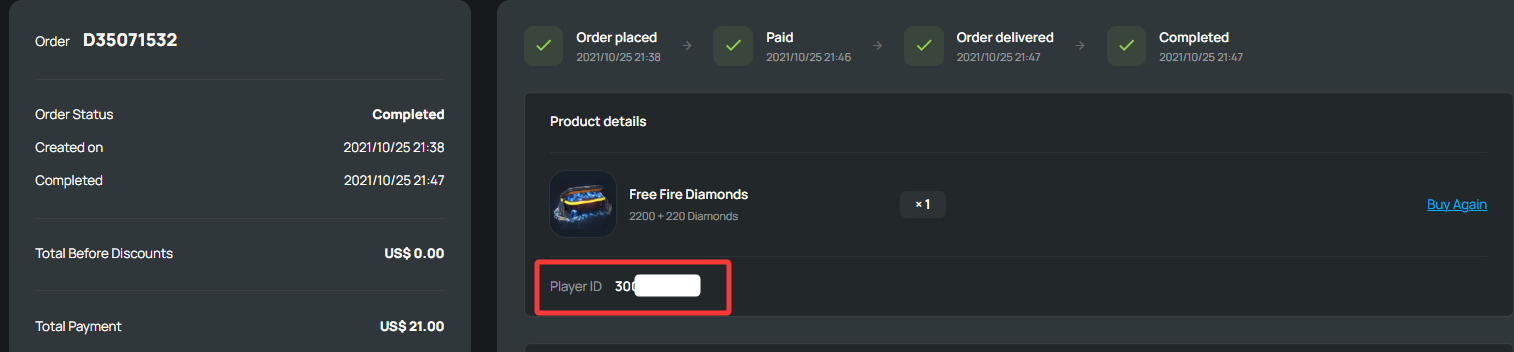
ii. Mobile Recharge: The mobile recharge number and related details will be displayed under the Product Details section.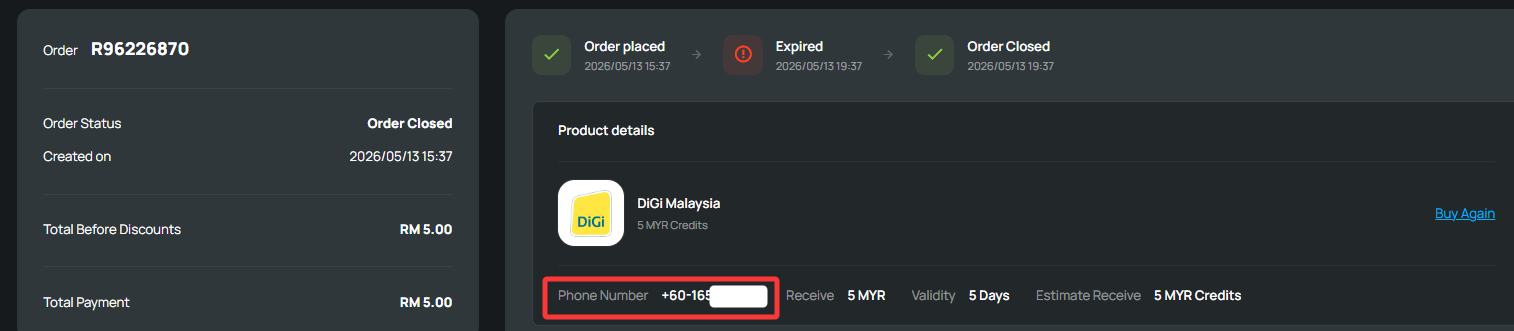
Thank you.
Visit the SEAGM Support site for quick answers and guides.
Need support? Contact our Customer Support via LiveChat .