Need to check a reply to your ticket in SEAGM? Follow these simple steps to quickly find updates and respond to the support team.
1. Log in to your SEAGM account.
2. Click on your profile icon (at the top right).
3. Select “Support Message” from the menu.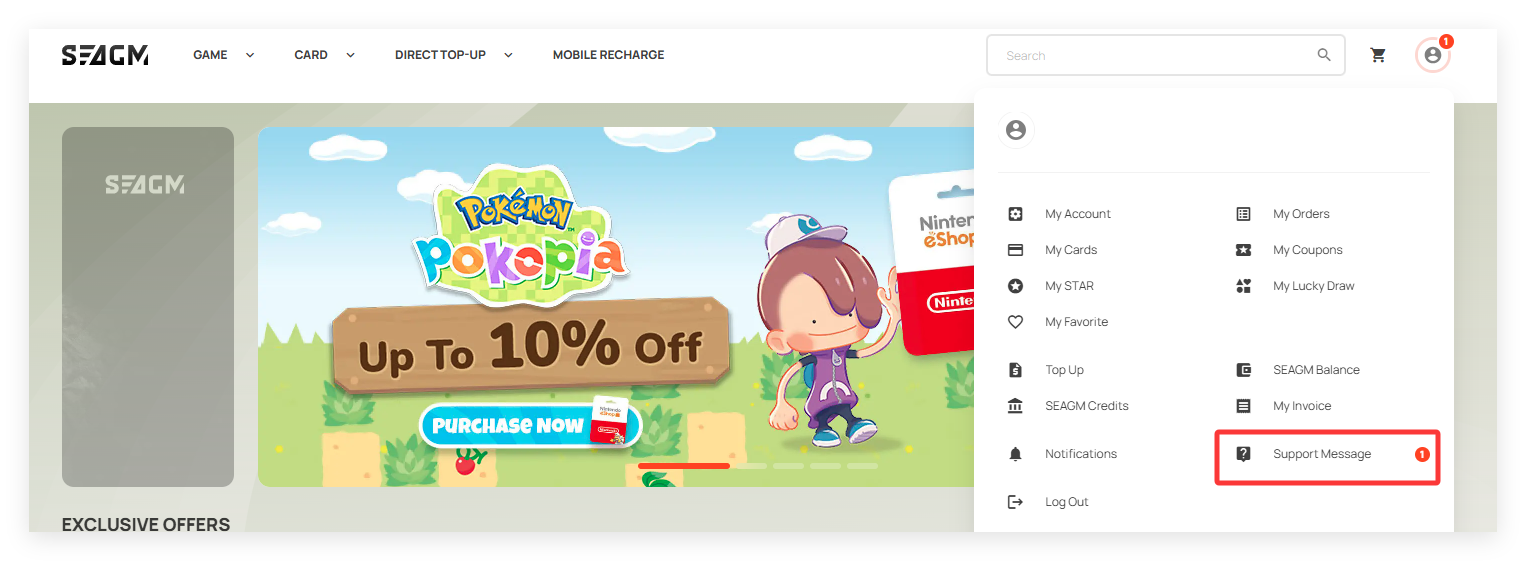
4. You will see a list of updates if there are any replies.
5. Click on the relevant message to view the full response. 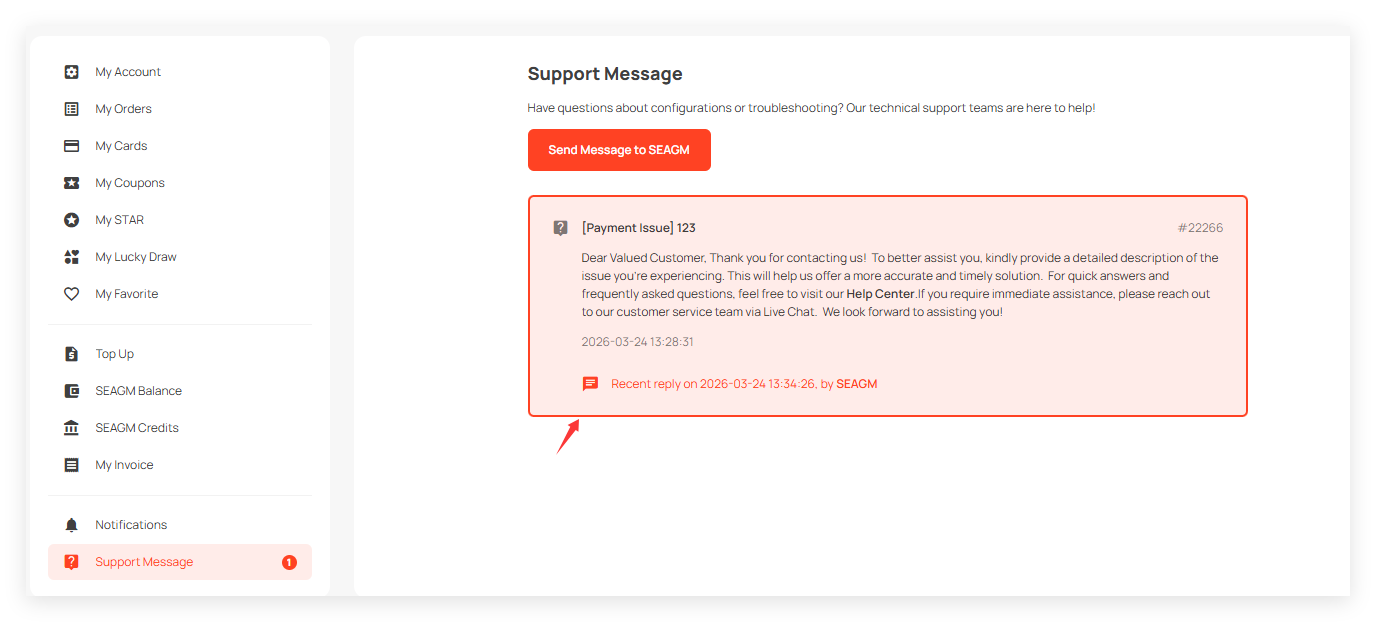
6. To reply, enter your message and click “Submit Message”.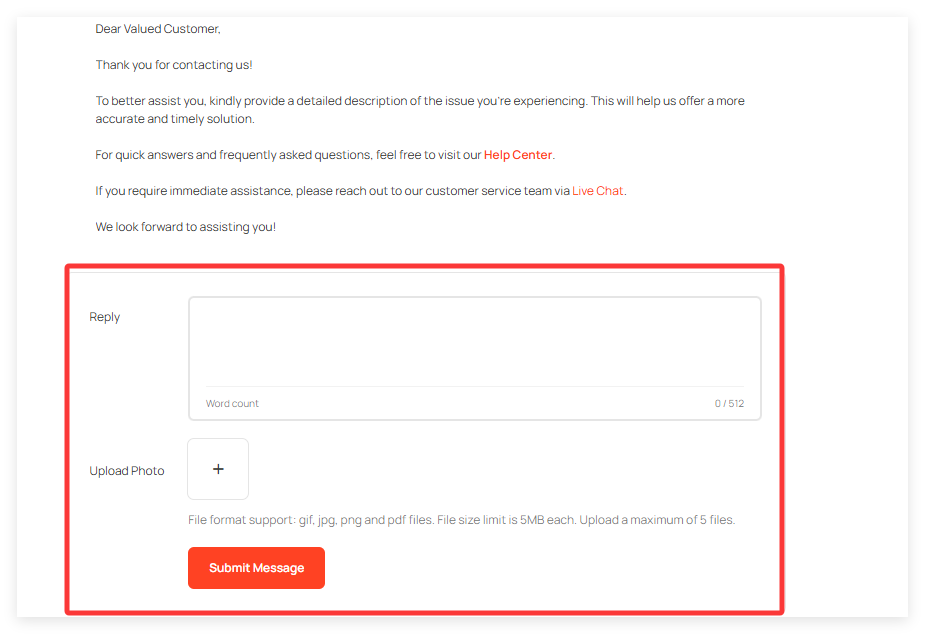
ขอบคุณ
เยี่ยมชม เว็บไซต์สนับสนุน SEAGM เพื่อรับคำตอบและคำแนะนำอย่างรวดเร็ว
ต้องการความช่วยเหลือใช่ไหม? ติดต่อเรา ฝ่ายสนับสนุนลูกค้า ผ่านทาง LiveChat .