If you are facing difficulties with your order, kindly follow the steps below to get assistance from SEAGM:
1. Visit the SEAGM website and sign in using your registered email address and password.
2. Then click on the profile icon and select [Support Message].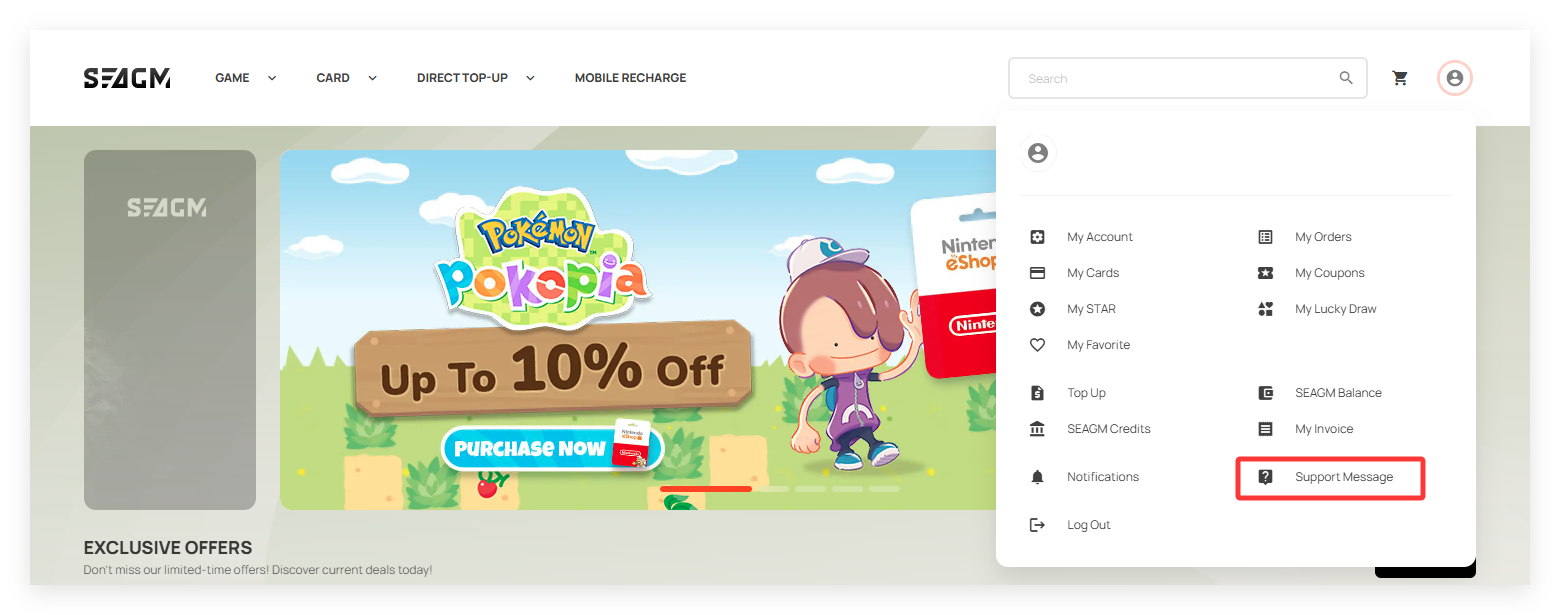
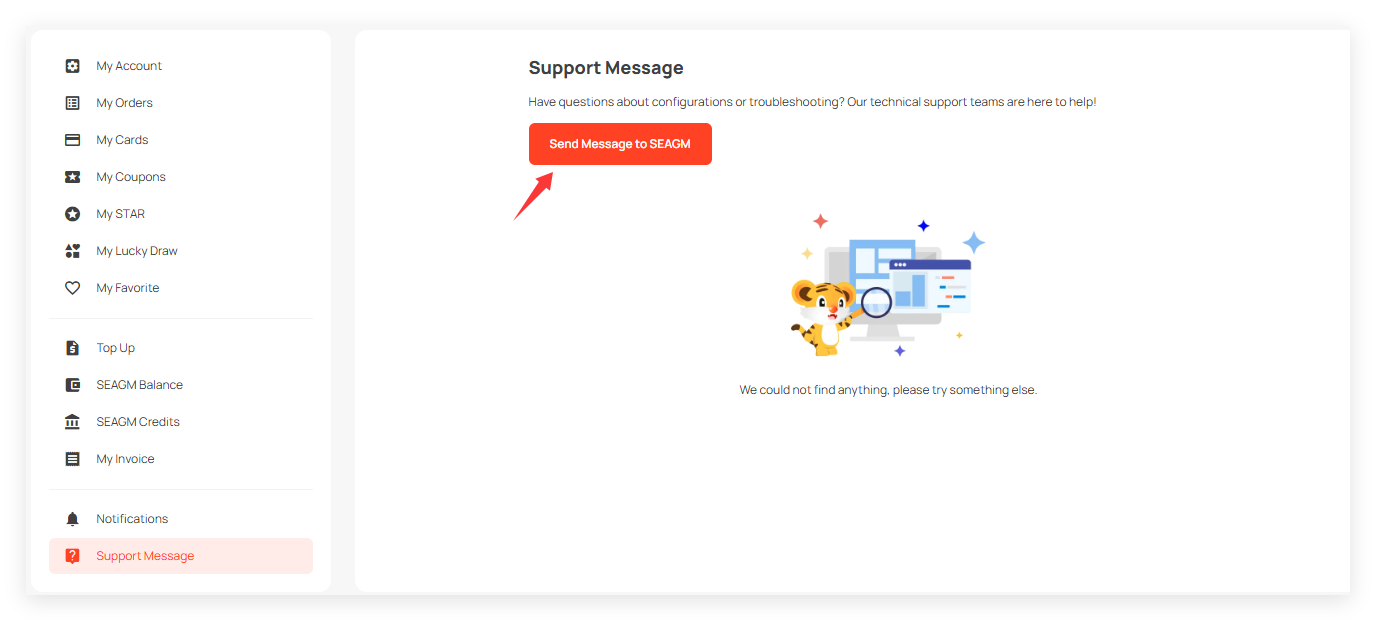 3. Clearly explain the problem and provide all relevant details, such as your order number and inquiry.
4. Upload screenshots or images related to the issue to help us better understand your request.
5. Click [Submit Message] to send your request.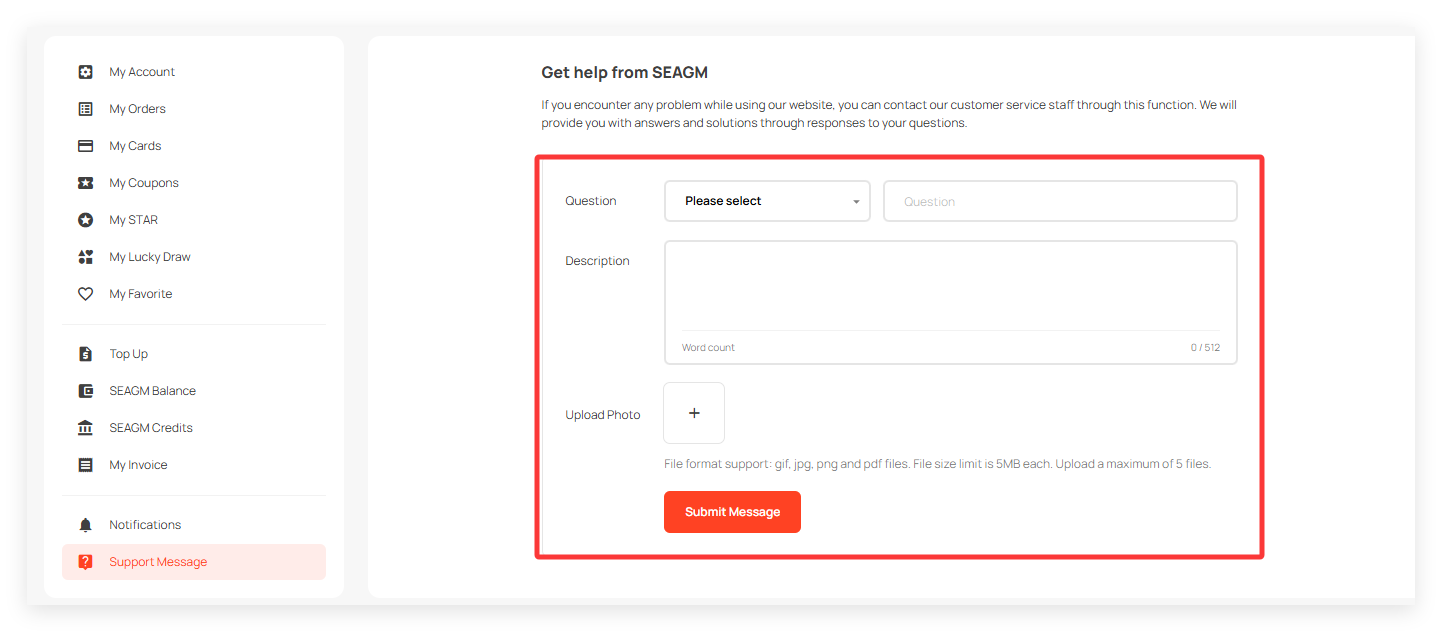
After submitting, our team will review your case and get back to you with updates as soon as possible.
Thank you.
Visit the SEAGM Support site for quick answers and guides.
Need support? Contact our Customer Support via LiveChat .