Step 1: Log in to your SEAGM account.
Step 2: Click your profile icon in the top-right corner, then select My Orders from the dropdown menu.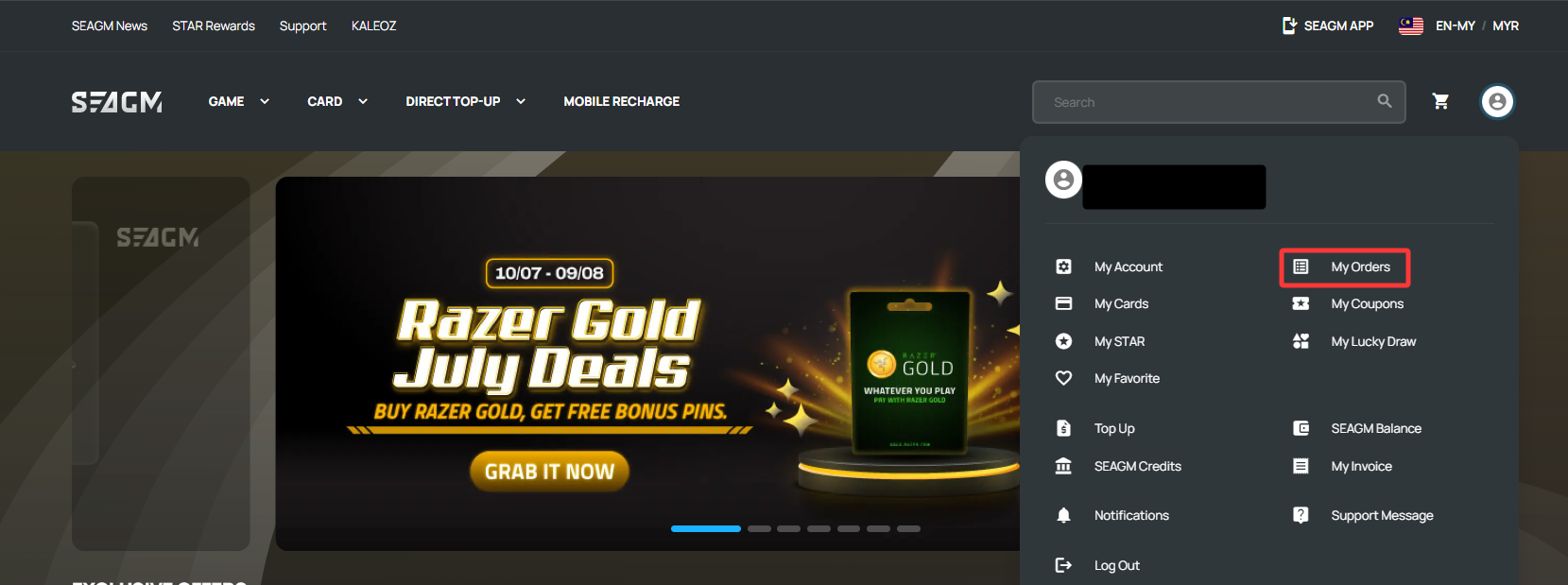
Step 3: On the My Orders page, you can track your orders using the status tabs at the top.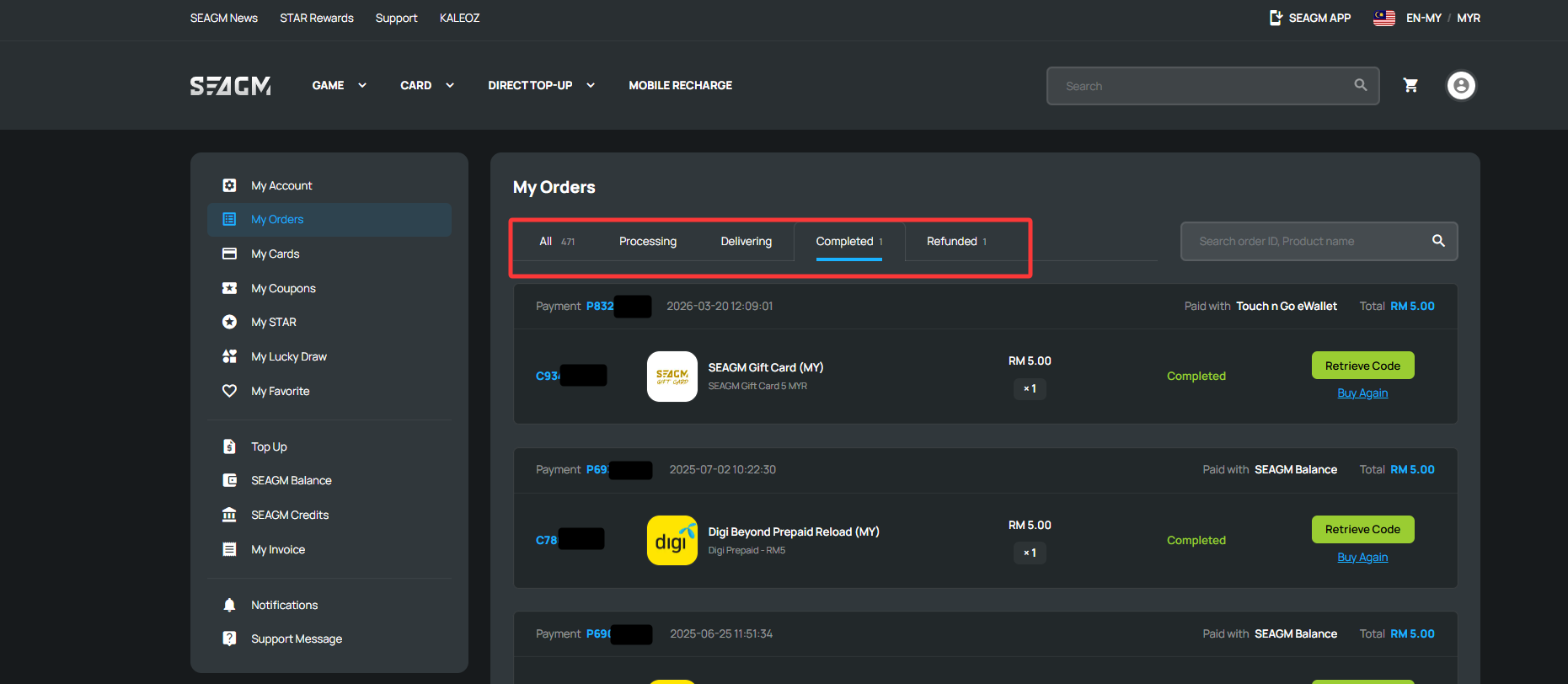
| Order Status | Description |
| All | Displays all of your orders, including both paid and unpaid orders. |
| Processing | Your payment has been received, and your order is waiting to be processed. |
| Delivering | Your order is currently being processed or delivered. |
| Completed | Your order has been successfully delivered. |
| Refunded | Your order has been refunded. For more information, please refer to our Refund article. |
Tip: Click any Order Number to view detailed order information and track its progress.
ขอบคุณ
เยี่ยมชม เว็บไซต์สนับสนุน SEAGM เพื่อรับคำตอบและคำแนะนำอย่างรวดเร็ว
ต้องการความช่วยเหลือใช่ไหม? ติดต่อเรา ฝ่ายสนับสนุนลูกค้า ผ่านทาง LiveChat .