Step 1: Visit the SEAGM website and log in using your registered account.
Step 2: After logging in, click the profile icon in the top-right corner of the page.
Step 3: Select [My Orders] from the menu, then click on the order number you would like to check.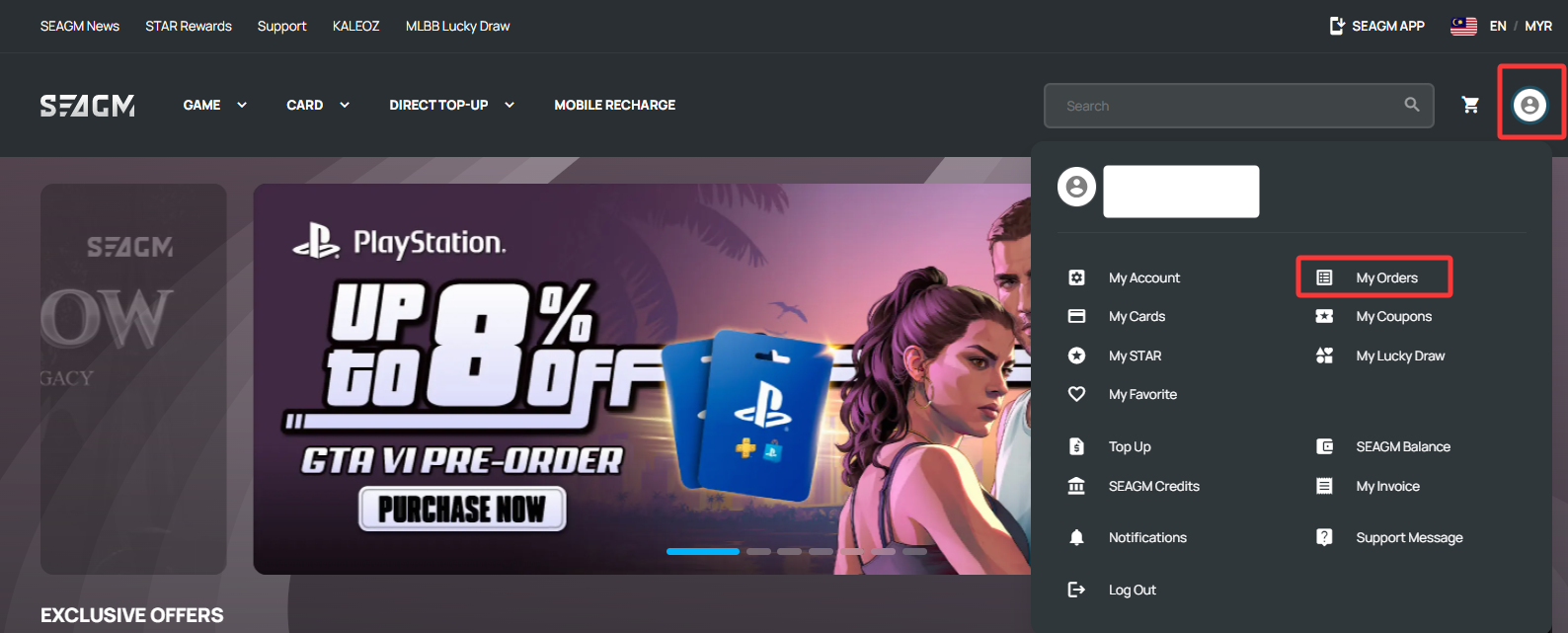
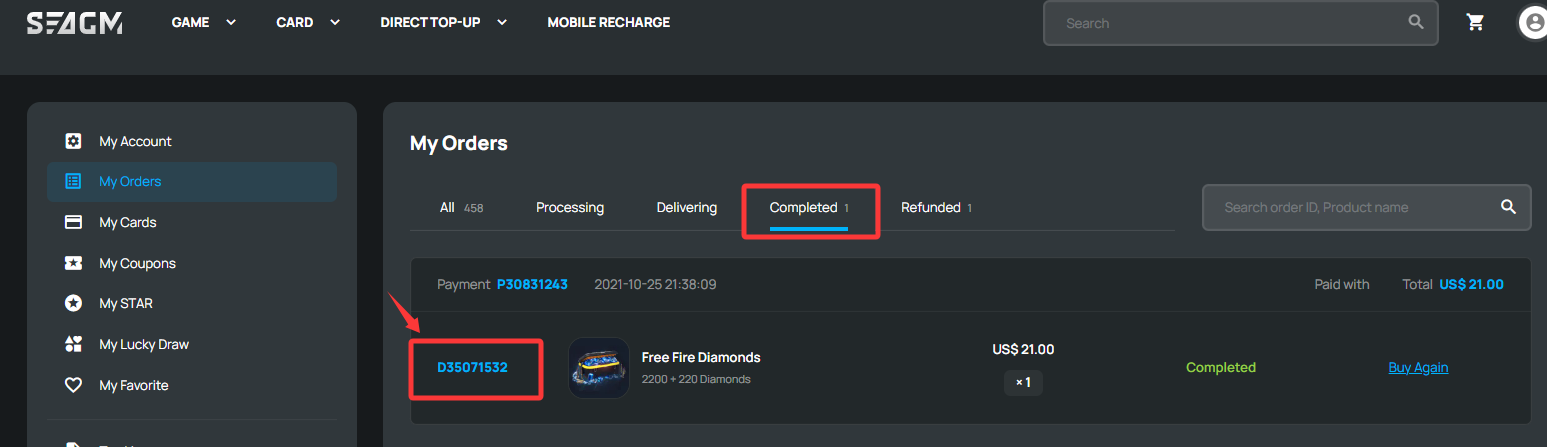
Step 4: After opening the order, you will be able to view the order details and current order status. You may check the Player ID or mobile recharge number under the [Product Details] section.
i. Direct Top Up: The Player ID and related top-up details will be displayed under the Product Details section.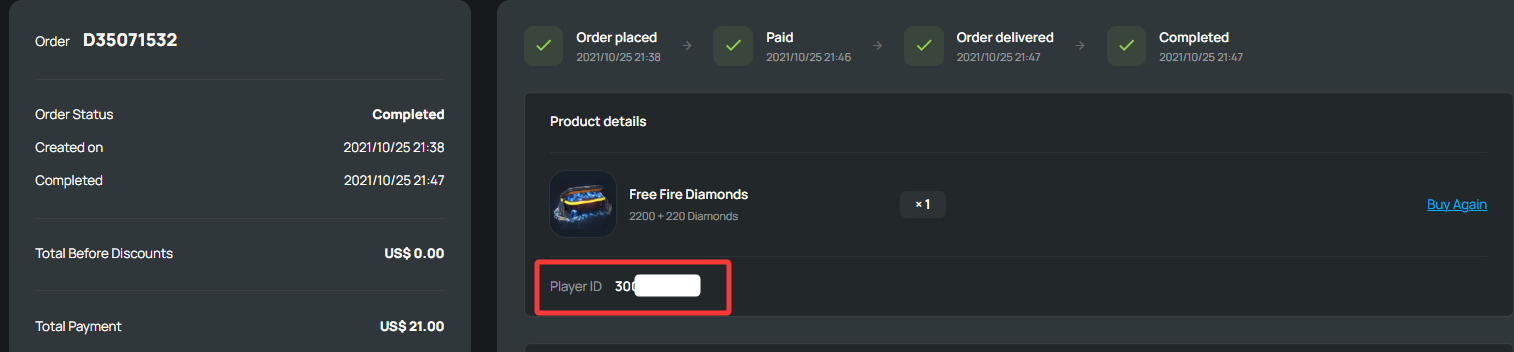
ii. Mobile Recharge: The mobile recharge number and related details will be displayed under the Product Details section.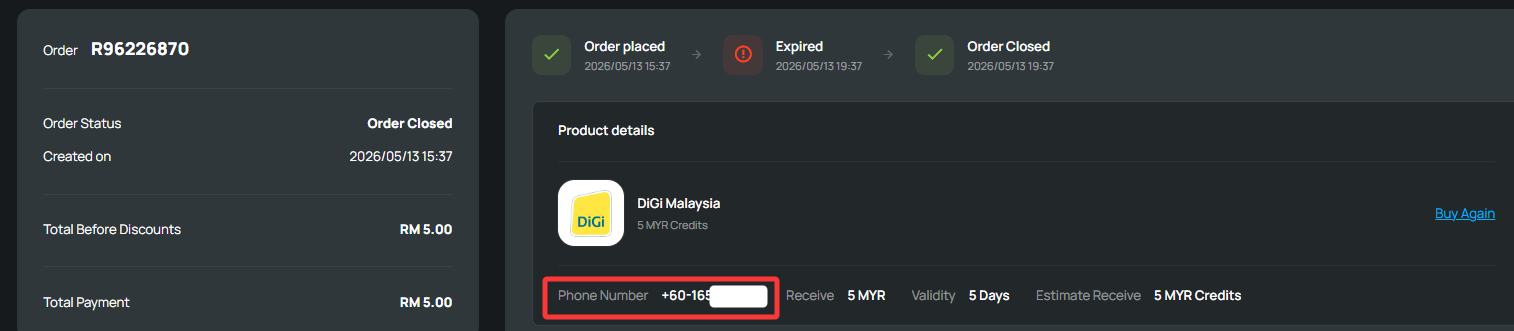
ขอบคุณ
เยี่ยมชม เว็บไซต์สนับสนุน SEAGM เพื่อรับคำตอบและคำแนะนำอย่างรวดเร็ว
ต้องการความช่วยเหลือใช่ไหม? ติดต่อเรา ฝ่ายสนับสนุนลูกค้า ผ่านทาง LiveChat .