Step 1: Visit SEAGM and click the [Sign In] button at the top-right corner of the page.
Step 2: In the sign-in window, click [Sign Up] to create a new account. 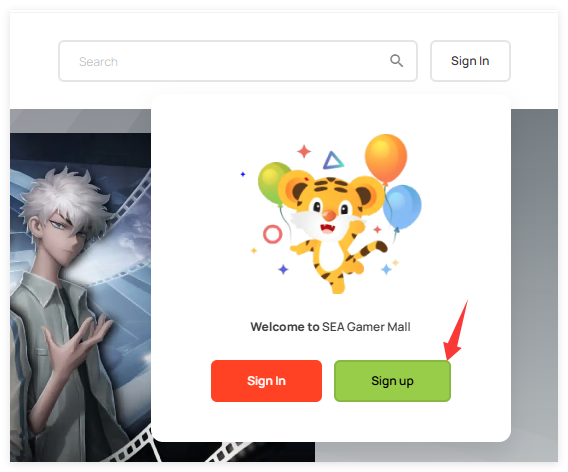
Step 3: Enter your email address and click [Send Verification Code] to receive a code for verification.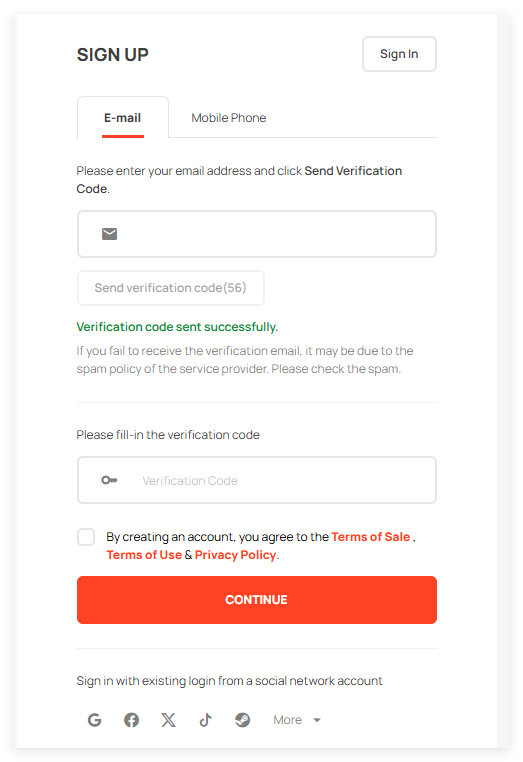
Step 4: Enter the verification code you received, tick the Terms & Conditions box, and click [Continue].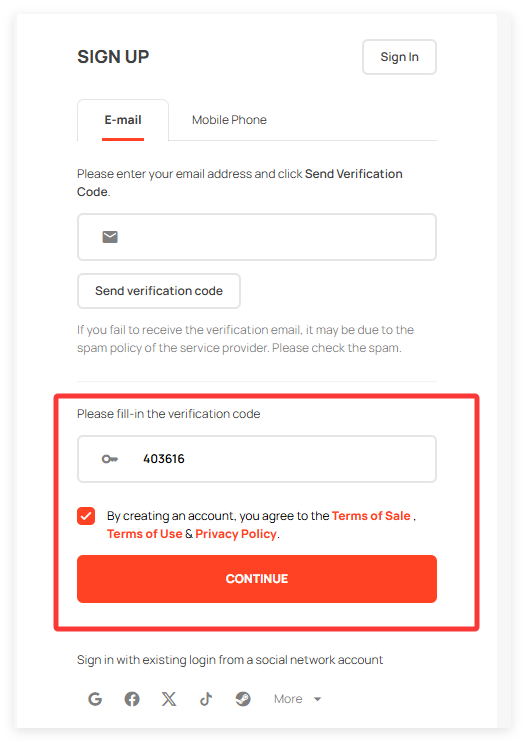
Step 5: You will be directed to the next page, where you need to set your password. Once done, click [Complete Registration] to finish creating your account.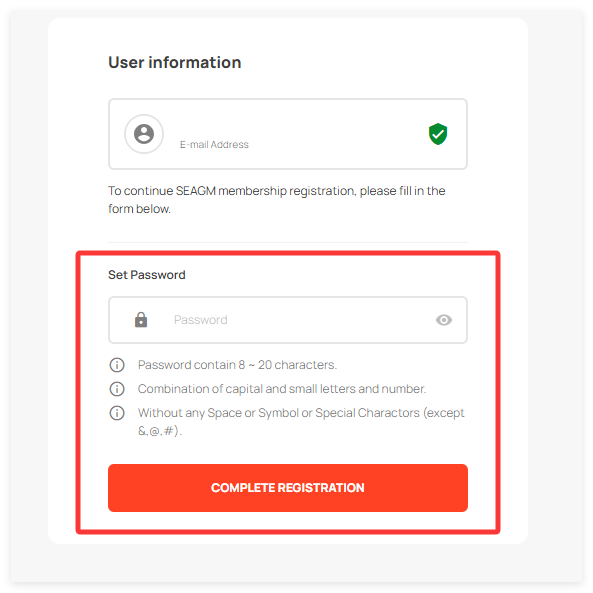
Step 6: Your SEAGM member account is now created! You can sign in and start using SEAGM services.
ขอบคุณ
เยี่ยมชม เว็บไซต์สนับสนุน SEAGM เพื่อรับคำตอบและคำแนะนำอย่างรวดเร็ว
ต้องการความช่วยเหลือใช่ไหม? ติดต่อเรา ฝ่ายสนับสนุนลูกค้า ผ่านทาง LiveChat .