Before you start, here’s what you need to know:
- Coupons apply only to selected products. If it applies, you’ll see it on the product page.
- All coupons are subject to stock availability.
- SEAGM reserves the right to update or modify terms and conditions without prior notice.
1. Choose the product you want and make sure it’s eligible for the coupon. Then click “Buy Now” to continue.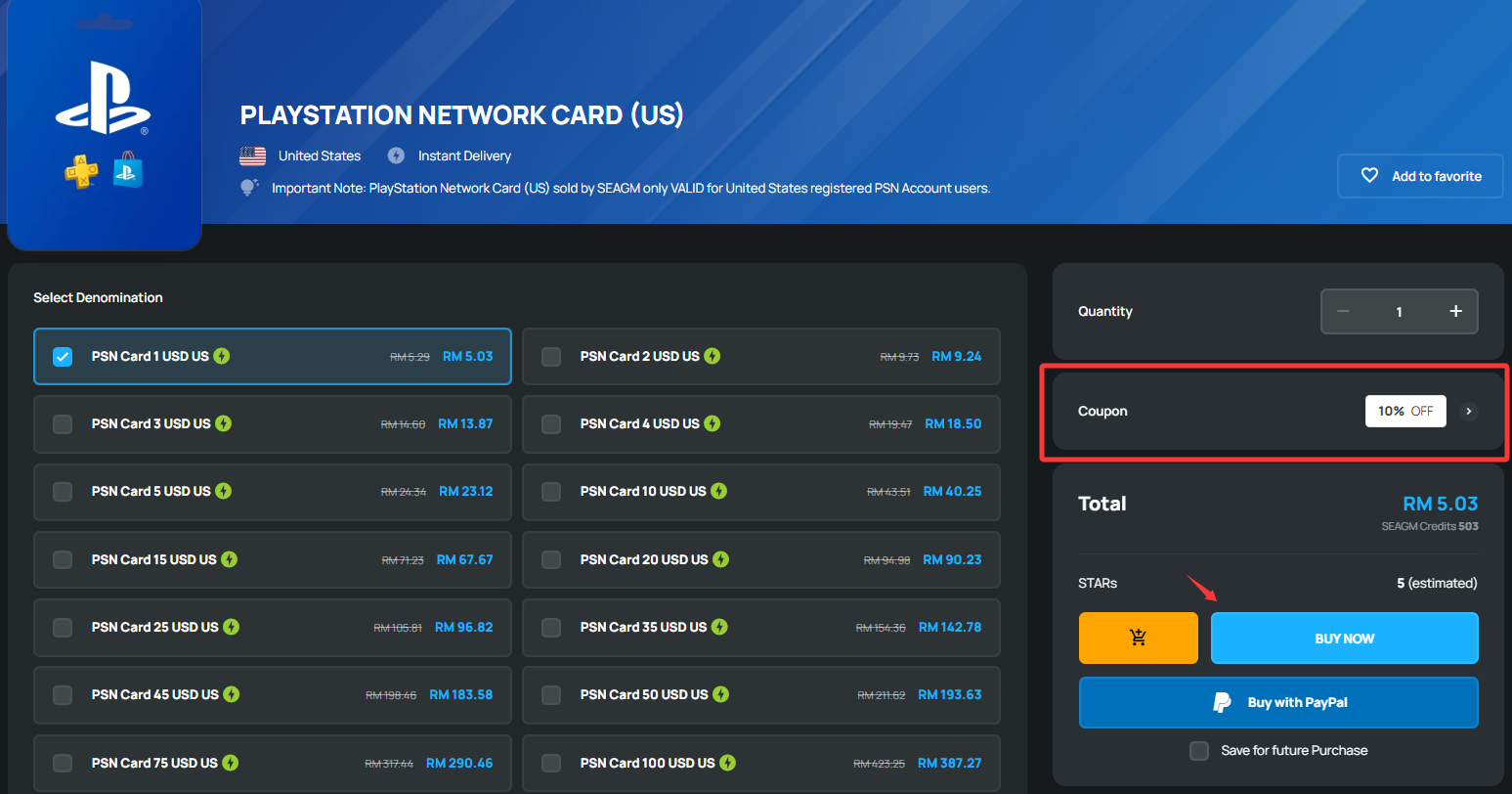
2. At checkout, the coupon will be applied automatically (no need to enter any code). You’ll be able to see the final price after the discount before paying.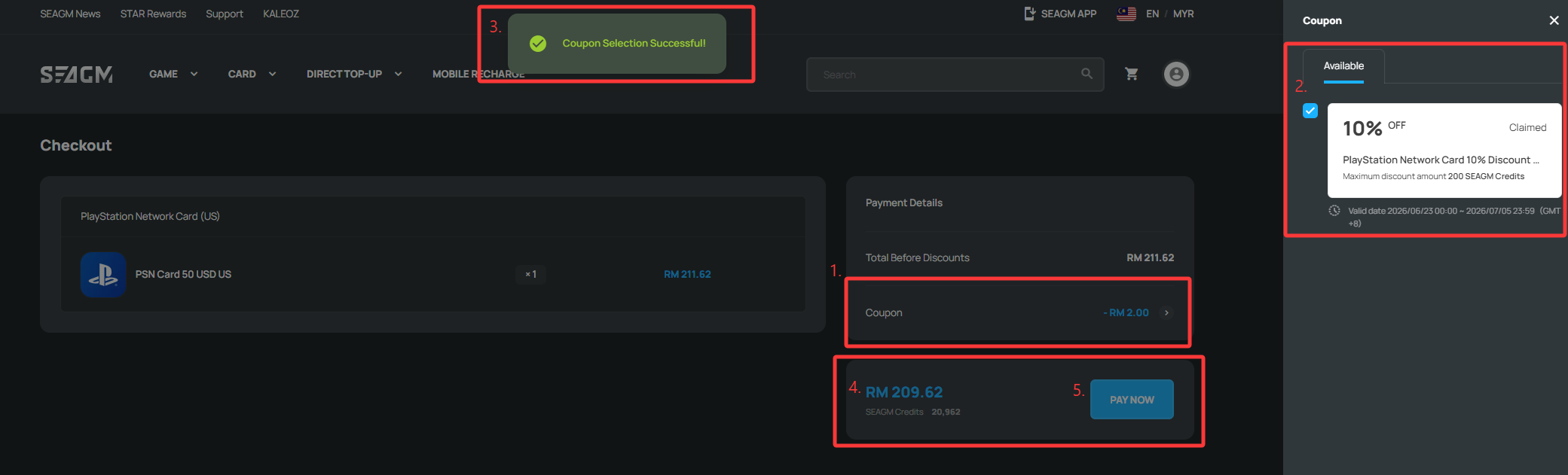
3. Select your preferred payment method and click “Pay Now” to complete your order.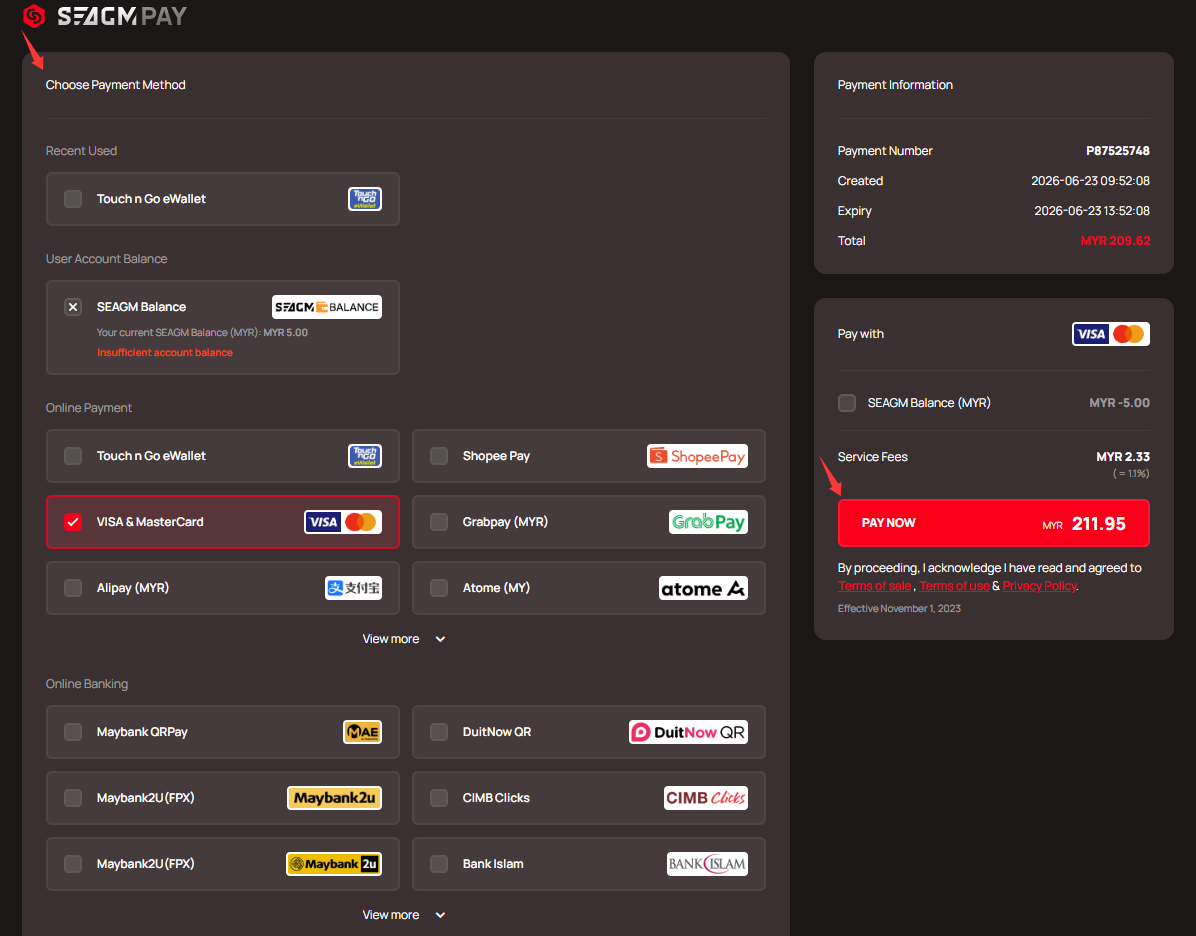
4. Once payment is done, you can check your order anytime in “My Orders”.
Thank you.
Visit the SEAGM Support site for quick answers and guides.
Need support? Contact our Customer Support via LiveChat .