SEAGM recently updated the system, and one of the functions, "Delete Account", has been added. Users may now choose to delete the SEAGM account by themselves on the account profile page. Refer to the steps to complete the account deletion process.
Note: Your product information/order information on all SEAGM-related platforms will be deleted and will not be restored once your account is completely deleted.
Step 1: Log in to your SEAGM account. Then, on the main page, click the user icon.
Step 2: Click on "User Profile" and you will be directed to the user profile page directly. 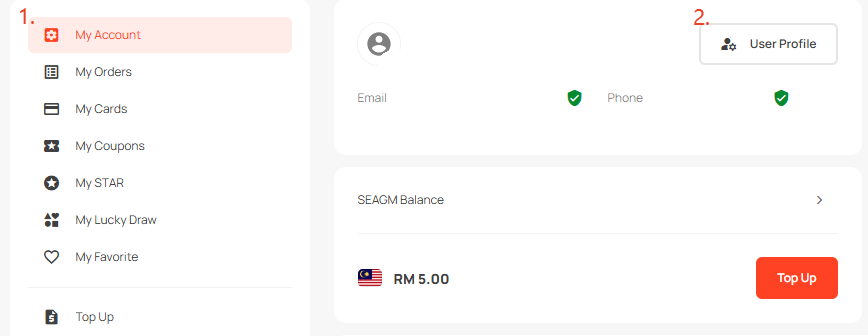
Step 3: Click on "Delete account". 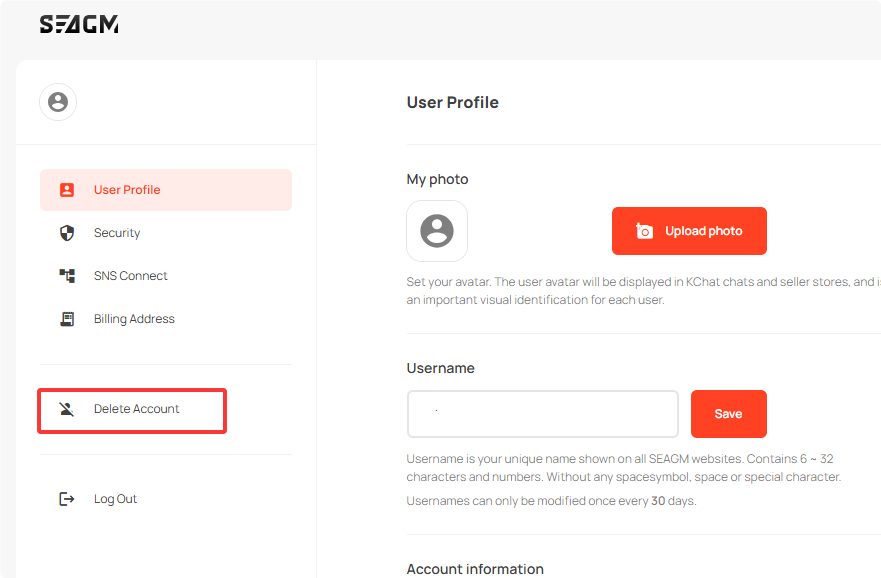
Step 4: Once clicked, the Terms and Conditions of deleting the SEAGM account will be listed. Kindly go through and ensure that your account does not have any available balance before clicking on the "Delete Account" button.
Note: If you are not sure that the account has any outstanding orders/balances, kindly contact our LiveChat Customer Support for assistance. 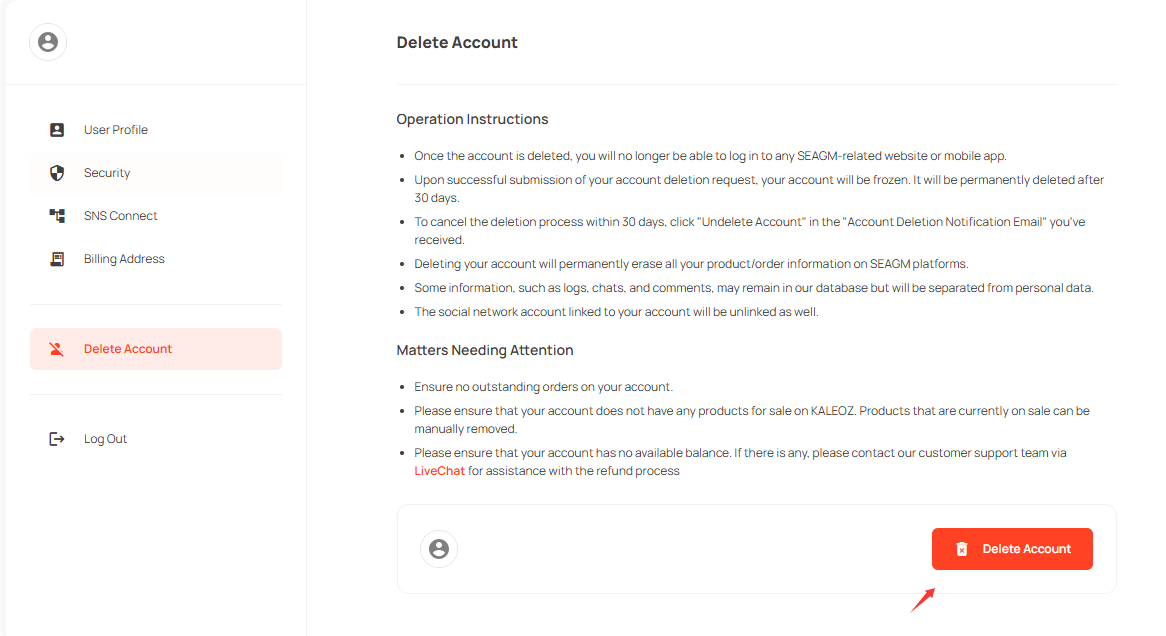
Step 5: Once clicked on "Delete My Account", you will receive a notice of account deletion successfully and also an account deletion notification email to your mailbox.
Note: You can cancel this deletion process within 30 days by clicking Undelete Account" in the "Account Deletion Notification Email" you received under HTML compatible email viewer.
ขอบคุณ
เยี่ยมชม เว็บไซต์สนับสนุน SEAGM เพื่อรับคำตอบและคำแนะนำอย่างรวดเร็ว
ต้องการความช่วยเหลือใช่ไหม? ติดต่อเรา ฝ่ายสนับสนุนลูกค้า ผ่านทาง LiveChat .