All digital codes and CD-keys purchased in SEAGM will be delivered to your SEAGM account under the "My Cards" section.
Note: If your account is linked to a social network site account [Facebook/Twitter/Steam, etc], please contact our LiveChat for further assistance or refer to our articles site for an immediate solution.
Step 1: Log in to your SEAGM account, click on the user icon and select My Cards.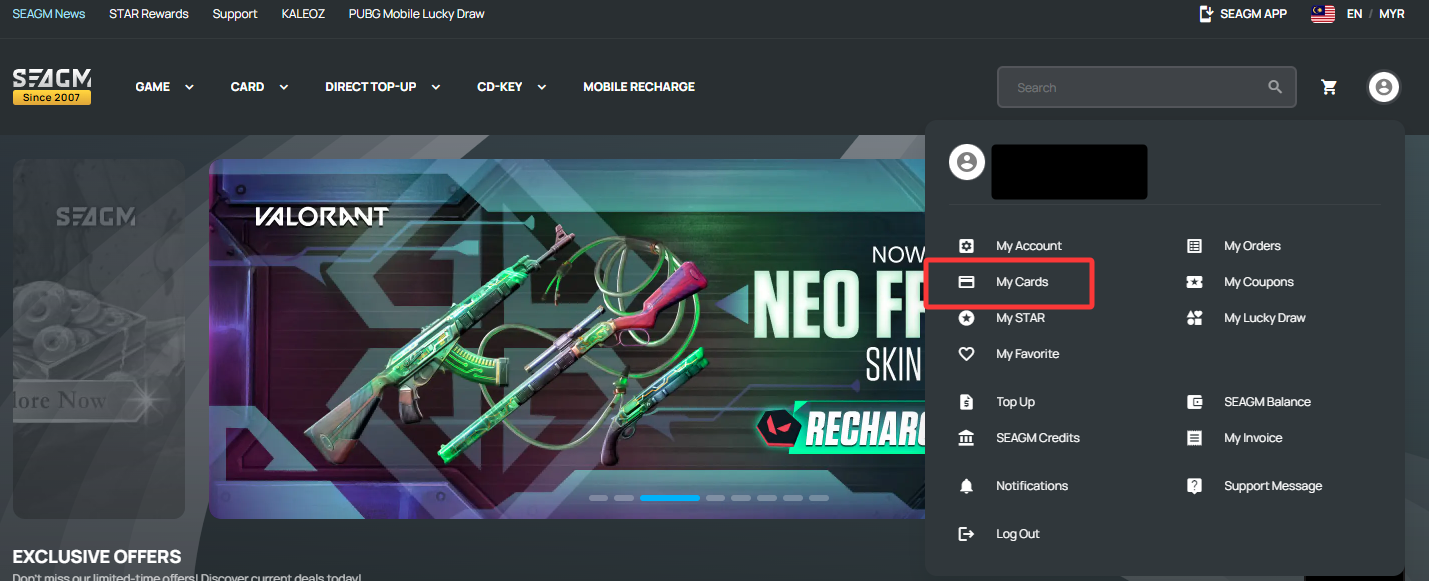
Step 2: Once clicked, kindly enter your SEAGM account login password to retrieve the code. Then click "Submit".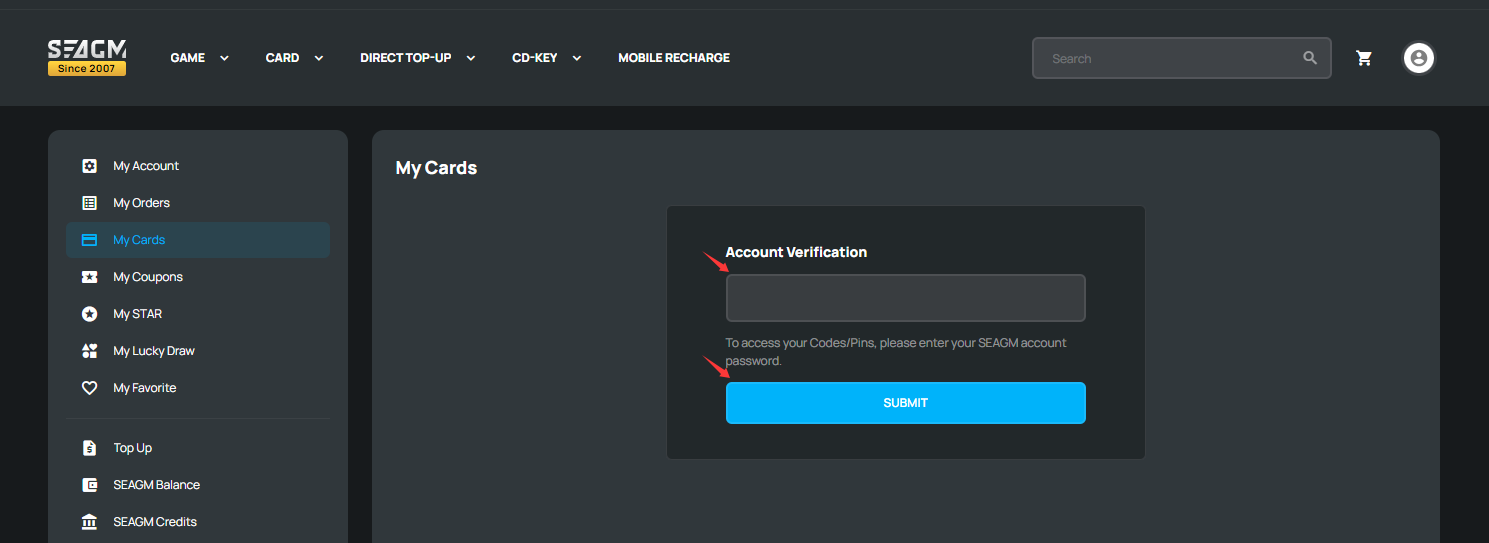
Step 3: Select the order that you've just purchased, then tap on "Show", and the code or CD-key will be shown. You will need to copy the code or CD-key and redeem it on the site that you need. 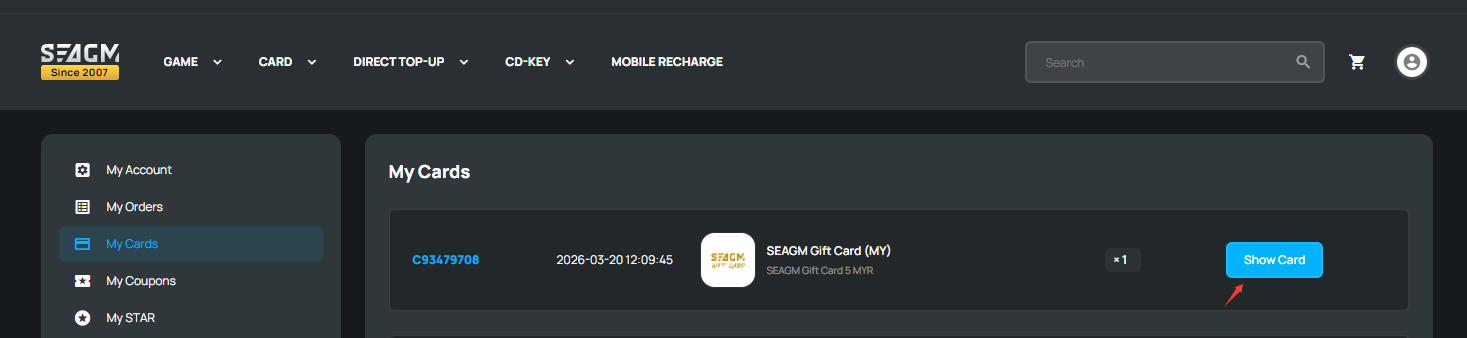
If you're not sure how to use the code purchased, you may click on "Activation Guide" below your pins: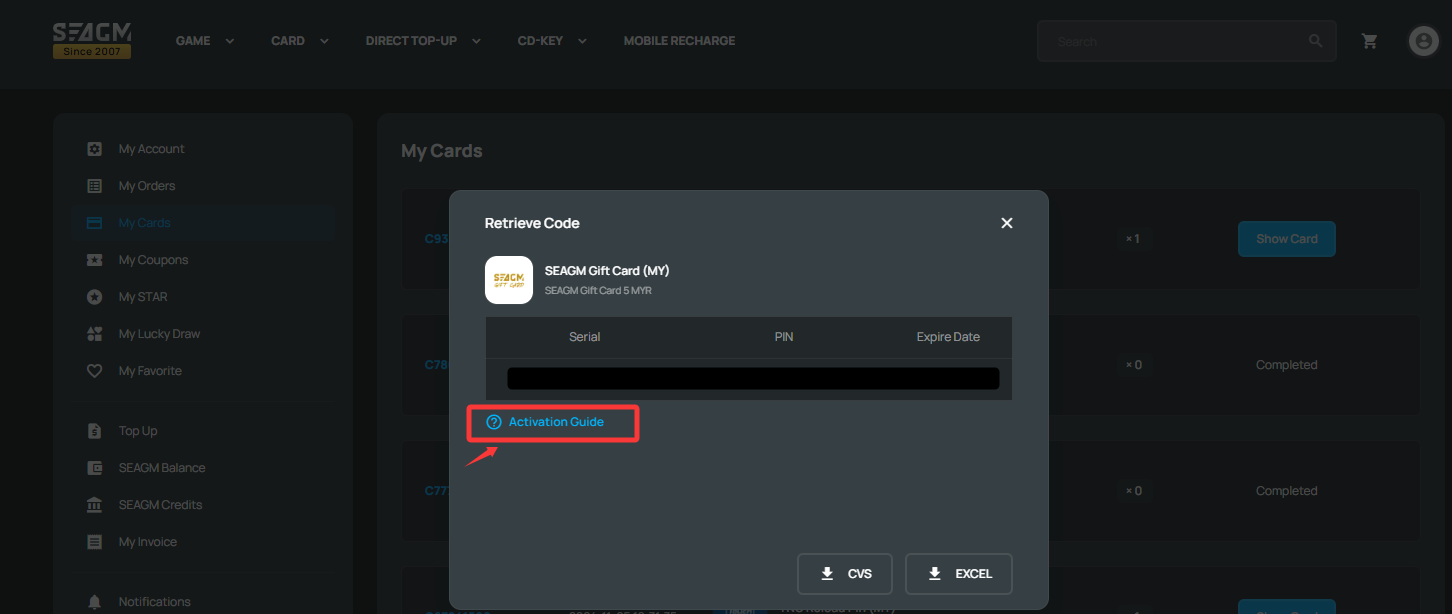
Thank you.
Visit the SEAGM Support site for quick answers and guides.
Need support? Contact our Customer Support via LiveChat .