GOALS is a fast, responsive football game built for pure skill, real competition, and a global community. Gameplay first, free to play, crossplay and unique players. No excuses - just football.
Step 1: Register or login to SEAGM, then on the top right side of the page, search "Goals".
Step 2: Select "GOALS Coins Top Up" and choose the coins amount. After choosing, kindly enter the User ID then click "Buy Now" to proceed.
Note: To check on the User ID, kindly go to Account Settings to find and copy your Goals User ID.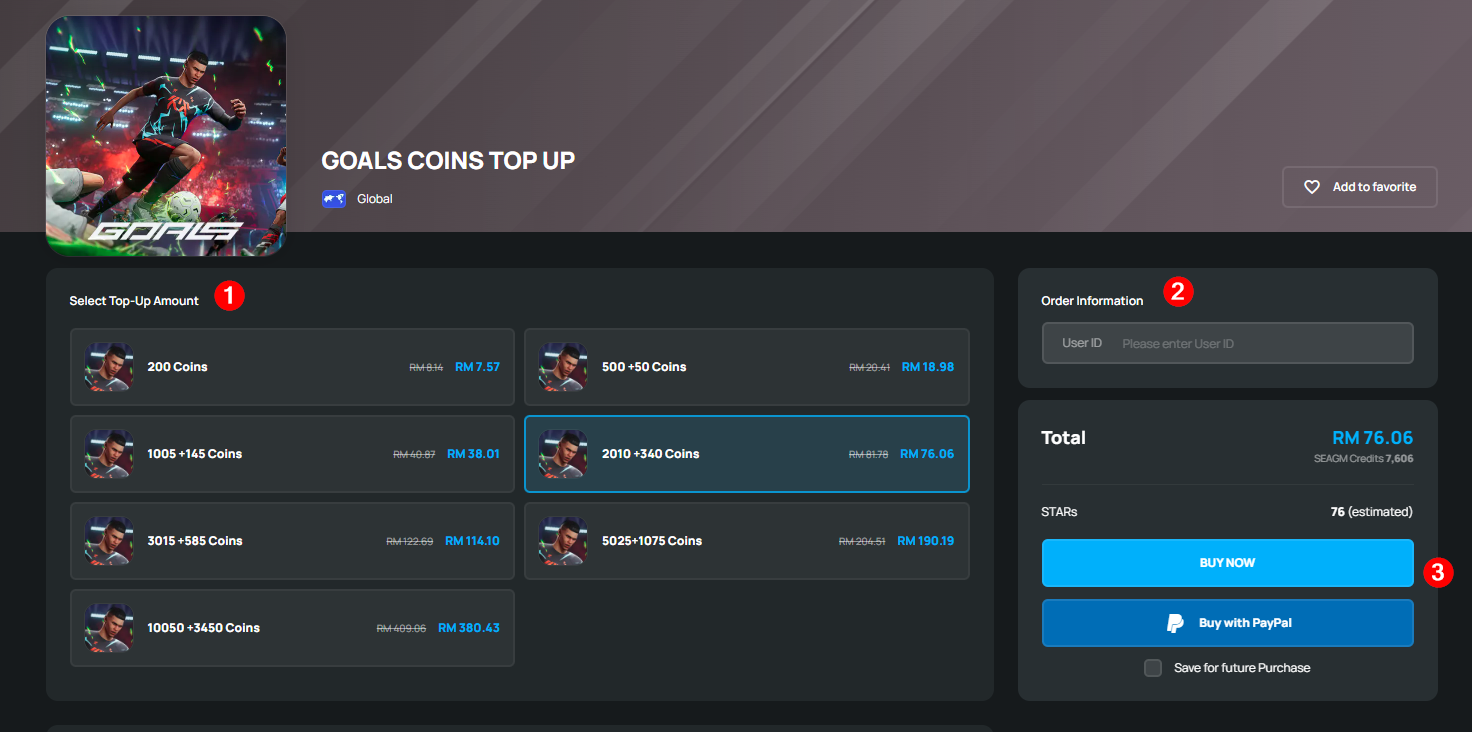
Step 3: Kindly confirm the account info and coin amount then click "Pay Now". 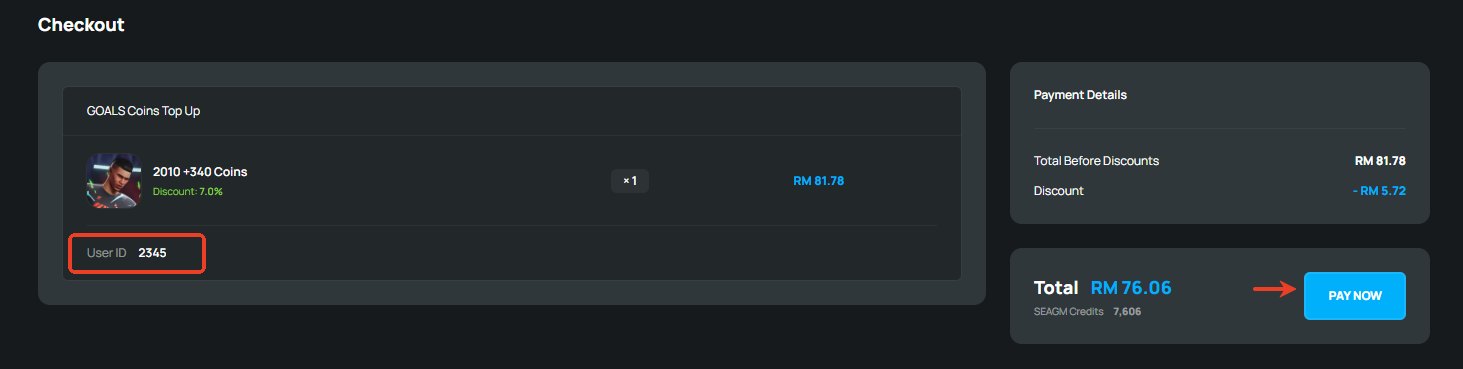
Step 4: Pick your desired payment method and click "Pay Now" to complete your payment. 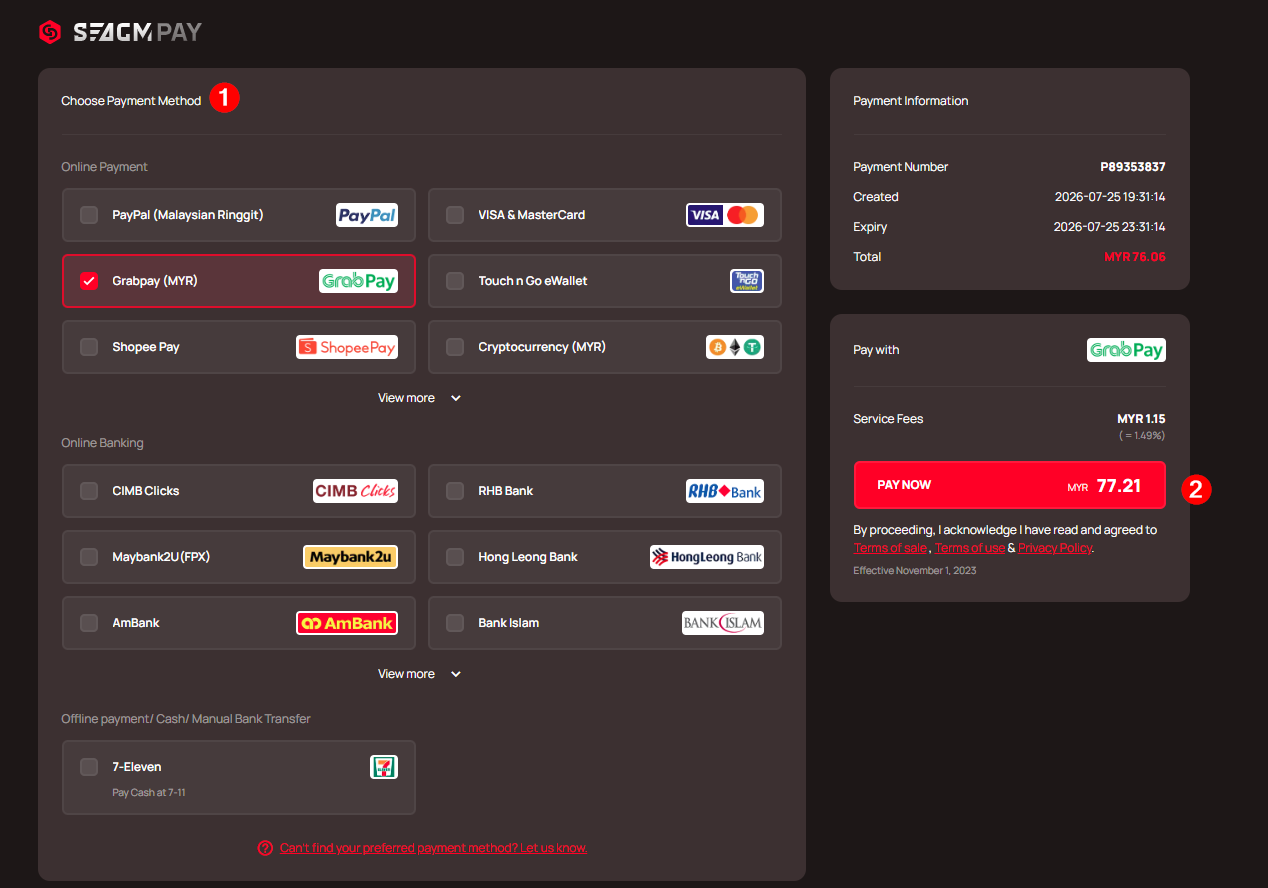
Step 5: Once payment is completed, you may view your order status, under "My Orders".
Thank you.
Visit the SEAGM Support site for quick answers and guides.
Need support? Contact our Customer Support via LiveChat .