How to complete your Gnjoy LATAM top-up in SEAGM?

updated 2026-06-18 13:31:31

JoyCoins are the official premium in-game currency used within the GnJoy LATAM platform, including titles such as Ragnarok Online LATAM. They are primarily used to purchase exclusive in-game items, premium services, and other special content available through the official in-game shop.
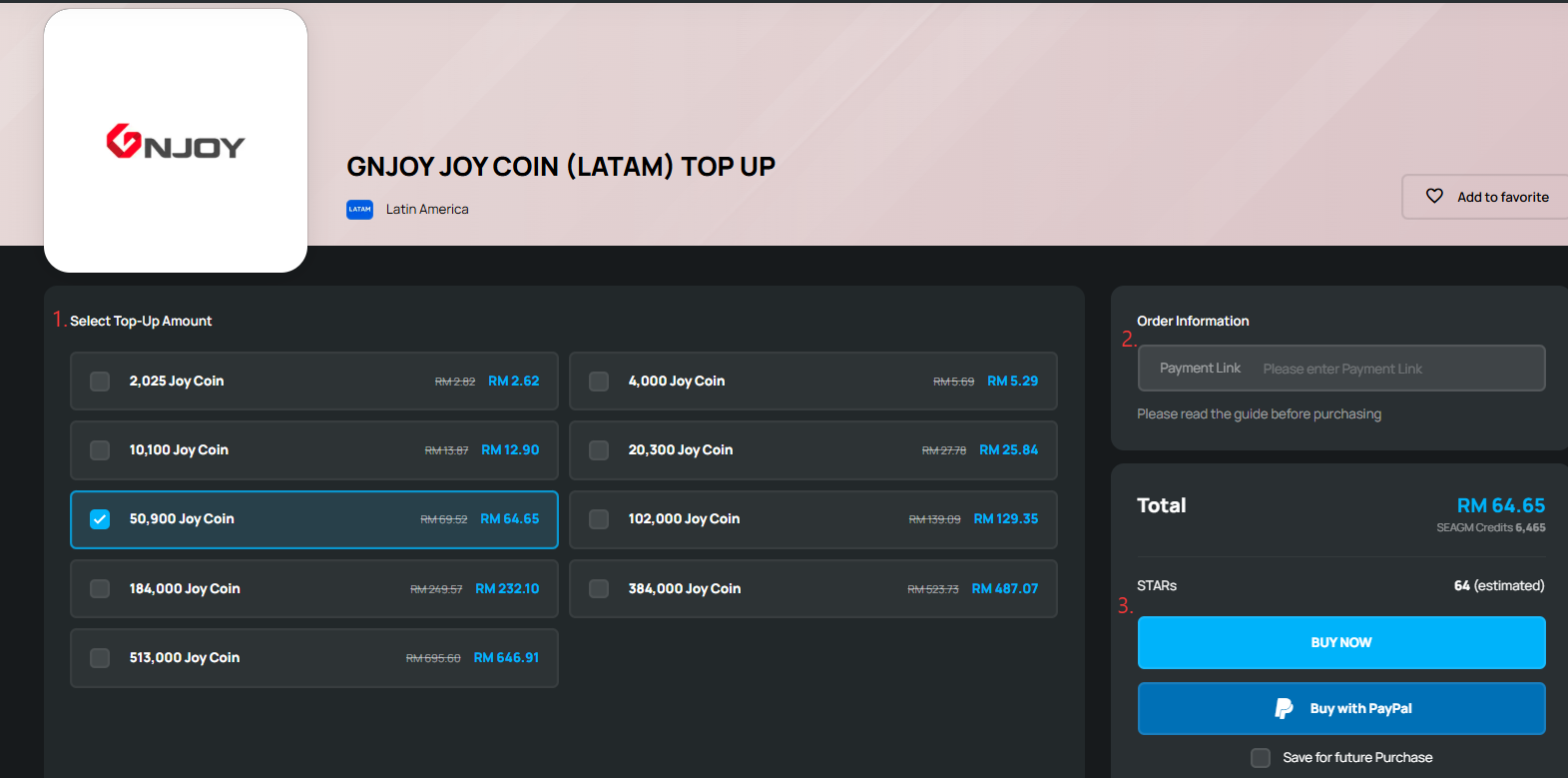
Step 1: Go to the SEAGM Gnjoy LATAM top-up page and select the JoyCoin package you wish to purchase.
Step 2: Before clicking “Buy Now”, paste your generated Razer Gold payment link into the designated field on the order page. This payment link is required to proceed with the order. If you are unsure how to generate the payment link, please follow the next steps.

Step 3: If you already have the payment link, you may proceed to Step 4. If you do not have the link yet, please follow the steps below to generate it:
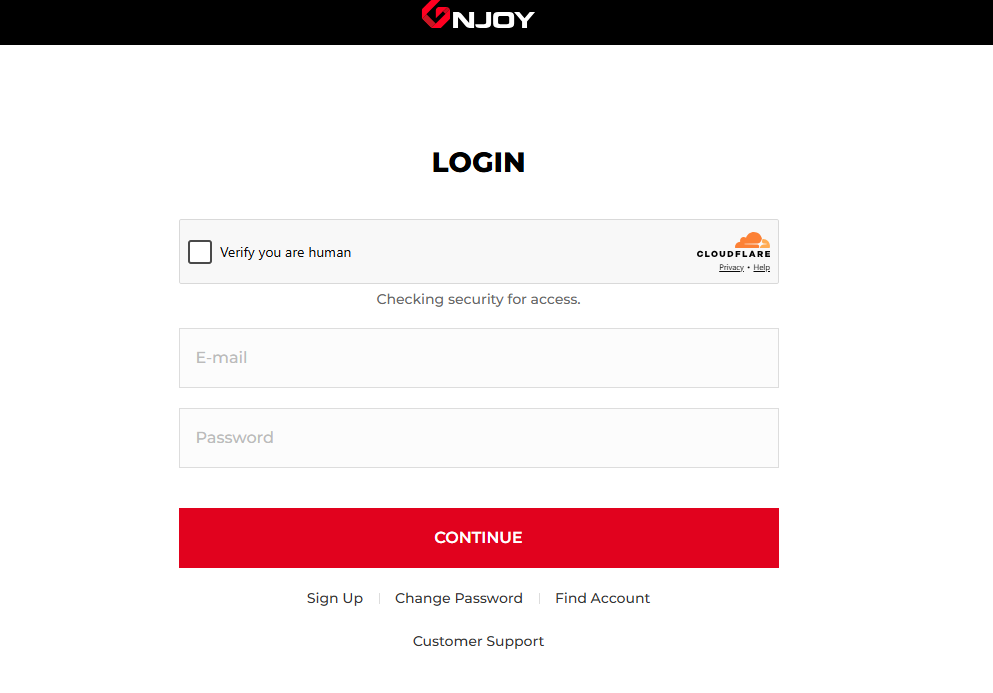
i. You will need to visit the official GnJoy LATAM payment interface and proceed with login or sign up.

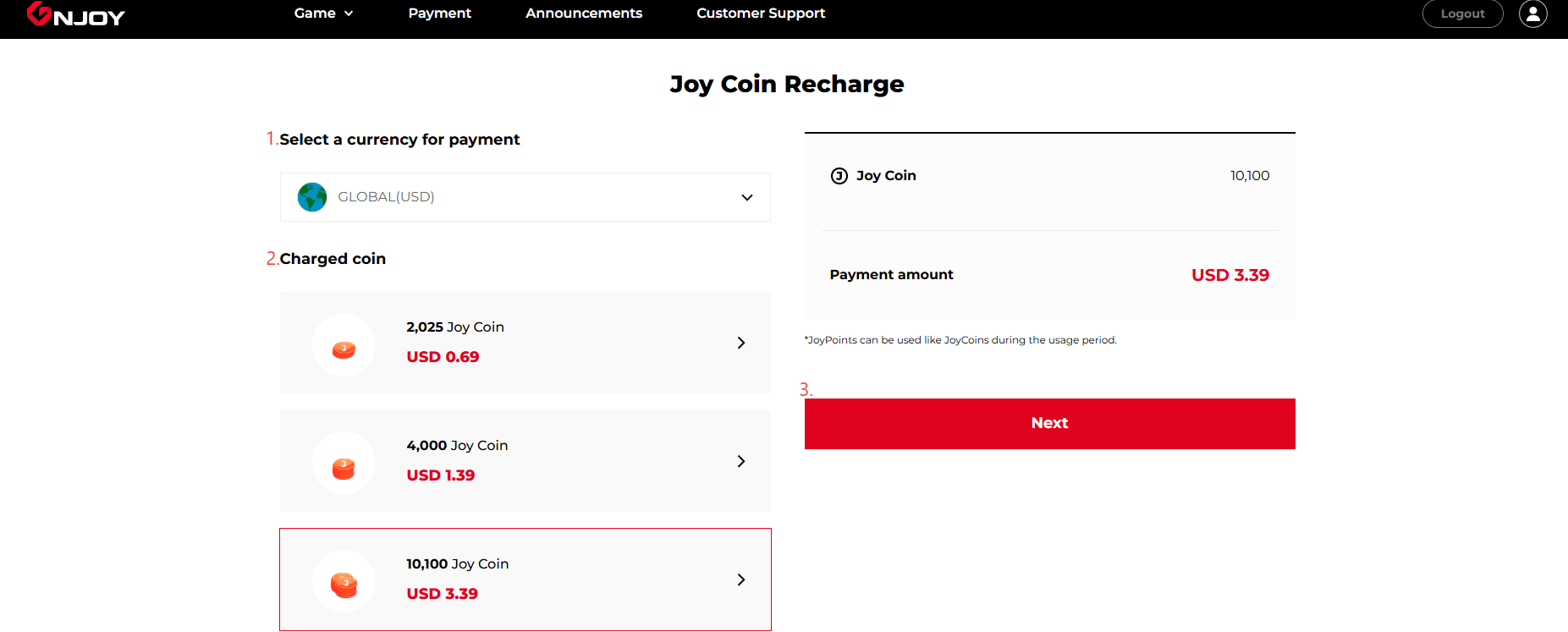
ii. Choose Global (USD) as your currency, select the same JoyCoin package as your SEAGM order, and click Next to continue.
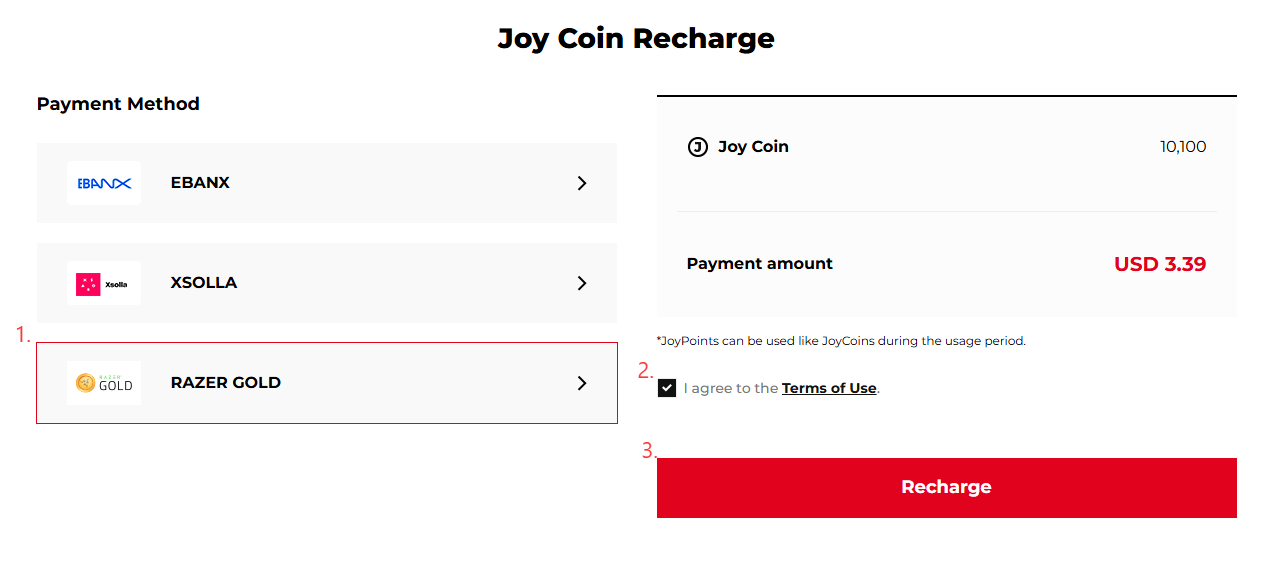
iii. Choose Razer Gold as the payment method and click Recharge.

iv. A Razer Gold payment window will appear, and the system will automatically generate a unique payment URL. Copy the full link displayed in your browser.
⚠️ Important: Ensure the full payment link is copied correctly and that it is not modified, shortened, or altered in any way. The link should follow the format: https://pay.gold.razer.com/order/
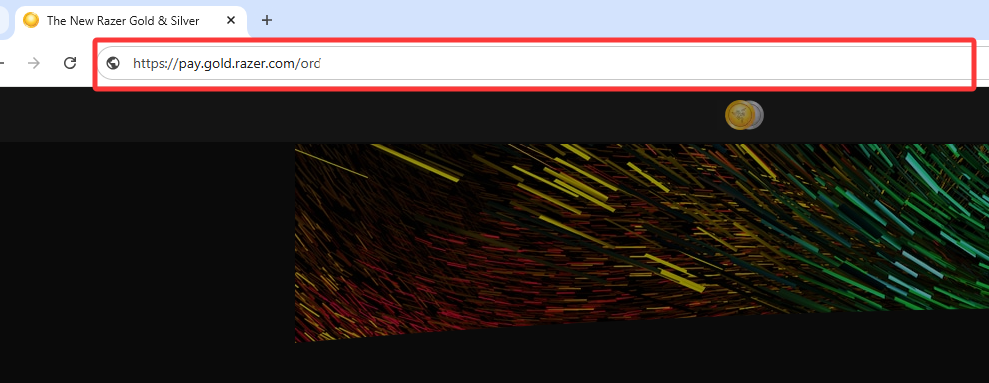
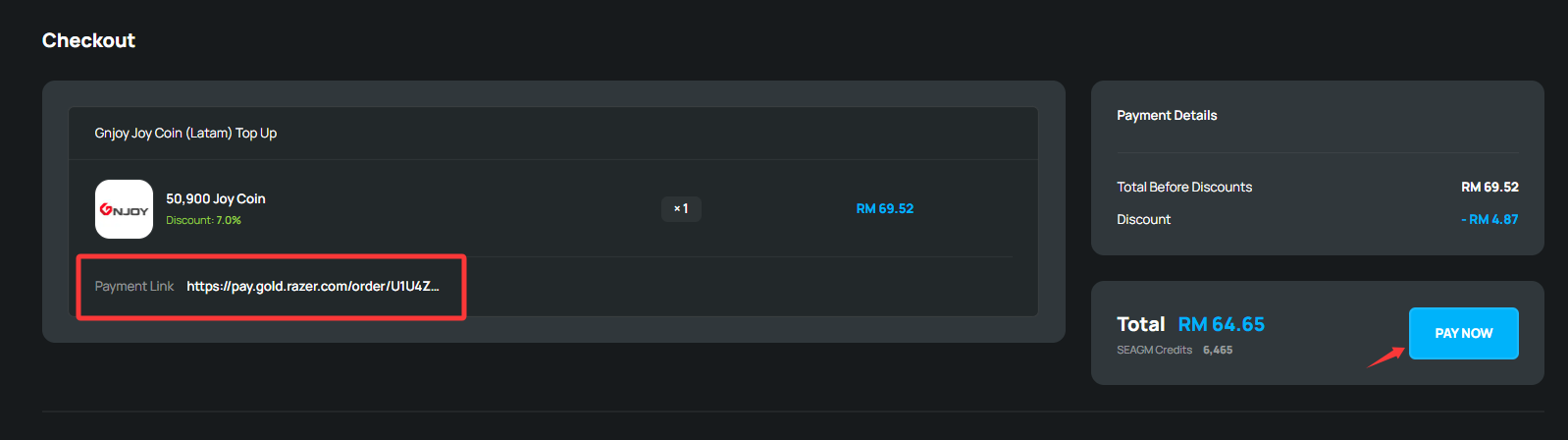
Step 4: After pasting the payment link into the order page, click “Buy Now” then “Pay Now” to proceed and complete the payment process.
Step 5: Once the payment is successful, your order will be automatically processed within a few minutes, and the JoyCoins will be credited to your GnJoy LATAM account.

⚠️ Important Notes:

  • The Razer Gold payment link is valid for 20 minutes only.
  • If the payment link has expired, a new link must be generated. You may provide the new payment link together with your order number via LiveChat, and our support team will assist in updating the order manually.
  • Ensure that the selected package, currency, and account details are correct before submitting your order.
  • SEAGM is not responsible for any issues arising from incorrect or mismatched payment links, accounts, or package selections.

Thank you.

Visit the SEAGM Support site for quick answers and guides.

Need support? Contact our Customer Support via  LiveChat .

Was this article helpful?
Yes
No
0 out of 0 found this helpful
More related guides

Select language

English
Melayu (Malaysia)
Bahasa Indonesia
中文
ไทย