Information:
Platform: Steam
Important note:
- All purchases are NON-REFUNDABLE and NON-RETURNABLE.
- Only allowed in the following countries: Antigua and Barbuda, Argentina, Barbados, Bermuda, Bolivia, Brazil, Bahamas, Belize, Chile, Colombia, Costa Rica, Cuba, Dominica, Dominican Republic, Ecuador, Falkland Islands, Grenada, South Georgia and the South Sandwich Islands, Guatemala, Guyana, Honduras, Haiti, Jamaica, Saint Kitts and Nevis, Saint Lucia, Mexico, Nicaragua, Panama, Peru, Puerto Rico, Paraguay, Suriname, El Salvador, Trinidad and Tobago, Uruguay, Saint Vincent and the Grenadines, Venezuela.
Step 1: Log in/register an account in SEAGM. On the top menu, enter the keywords "Pragmata" and search. Select "Pragmata (Steam LATAM)".

Step 2: Select the type of card, enter the quantity and click "buy now" to proceed.
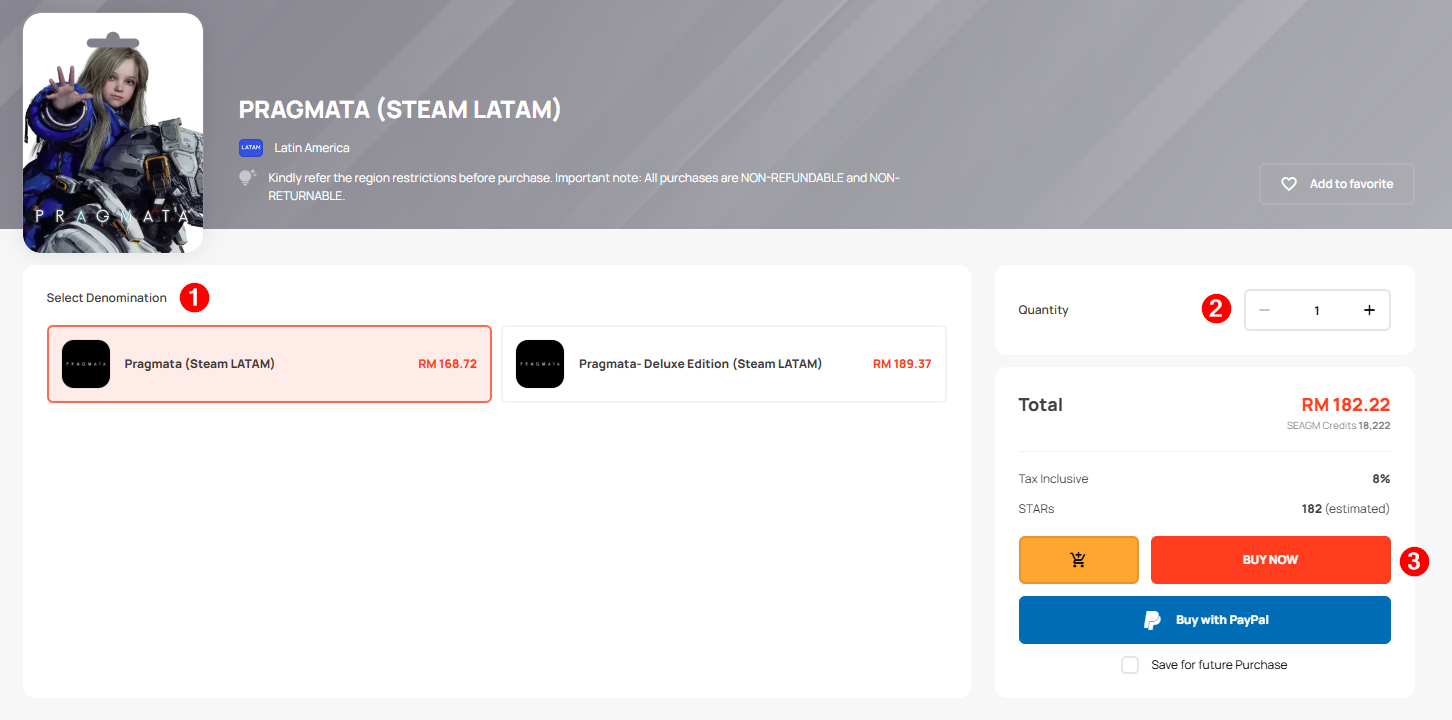
Step 3: Kindly confirm the type of card and quantity, then click " Pay Now" once confirmed.
Step 4: Select your preferred payment method and click "Pay Now" to finalize your payment.
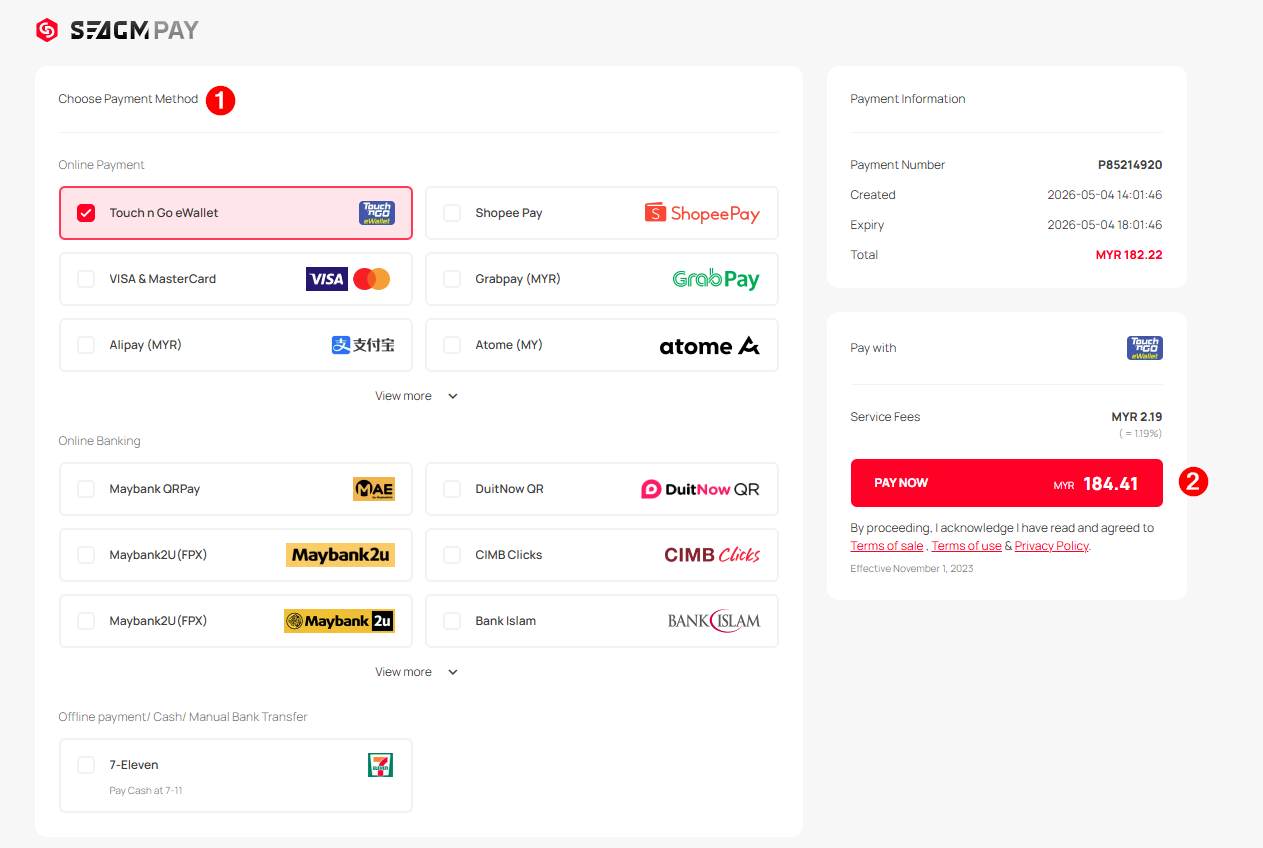
Step 5: Once payment is completed, you may retrieve your code under your User profile in My Cards. For Pre-Order products, it might take a few working days for the card to be delivered
Thank you.
Visit the SEAGM Support site for quick answers and guides.
Need support? Contact our Customer Support via LiveChat .