About: Assemble your team of legendary Marvel characters in the ultimate 4v4 tag team fighter from PlayStation Studios, Arc System Works and Marvel Games.
It’s time to build your dream team and break some spirits in blistering 4v4 fighting action. Choose from an expanding roster of 20 iconic Marvel characters at launch, each rendered in a bold new anime-inspired art style and members of their own unique teams of equally impressive heroes and villains.
Note:
- The MARVEL Tōkon: Fighting Souls (Steam ROW) or (Steam LATAM) sold by SEA Gamer Mall is a region-locked product.
- You can check the supported countries at the bottom of the SEAGM product page. The supported countries and regions may change from time to time without prior notice. Please always check the product page for the latest information before making a purchase.
- All purchases made in SEAGM, once they're delivered, are non-returnable, non-exchangeable, and non-refundable.
Step 1: Log in/register an account in SEAGM. On the top menu, enter the keywords "Marvel" and search. Select "MARVEL Tōkon: Fighting Souls (Steam ROW) or (Steam LATAM)" based on your needs.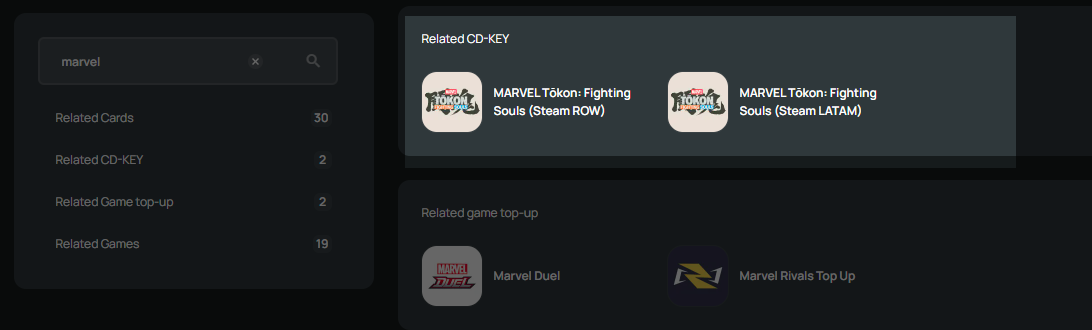
Step 2: Select the type of card, enter the quantity and click "buy now" to proceed.
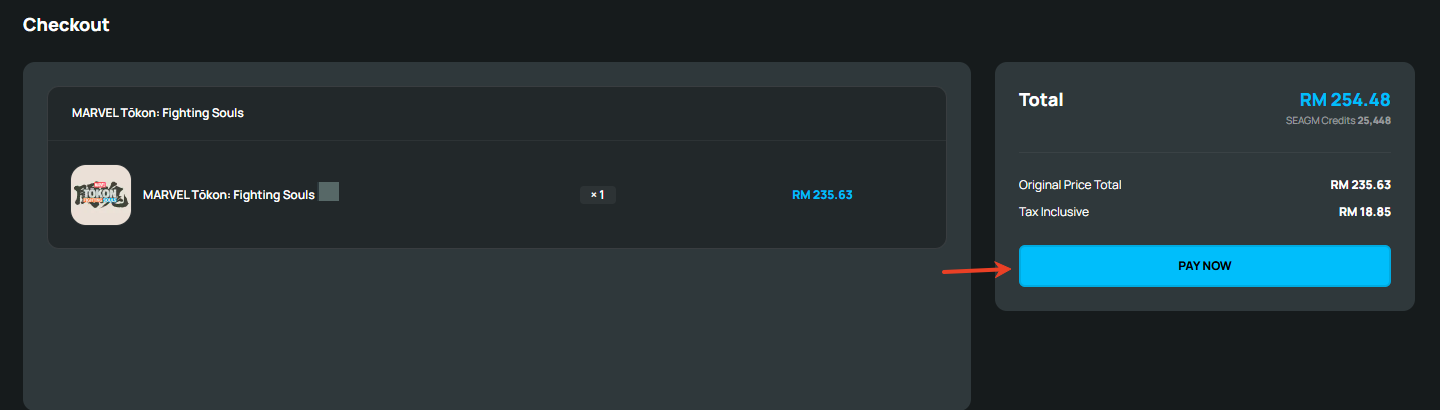
Step 3: Kindly confirm the type of card and quantity, then click " Pay Now" once confirmed.
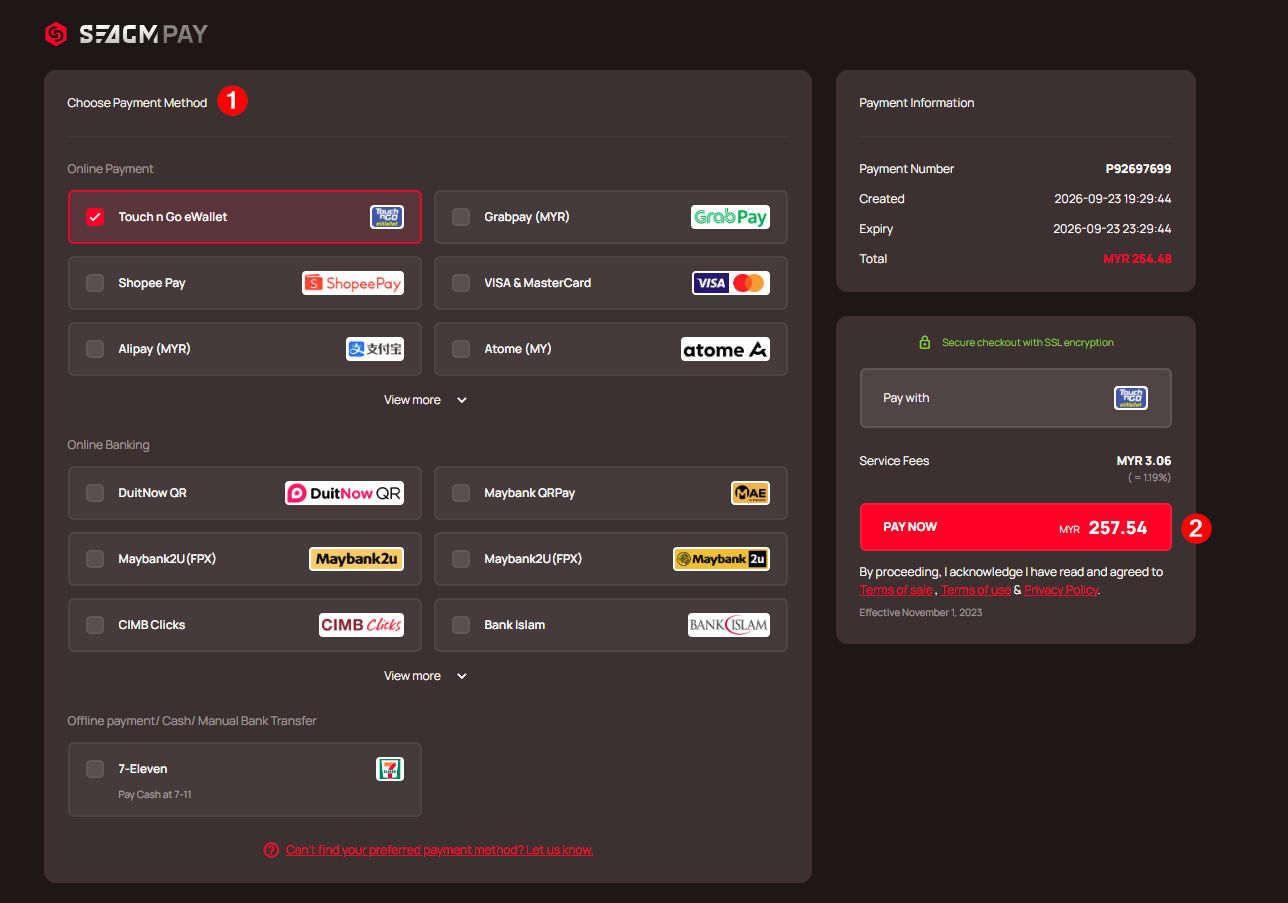
Step 4: Select your preferred payment method and click "Pay Now" to finalize your payment.
Step 5: Once payment is completed, you may retrieve your code under your User profile in My Cards. For Pre-Order products, it might take a few working days for the card to be delivered
Thank you.
Visit the SEAGM Support site for quick answers and guides.
Need support? Contact our Customer Support via LiveChat .