Important Notes:
- You can view your main balance and sub-balances under “SEAGM Balance” in your SEAGM profile.
- Balances in different currencies cannot be merged.
- Each currency balance can only be used for orders in the same currency.
Example:
- USD balance can only be used for USD orders
- SGD balance can only be used for SGD orders
- MYR balance cannot be used for USD orders
Step 1: Log in to your SEAGM account and click the profile icon at the top right corner of the page.
Step 2: Click “SEAGM Balance”. Here, you can view your main balance and all sub-balances.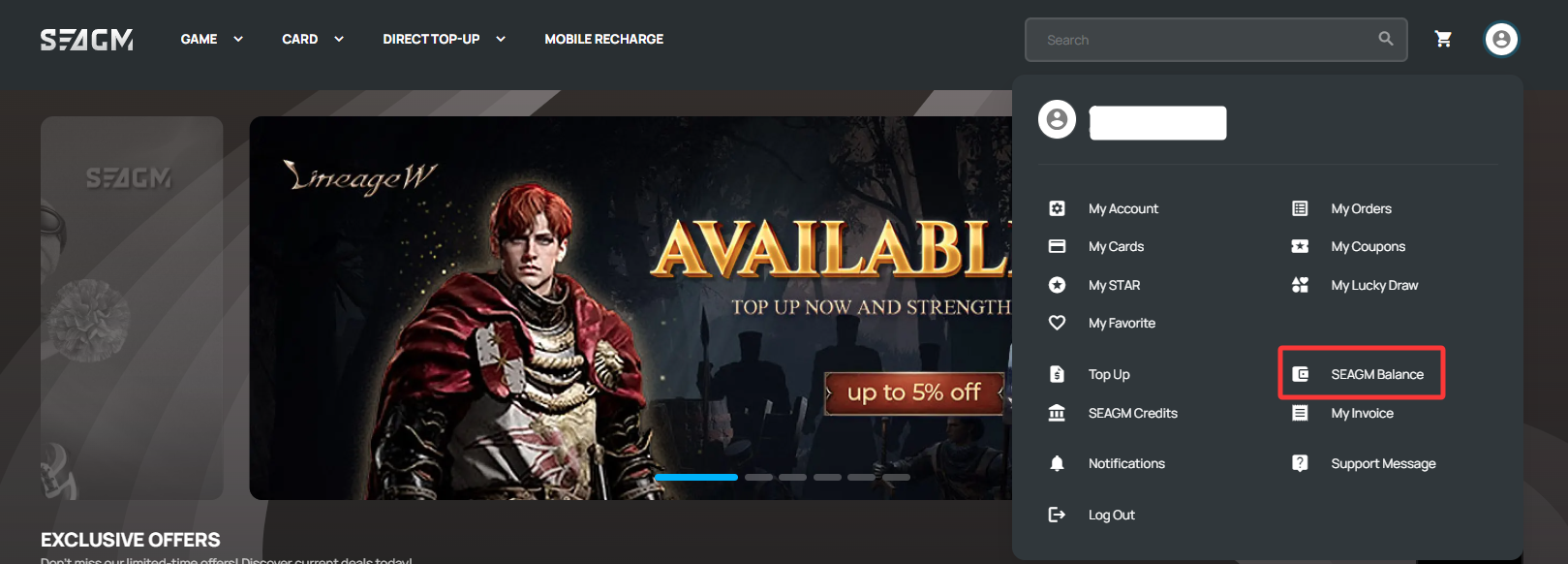
Step 3: To add or view a different currency account, change the currency on the top right side of the page, next to “SEAGM APP”.
Step 4: After switching the currency, return to the “SEAGM Balance” page. Click “Top Up” on the right side, enter the amount you wish to top up, and then click “Top Up” to proceed.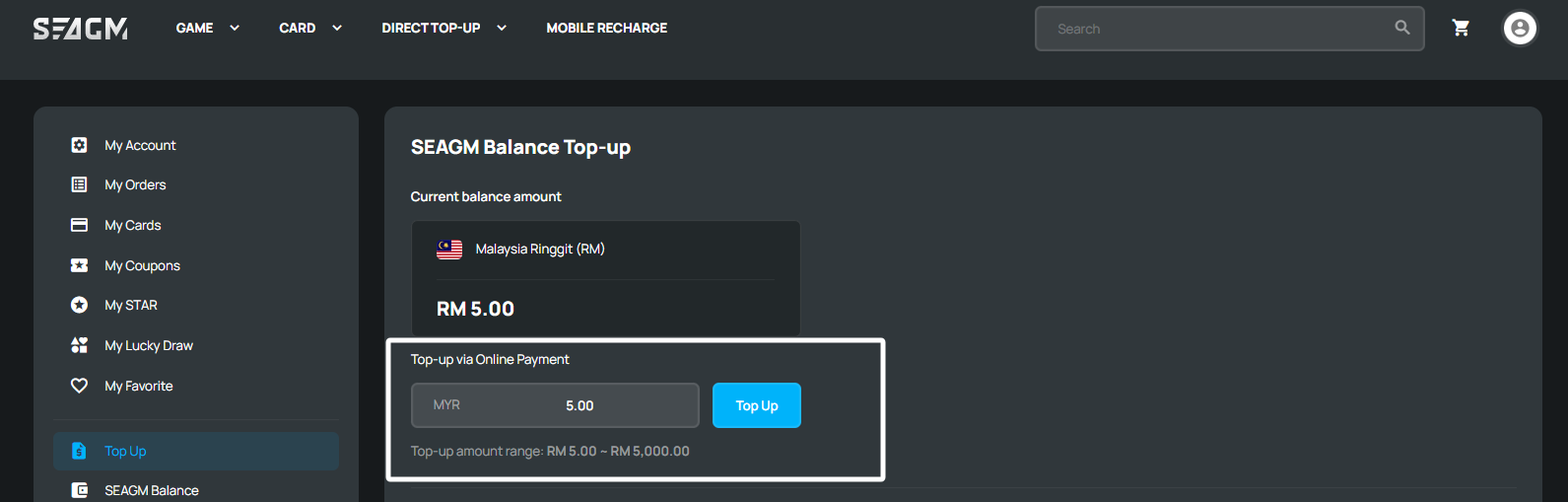
Step 5: Select your preferred payment method and click “Pay Now” to proceed.
Step 6: Follow the on-screen instructions to complete your payment. Once done, you will be redirected back to SEAGM.
Note: Please allow the page to fully load after payment to avoid floating payments.
Step 7: After successful payment, you can view your updated balance anytime under “SEAGM Balance”.
Important notice: Your SEAGM Balance will automatically expire if either of the following conditions is met:
- The balance remains unused for 2 consecutive years; or
- There is no activity on your SEAGM account for 2 consecutive years.
To avoid balance expiration, we encourage you to use your available balance and keep your account active regularly. Please note that once your SEAGM Balance has expired, it cannot be reinstated or recovered. SEAGM will not be liable for any loss resulting from the expiration of your balance. We appreciate your understanding.
Thank you.
Visit the SEAGM Support site for quick answers and guides.
Need support? Contact our Customer Support via LiveChat .