Note: Your SEAGM Balance will automatically expire if either of the following conditions is met:
- The balance remains unused for 2 consecutive years; or
- There is no activity on your SEAGM account for 2 consecutive years.
To avoid balance expiration, we encourage you to use your available balance and keep your account active regularly. Please note that once your SEAGM Balance has expired, it cannot be reinstated or recovered. SEAGM will not be liable for any loss resulting from the expiration of your balance. We appreciate your understanding.
Step 1: Sign in to your SEAGM account and click on the icon on the top right of the page. Click on [SEAGM Balance]. 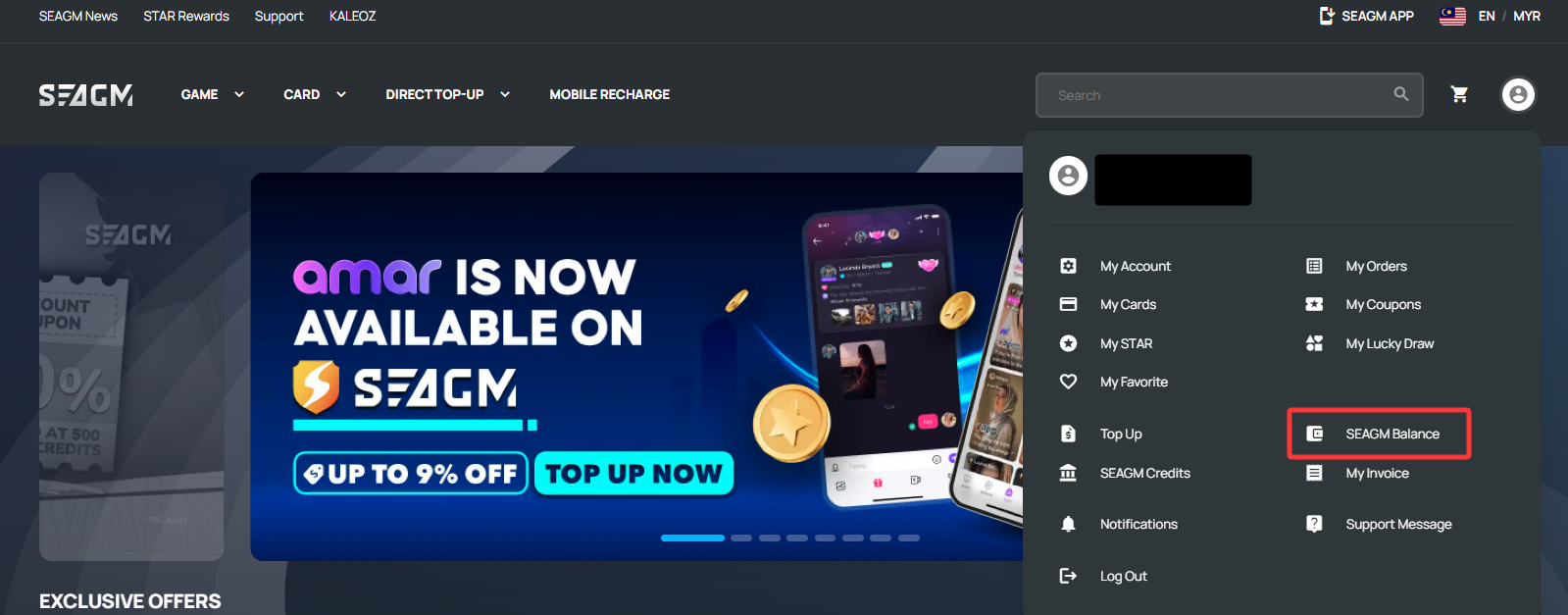
Step 2: Then scroll down and click the correct sub-balance to check your transaction history.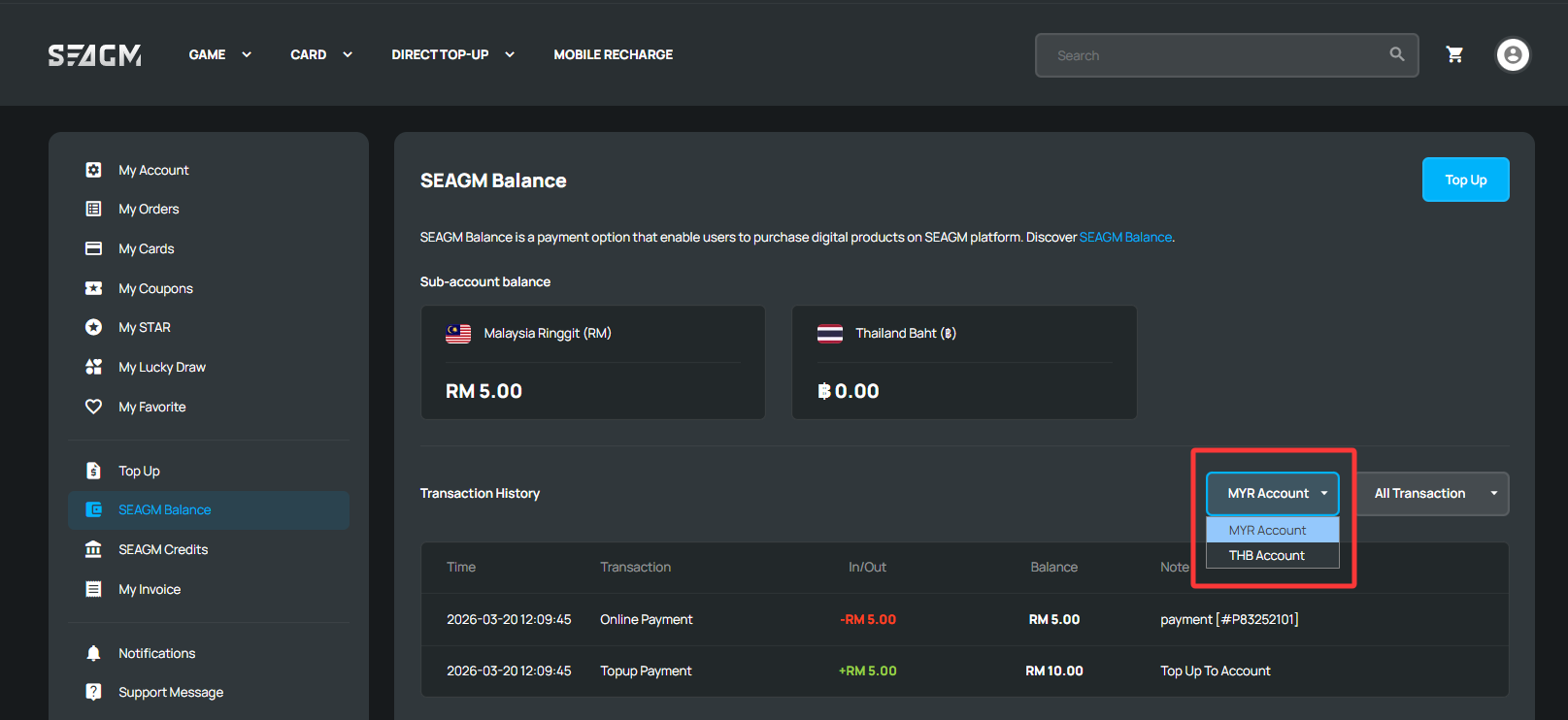
Thank you.
Visit the SEAGM Support site for quick answers and guides.
Need support? Contact our Customer Support via LiveChat .