GOALS is a fast, responsive football game built for pure skill, real competition, and a global community. Gameplay first, free to play, crossplay and unique players. No excuses - just football.
Step 1: Register or login to SEAGM, then on the top right side of the page, search "Goals".
Step 2: Select "GOALS Coins Top Up" and choose the coins amount. After choosing, kindly enter the User ID then click "Buy Now" to proceed.
Note: To check on the User ID, kindly go to Account Settings to find and copy your Goals User ID.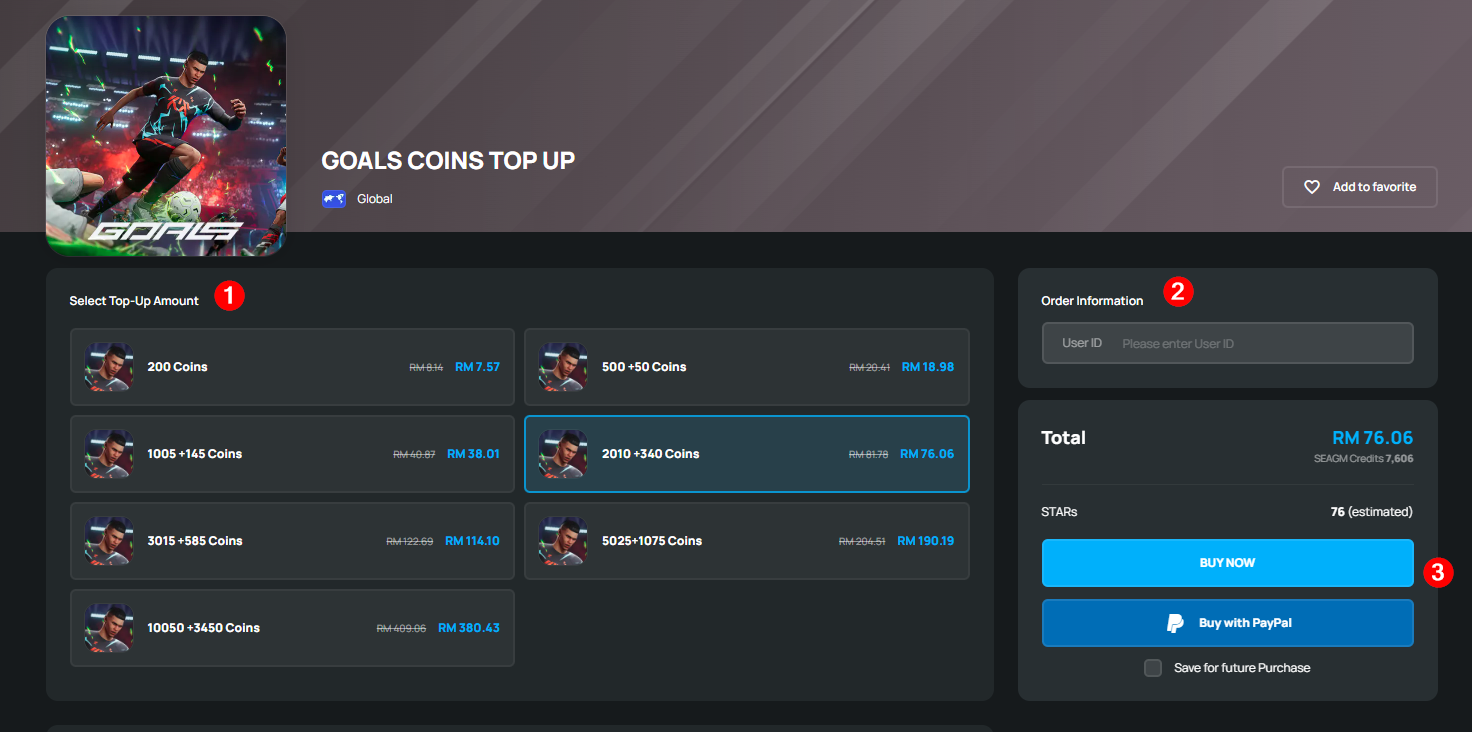
Step 3: Kindly confirm the account info and coin amount then click "Pay Now". 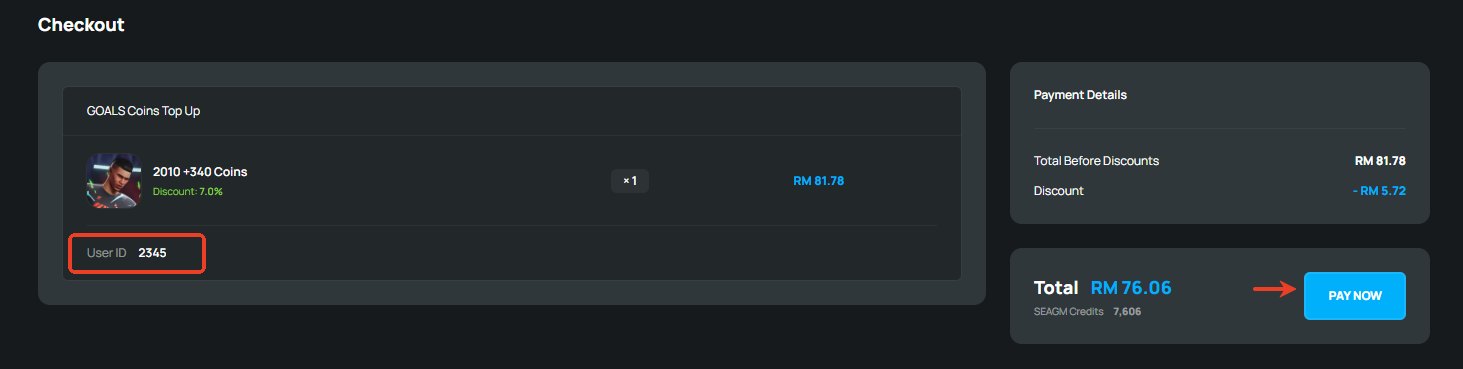
Step 4: Pick your desired payment method and click "Pay Now" to complete your payment. 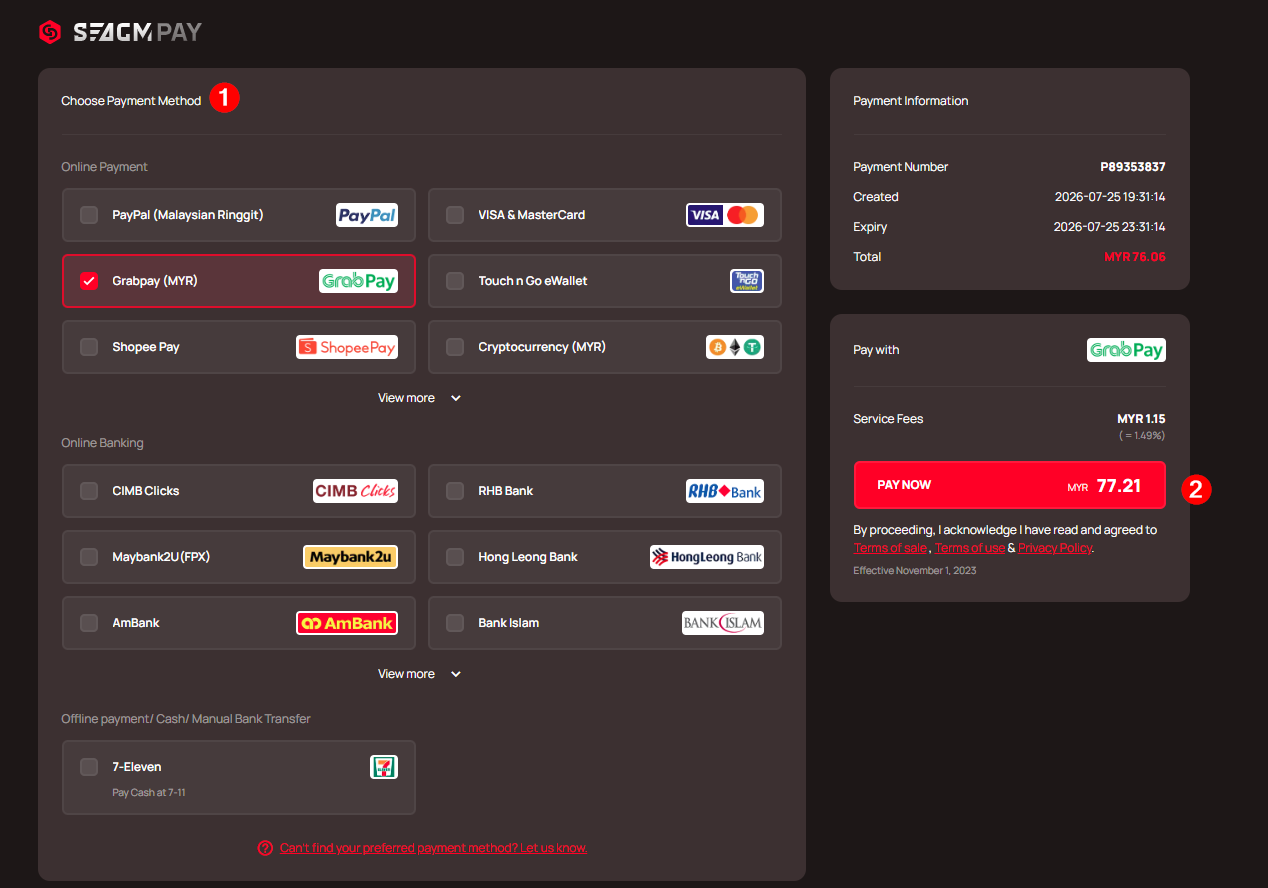
Step 5: Once payment is completed, you may view your order status, under "My Orders".
ขอบคุณ
เยี่ยมชม เว็บไซต์สนับสนุน SEAGM เพื่อรับคำตอบและคำแนะนำอย่างรวดเร็ว
ต้องการความช่วยเหลือใช่ไหม? ติดต่อเรา ฝ่ายสนับสนุนลูกค้า ผ่านทาง LiveChat .