Return to the Valley of the Mines in this faithful remake of the genre-defining open world RPG. Explore a hand-crafted, organic open world that reacts dynamically to your actions. Whether you're a seasoned Gothic veteran or this is your first time being thrown into the colony, you're in for a true RPG experience with unrestricted exploration like no other.
Note: All purchases made in SEAGM, once they're delivered, are non-returnable, non-exchangeable, and non-refundable.
Step 1: Log in/register an account in SEAGM. On the top menu, enter the keywords "Gothic" and search. Select "Gothic 1 Remake [Steam]".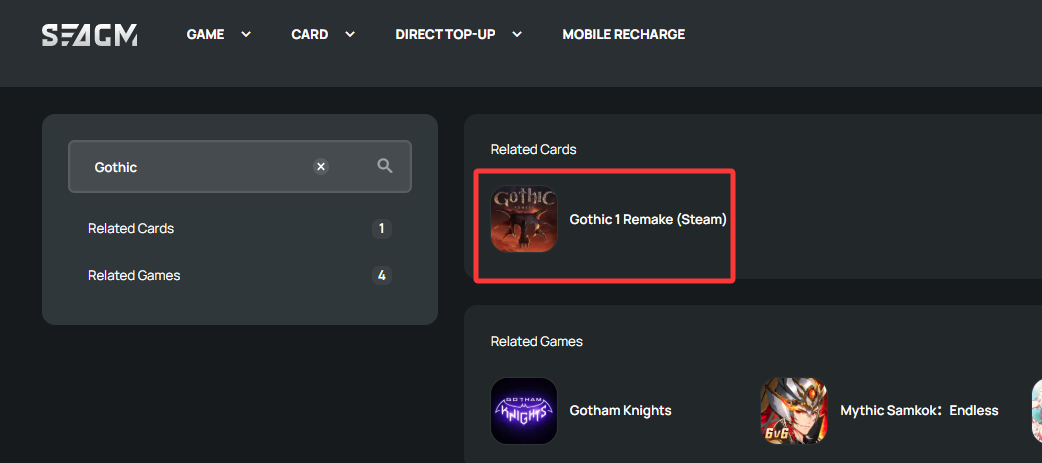
Step 2: Select the amount that you need, enter the quantity and click "buy now" to proceed.
Step 3: Kindly confirm the amount and quantity selected then click "Pay Now" once confirmed.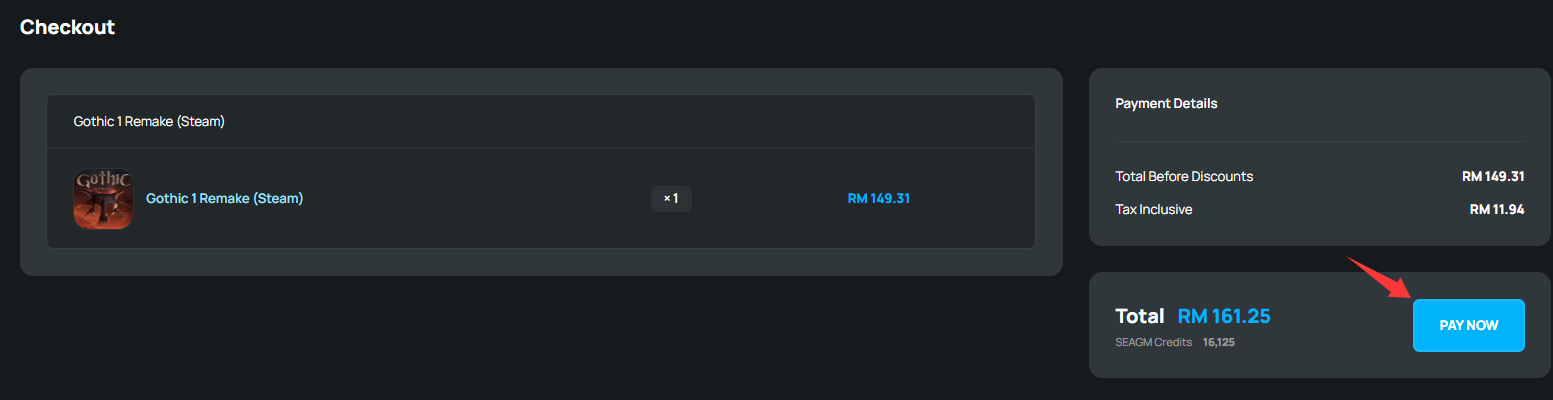
Step 4: Select your desired payment method and click "Pay Now" to complete your payment.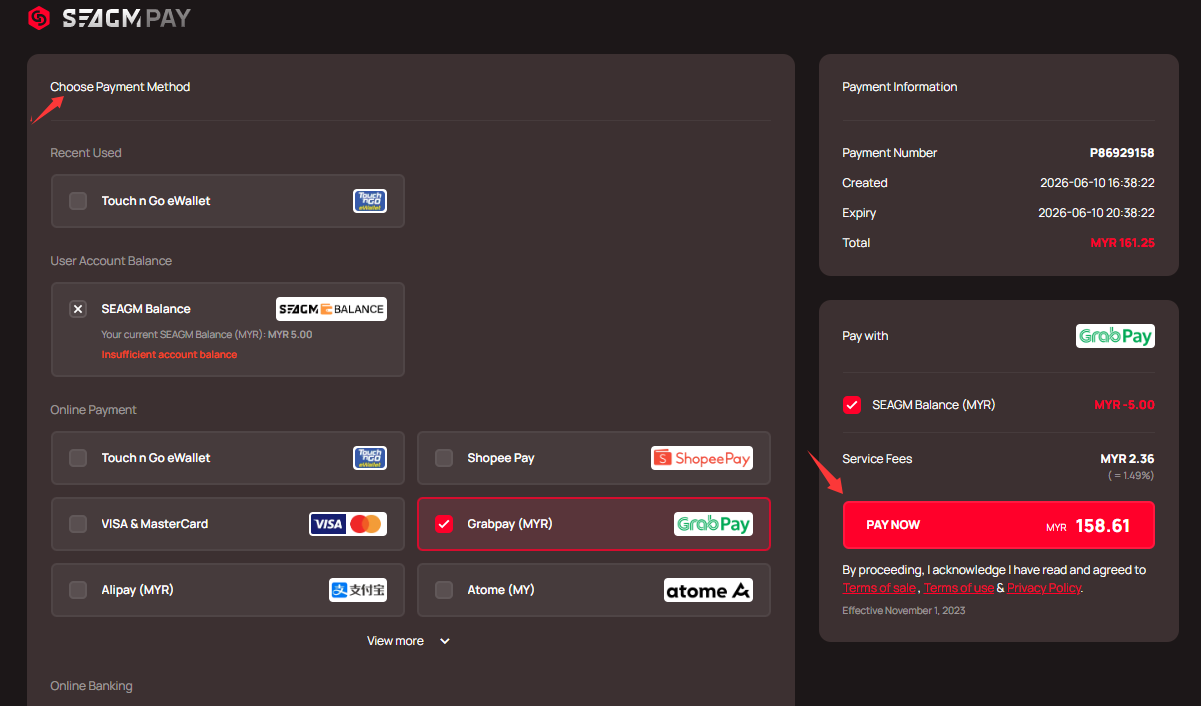
Step 5: Once payment is completed, you may retrieve your code under your User profile in My Cards. For Pre-Order products, it might take a few working days for the card to be delivered.
ขอบคุณ
เยี่ยมชม เว็บไซต์สนับสนุน SEAGM เพื่อรับคำตอบและคำแนะนำอย่างรวดเร็ว
ต้องการความช่วยเหลือใช่ไหม? ติดต่อเรา ฝ่ายสนับสนุนลูกค้า ผ่านทาง LiveChat .