Step 1: Choose your products in SEAGM, then click "PayNow" to be directed to the checkout page.
Step 2: Select Multibanco and click on "Pay Now". 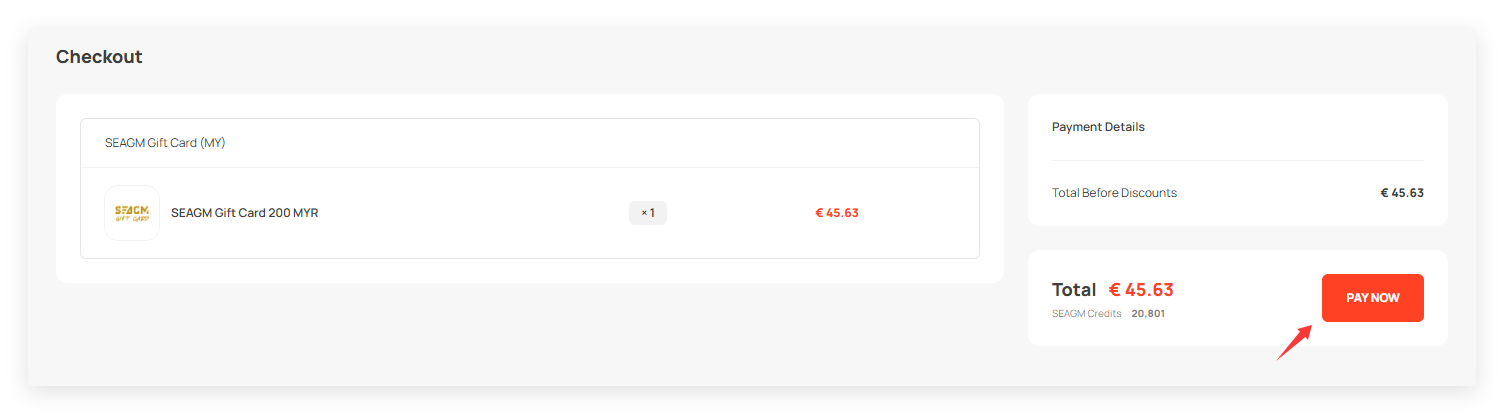
Step 3: Follow the on-screen instructions so you can make the payment. Once the transaction is completed, please allow the payment gateway to redirect you to our website to complete the transaction fully.
Note: Please allow our website to fully load once your transaction is completed to prevent floating orders.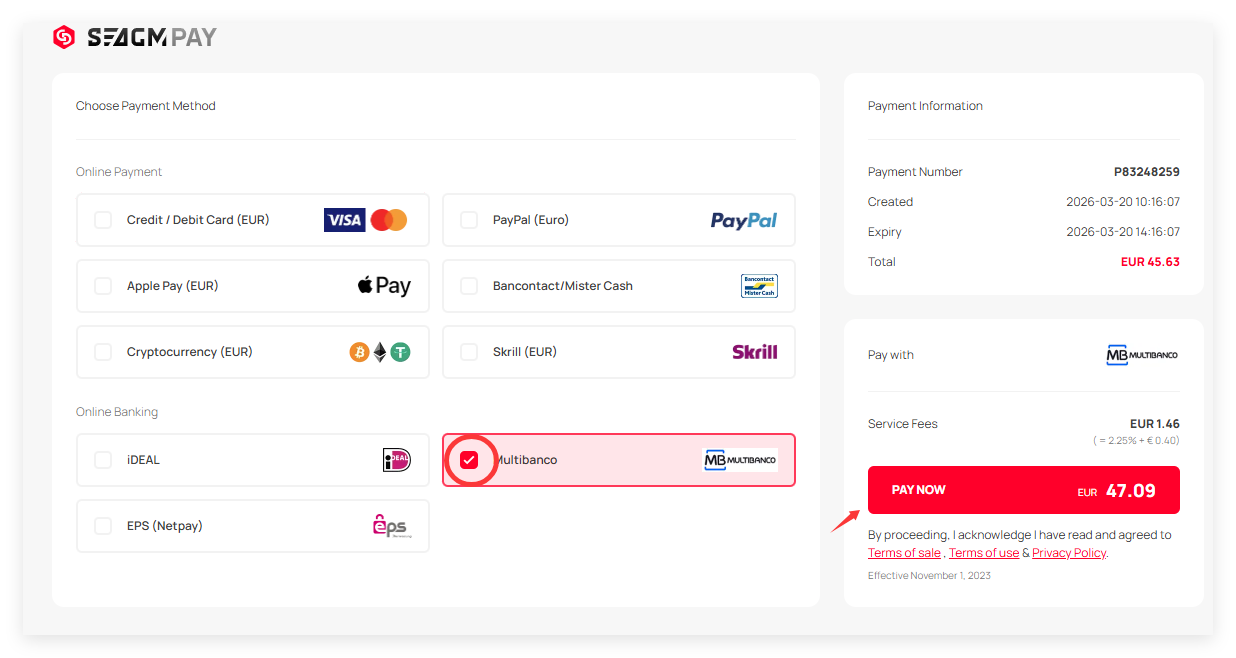
Step 4: Once payment is made, you may directly check the order status from your account profile under "My Orders". Do contact our support team via LiveChat if the status is still under "unpaid".
ขอบคุณ
เยี่ยมชม เว็บไซต์สนับสนุน SEAGM เพื่อรับคำตอบและคำแนะนำอย่างรวดเร็ว
ต้องการความช่วยเหลือใช่ไหม? ติดต่อเรา ฝ่ายสนับสนุนลูกค้า ผ่านทาง LiveChat .