GRID Legends delivers thrilling wheel-to-wheel motorsport and edge-of-your-seat action around the globe. Create your dream motorsport events, hop into live multiplayer races, be part of the drama in an immersive virtual production story, and embrace the sensation of spectacular action racing.
Note:
- The Steam Wallet Code sold in SEAGM was a region-currency-locked card. Steam users can only redeem it according to their original currency settings.
- All purchases made in SEAGM, once they're delivered, are non-returnable, non-exchangeable, and non-refundable.
Step 1: Once the purchase from SEAGM is completed, kindly retrieve your game card code in "My Cards".
Step 2: Visit the Steam Official Site and proceed with account login.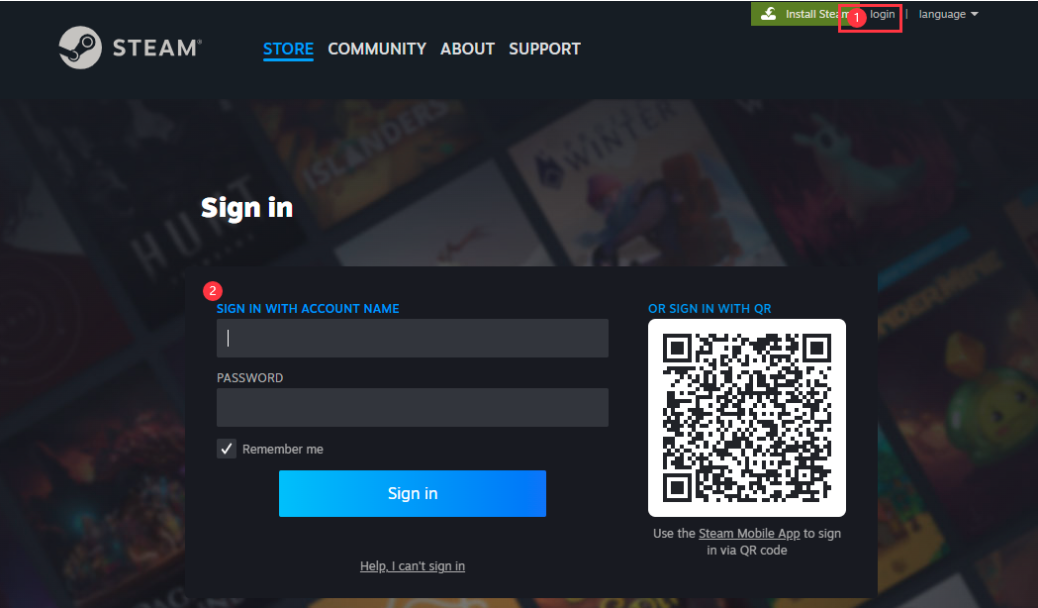
Step 3: Under the account name, in the dropdown section, select [view my wallet].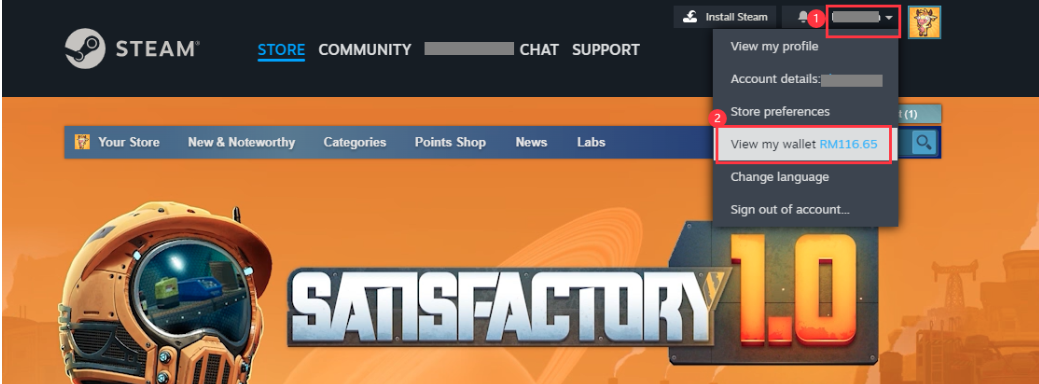
Step 4: Select [Redeem a Steam Gift Card or Wallet Code].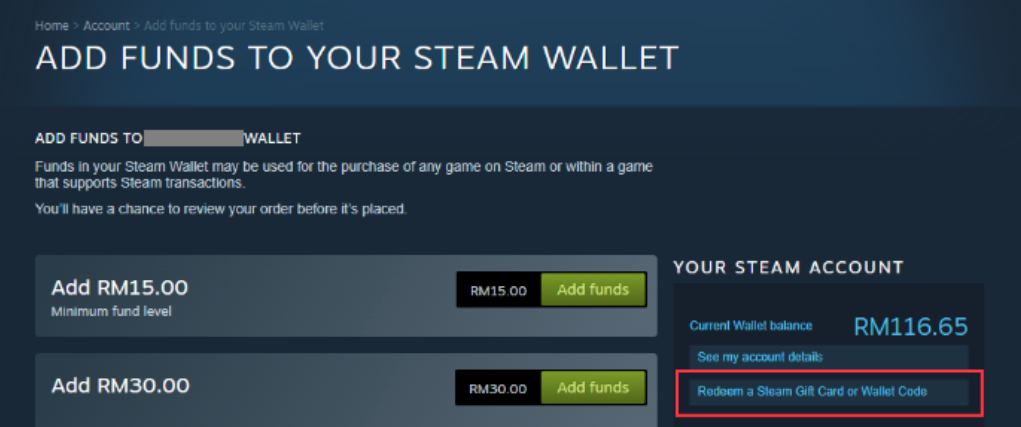
Step 5: Enter the code purchased from SEAGM and click [Continue].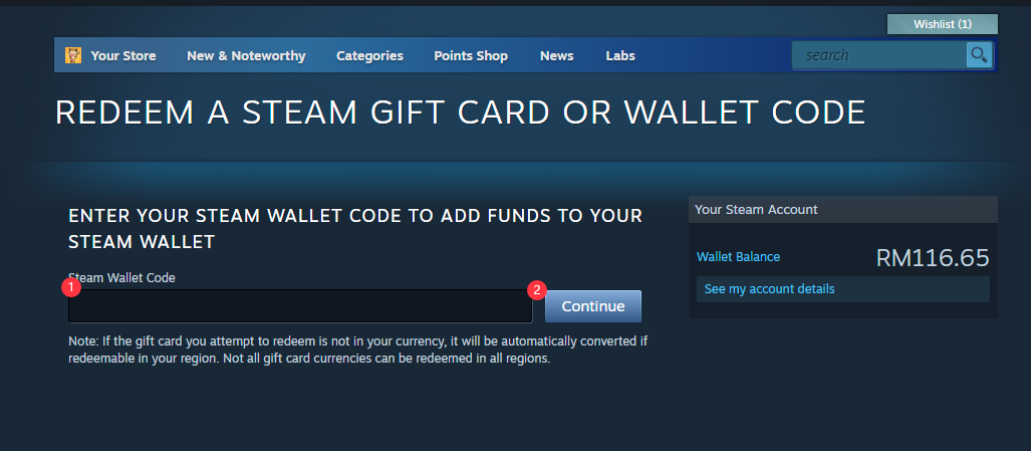
Step 6: Return to the main page, search [GRID Legends], and select the game once reloaded to your account balance.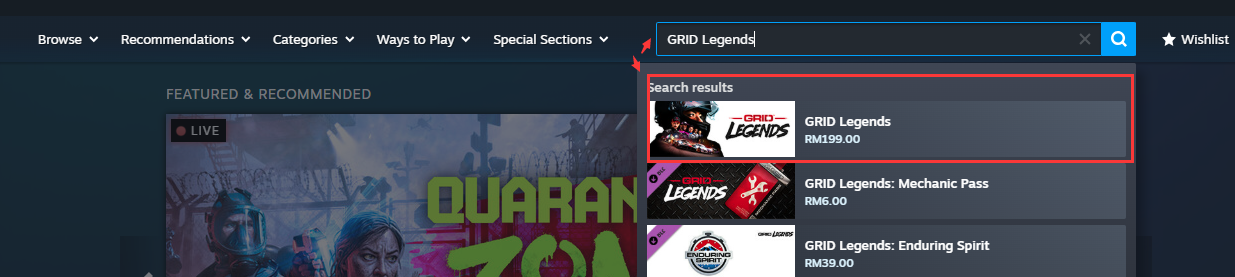
Step 7: Select the one you need, and click [Add to Cart]. 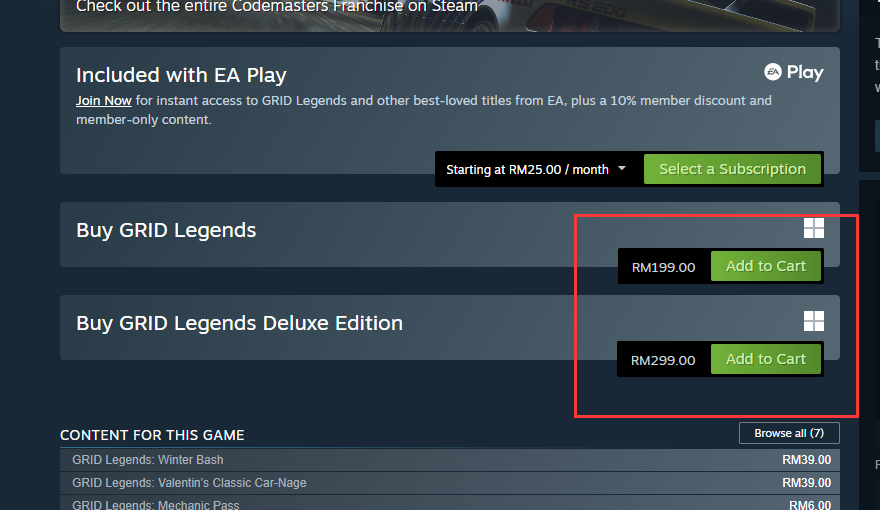
Step 8: Click [View my Cart].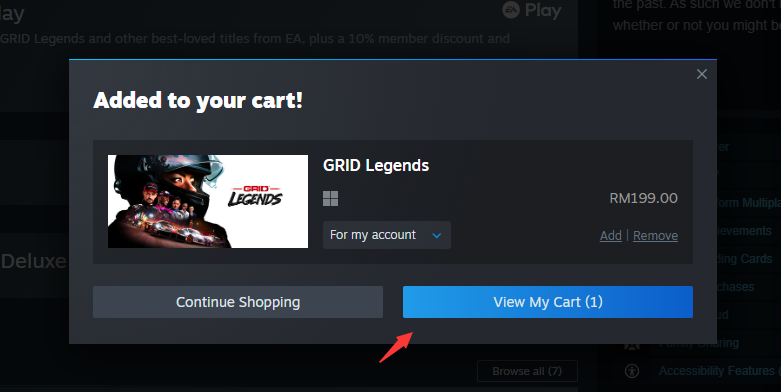
Step 9: Choose whether for self or friends. Then, click on [Continue to Payment]. 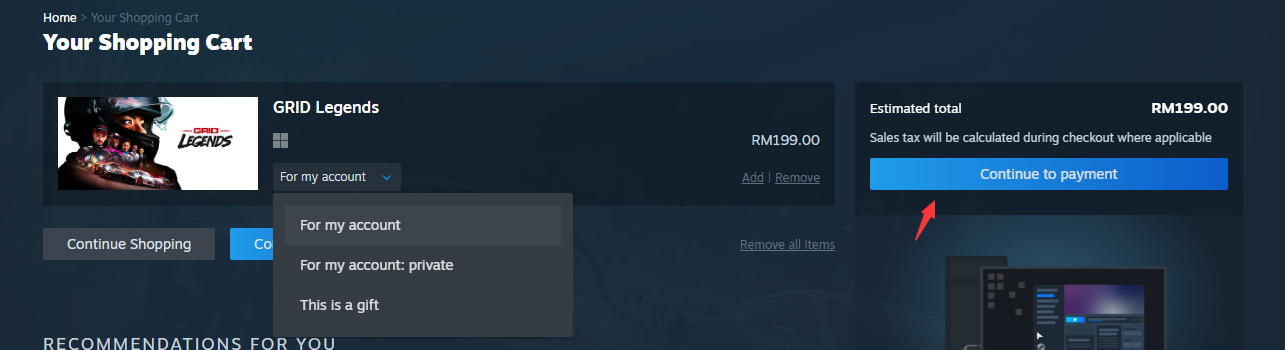
Step 10: Confirm payment method as wallet, tick the agreement box and click [purchase].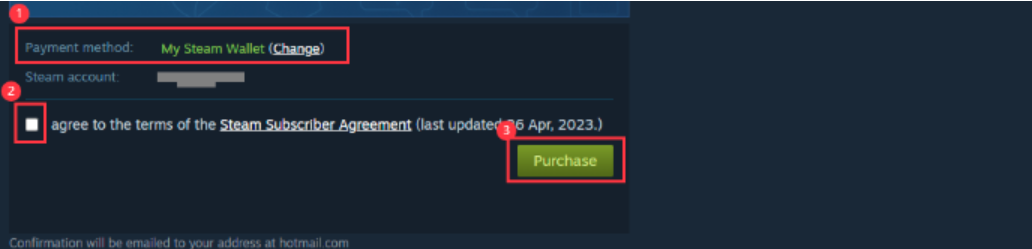
Step 11: Once done, your game will be automatically installed and ready to play once done.
Enjoy your game!
ขอบคุณ
เยี่ยมชม เว็บไซต์สนับสนุน SEAGM เพื่อรับคำตอบและคำแนะนำอย่างรวดเร็ว
ต้องการความช่วยเหลือใช่ไหม? ติดต่อเรา ฝ่ายสนับสนุนลูกค้า ผ่านทาง LiveChat .