Batora: Lost Haven® is a choice-driven isometric action adventure with RPG elements and a unique duality system affecting combat, story, dialogues, puzzles, and endings, that will make you question the meaning of sacrifice.
Note:
- The Steam Wallet Code sold in SEAGM was a region-currency-locked card. Steam users can only redeem it according to their original currency settings.
- All purchases made in SEAGM, once they're delivered, are non-returnable, non-exchangeable, and non-refundable.
Step 1: Once the purchase from SEAGM is completed, kindly retrieve your game card code in "My Cards".
Step 2: Visit the Steam Official Site and proceed with account login.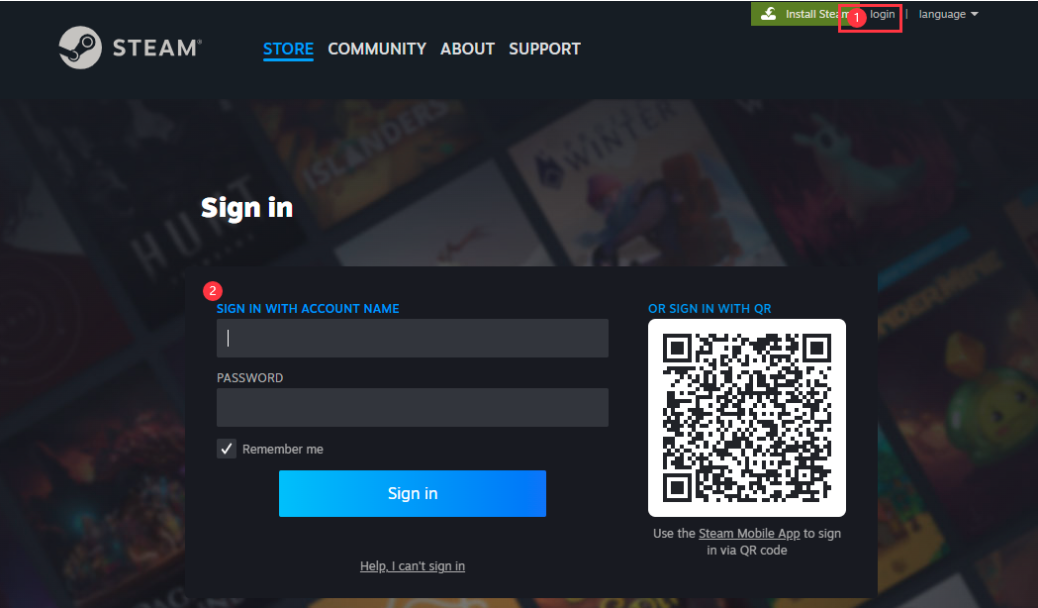
Step 3: Under the account name, in the dropdown section, select [view my wallet].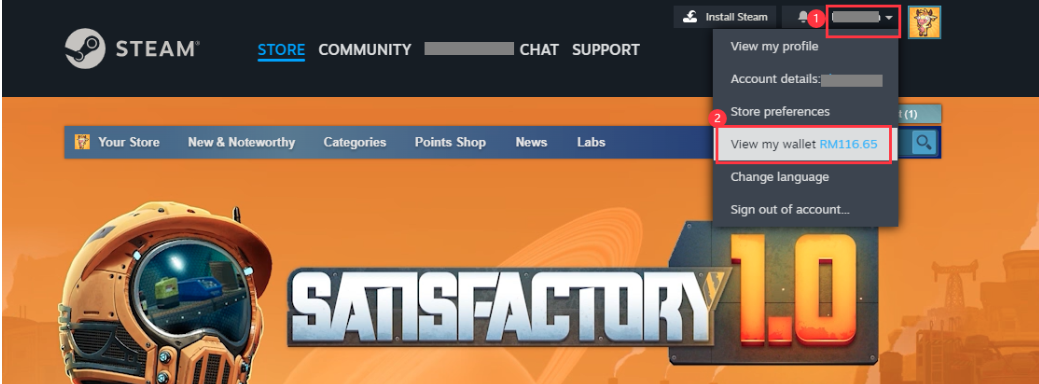
Step 4: Select [Redeem a Steam Gift Card or Wallet Code].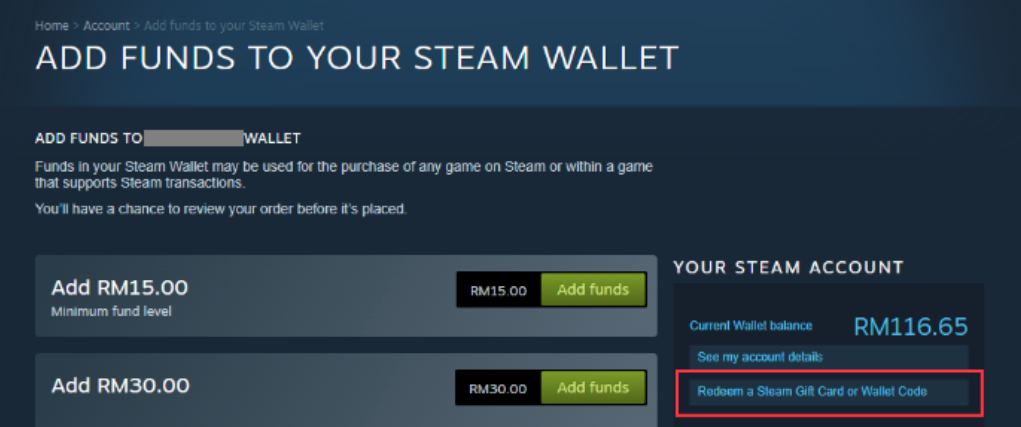
Step 5: Enter the code purchased from SEAGM and click [Continue].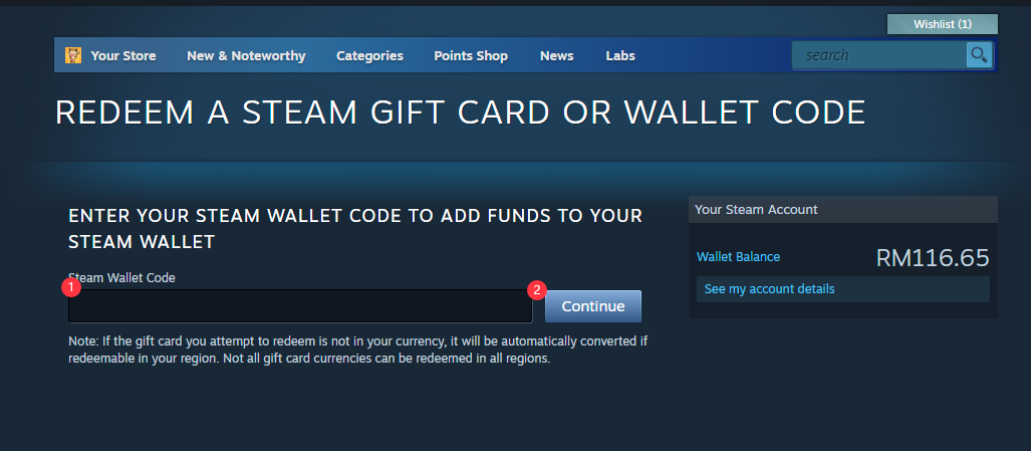
Step 6: Return to the main page, search [Batora: Lost Haven] and select the game once reloaded to your account balance.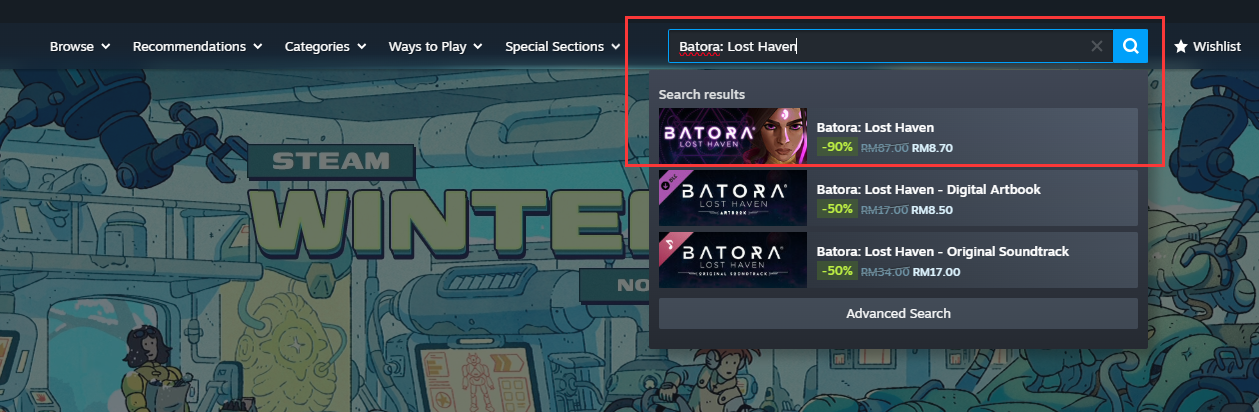 Step 7: Select the one you need, and click [Add to Cart].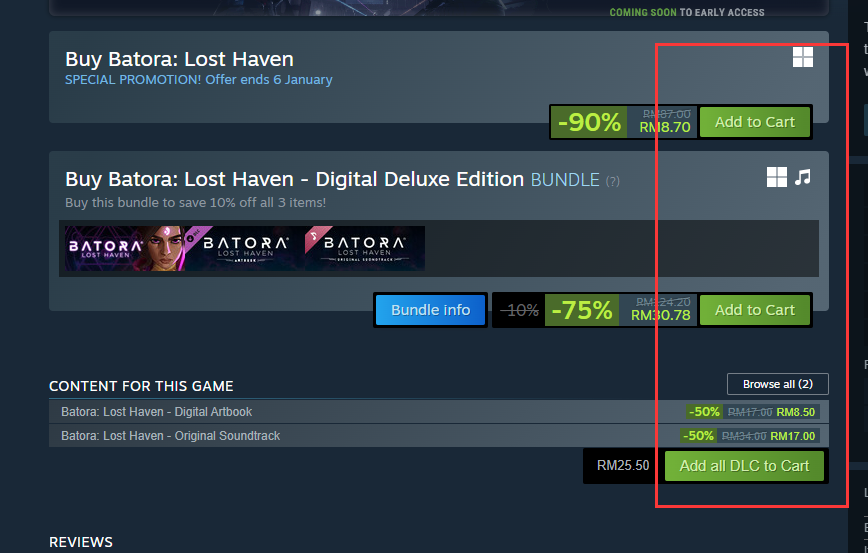
Step 8: Click [View my Cart].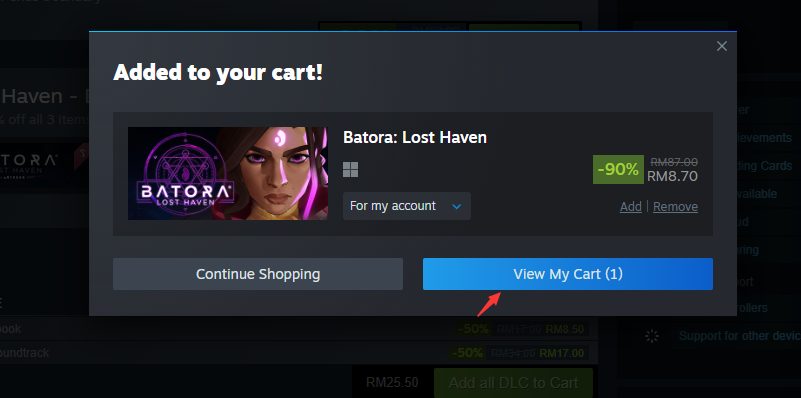
Step 9: Choose whether for self or friends. Then, click on [Continue to Payment].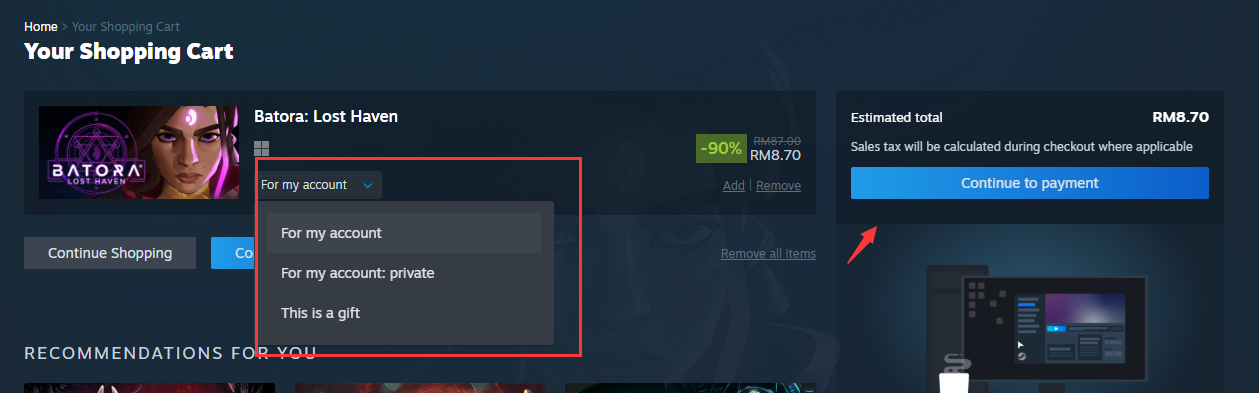
Step 10: Confirm payment method as wallet, tick the agreement box and click [purchase].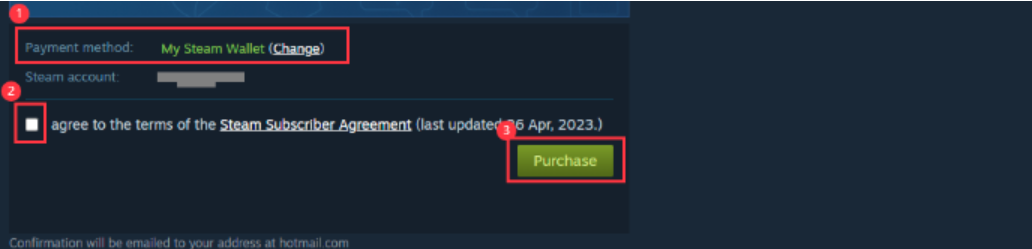
Step 11: Once done, your game will be automatically installed and ready to play once done.
ขอบคุณ
เยี่ยมชม เว็บไซต์สนับสนุน SEAGM เพื่อรับคำตอบและคำแนะนำอย่างรวดเร็ว
ต้องการความช่วยเหลือใช่ไหม? ติดต่อเรา ฝ่ายสนับสนุนลูกค้า ผ่านทาง LiveChat .