Account locked? No worries! Kindly follow the guides below to regain access:
Step 1: From the sign-in page on SEAGM Official Site, click Sign-in and click "Forget password?".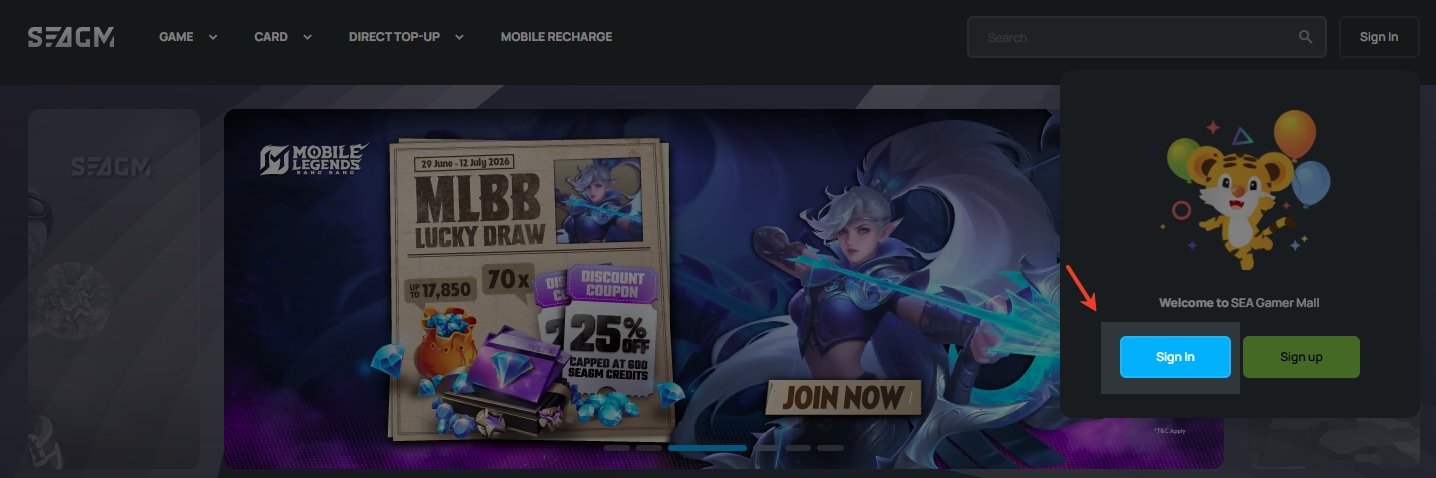
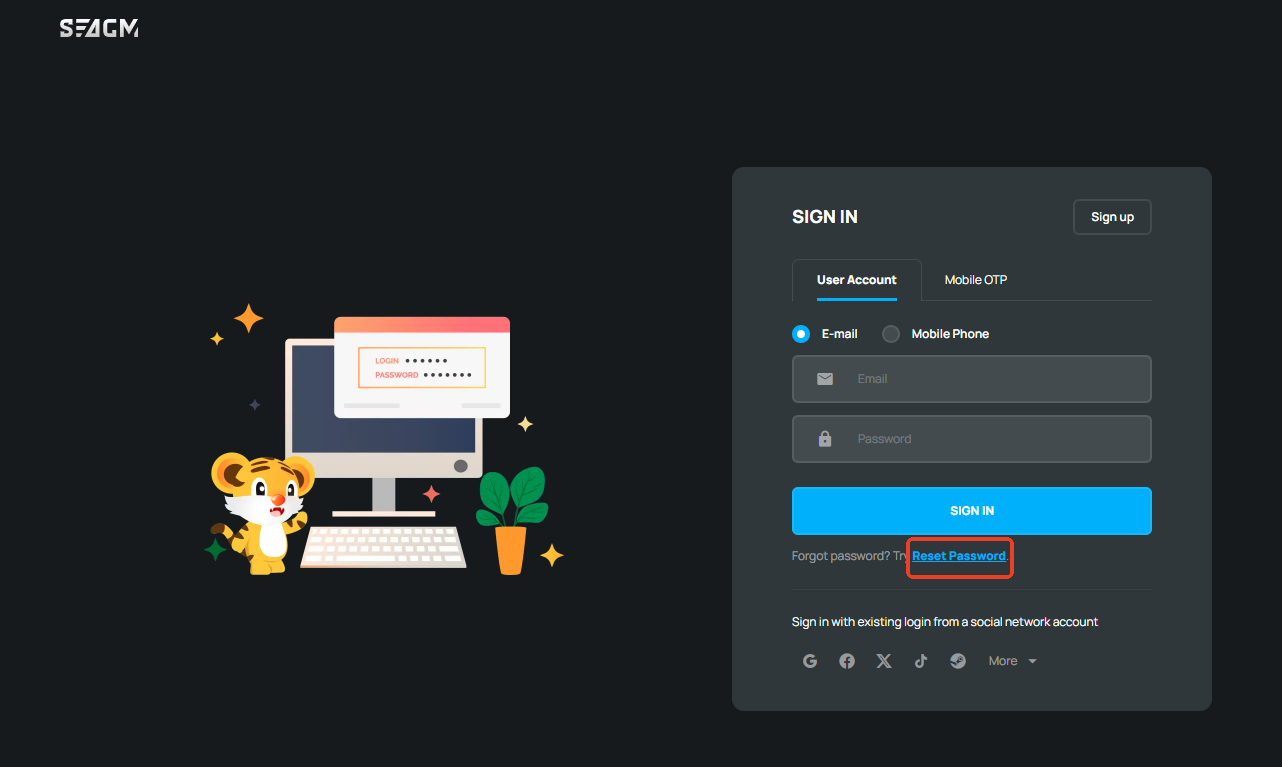
Step 2: Enter your email address or mobile phone number, click "Send Verification Code", then enter the verification code and your new password.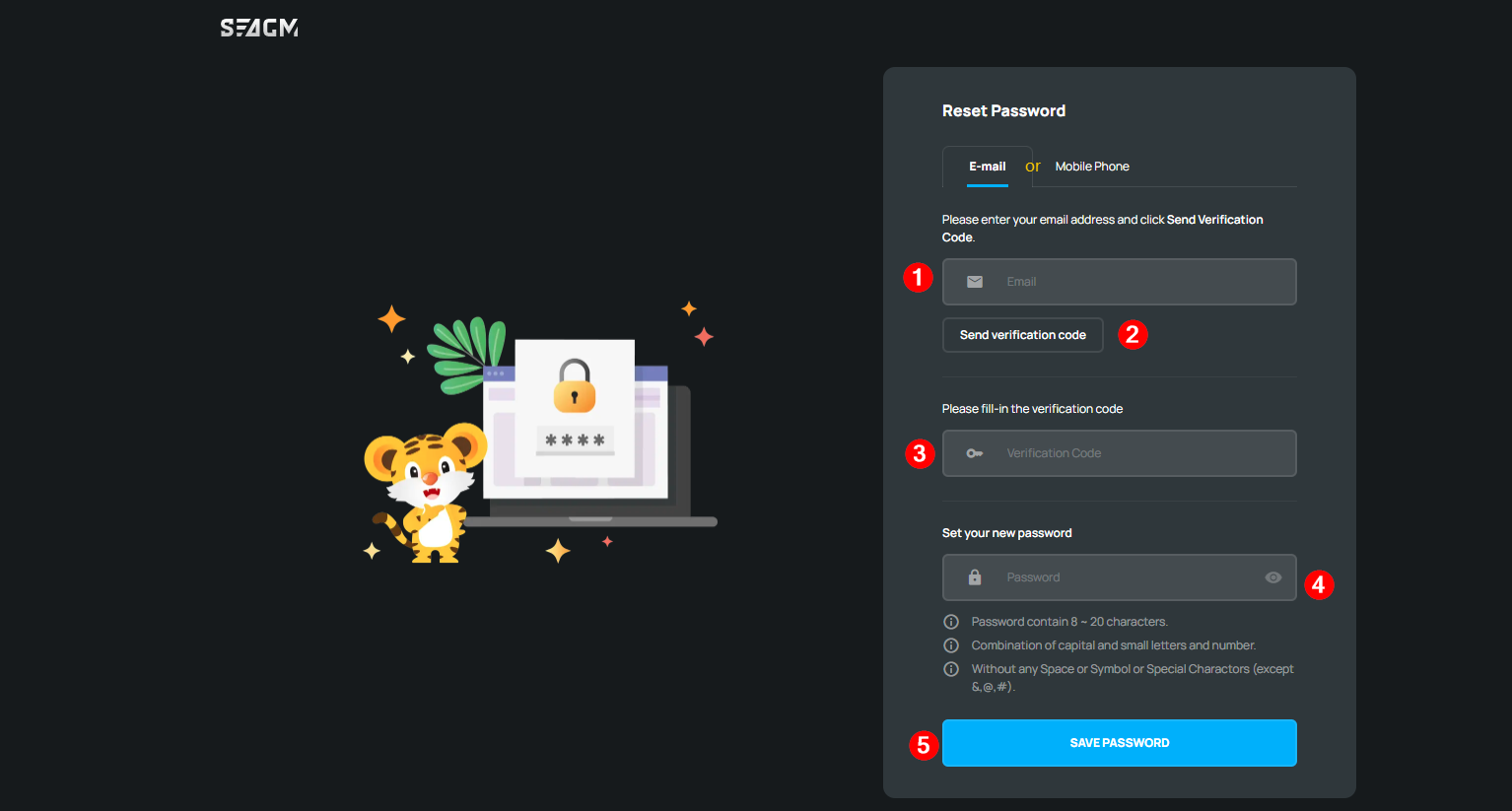
Step 3: Once done, you will see the password resetting successful page "Operation Complete" and automatically be directed back to the SEAGM site.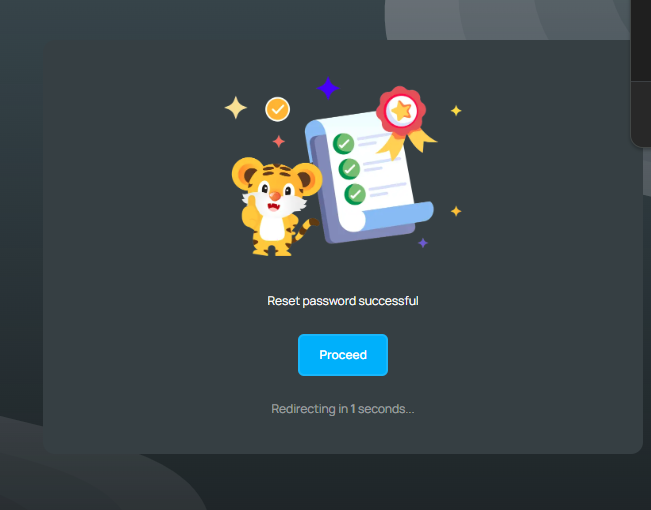
Requirement for creating a password in SEAGM:
1. The password contains 8 ~ 20 characters.
2. A combination of uppercase and lowercase letters and numbers.
3. Do not use any symbols or special characters.
Example: SeaGamerMall2007
ขอบคุณ
เยี่ยมชม เว็บไซต์สนับสนุน SEAGM เพื่อรับคำตอบและคำแนะนำอย่างรวดเร็ว
ต้องการความช่วยเหลือใช่ไหม? ติดต่อเรา ฝ่ายสนับสนุนลูกค้า ผ่านทาง LiveChat .