Roblox Gift Cards are the easiest way to load up on credit for Robux or a Premium subscription. Includes a bonus Mr. Robot Hat for a limited time. Buy a gift card for every occasion. Choose from dozens of eGift card designs based on your favourite games, characters, and more. With Robux, you can purchase additional content in your favourite games and new items for your avatar!
Note:
- Gift Cards can only be redeemed in a browser - they can't be redeemed in the Roblox apps.
- Starting from 24th April 2023, all Roblox Gift Cards sold by SEAGM are only redeemable based on your Roblox account currency setting.
Step 2: Visit the official website of Roblox, then log in to your account to redeem the codes.
Step 3: Enter the PIN code purchased from SEAGM, then click "Redeem" to proceed.
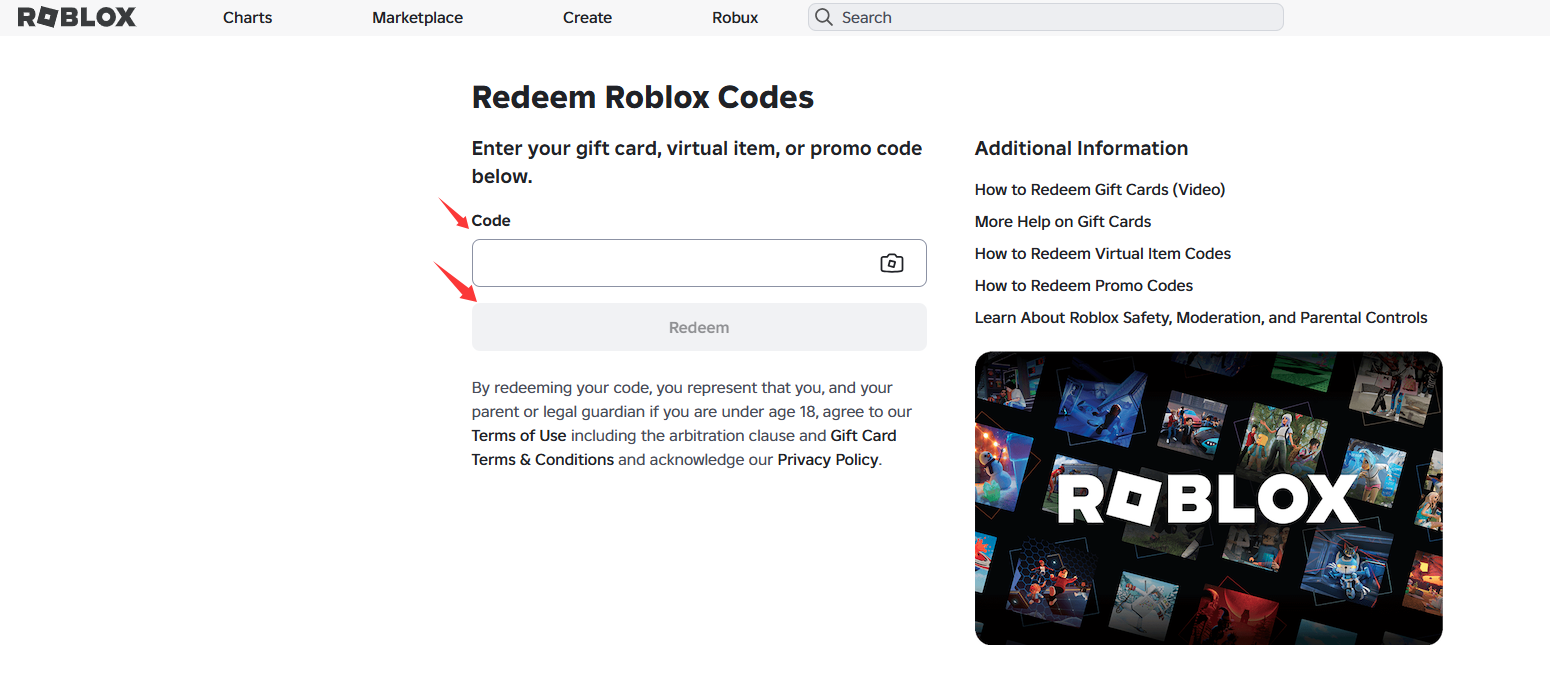
Step 4: Once clicked, a success message will appear when you successfully add the Credit to your account.
Step 5: Kindly log in to your Roblox account to check. Your balance will be shown in green after the words "Your Balance".
For more detailed information, kindly visit Roblox's Official site to check.
Thank you.
Visit the SEAGM Support site for quick answers and guides.
Need support? Contact our Customer Support via LiveChat .