BIGO Live Gift Card code is for the worldwide live video social platform where customers can live stream their thoughts, daily life moments, communicate live with relatives and friends, make videos and calls and watch great videos. Bigo Live Gift Card is a prepaid card that allows users to purchase various products and services inside the Bigo Live app. It is a great way to send gifts to your friends and family or to reward yourself for your achievements in Bigo Live. The gift card can be used to purchase items such as coins, gems, diamonds, and more.
Note: This product is not available in Turkey, Cyprus, India, the Europe region, the United States, the United Kingdom and Canada.
Step 1: Once you have completed the purchase from SEAGM, kindly retrieve your game card code in "My Cards".
Step 2: Visit Bigo Live's official website and log in to your Bigo account. 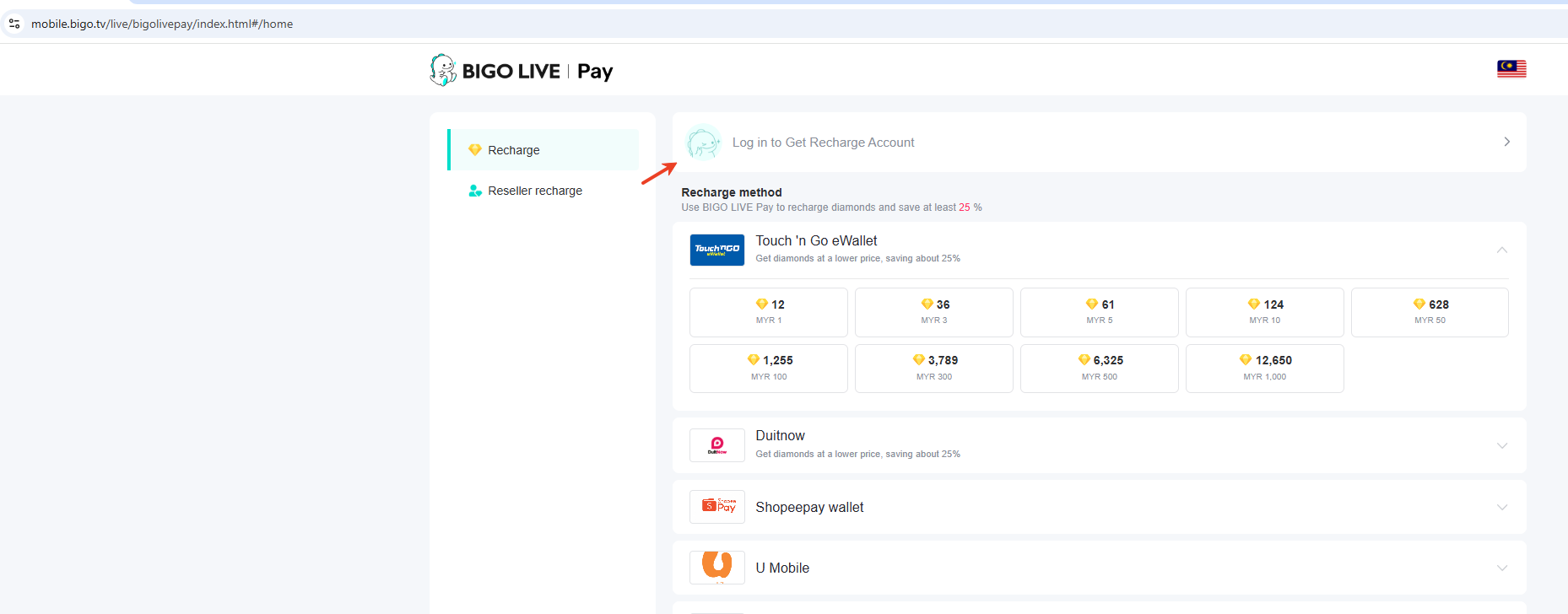
Step 3: Kindly confirm your Bigo ID and choose a region. 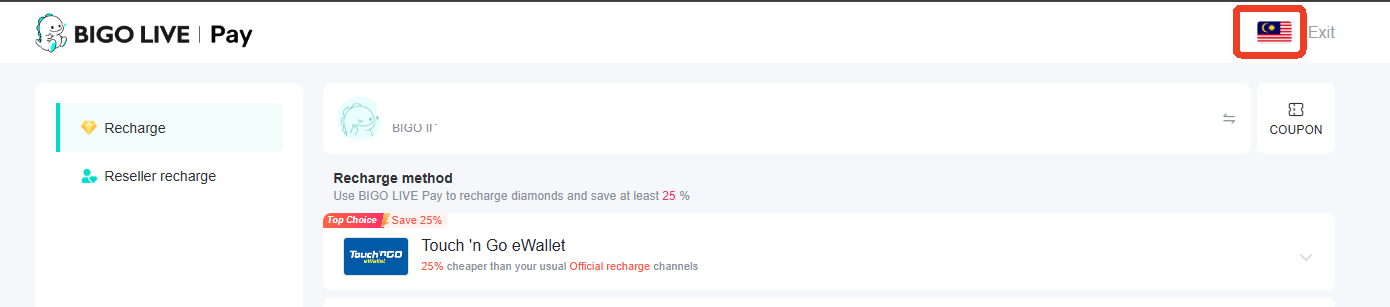
Step 4: Scroll down to the bottom of the payment options and click on Bigo Card. 
Step 5: Once you select the Bigo Card payment option, you will be directed to the next page. Select SEAGM and enter the PIN code purchased from SEAGM, then click on "Submit". 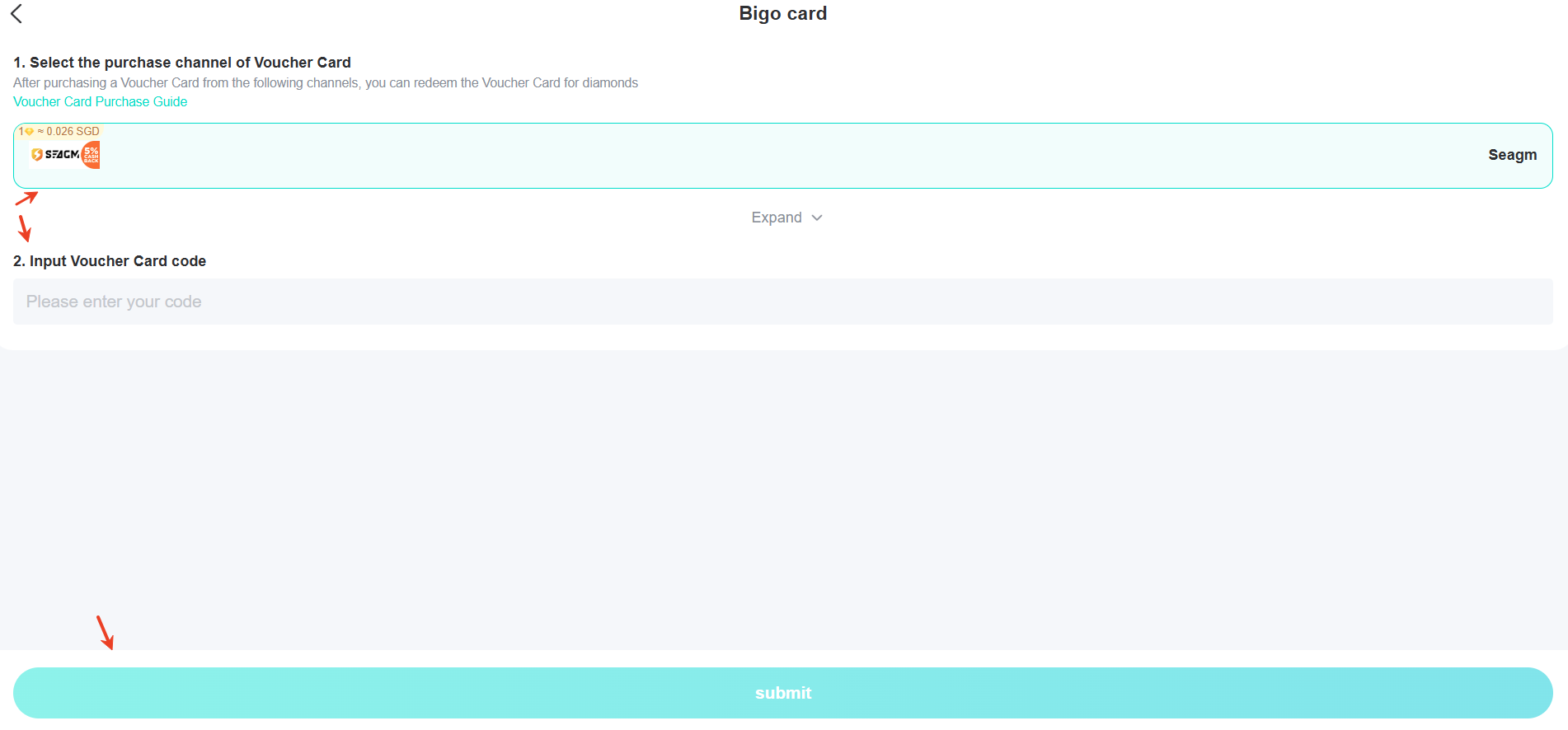
Step 6: Once you've entered all the details and completed the whole process, your diamond will be credited to your account shortly. Enjoy your game!
Note: If you do not see the option, you may try to bind the account to your mobile phone number or log in with your mobile phone number.
Thank you.
Visit the SEAGM Support site for quick answers and guides.
Need support? Contact our Customer Support via LiveChat .