Subway is an internationally recognised food brand known for its freshly made sandwiches and customizable meal options. With a focus on choice and convenience, Subway offers a variety of breads, fillings, and meal combinations to suit different preferences.
Note:
- Subway Cash Voucher gift cards are region-restricted. Please ensure you select the correct region.
- Please ensure you read the Terms and Conditions in the product description before making a purchase, as the voucher is only valid at selected outlets.
- All purchases on SEAGM are final. Once delivered, they cannot be returned, exchanged, or refunded.
Step 1: Login/register an account in SEAGM. On the top menu, enter the keywords "subway" and search. Select "Subway Cash Voucher [based on the region you need]".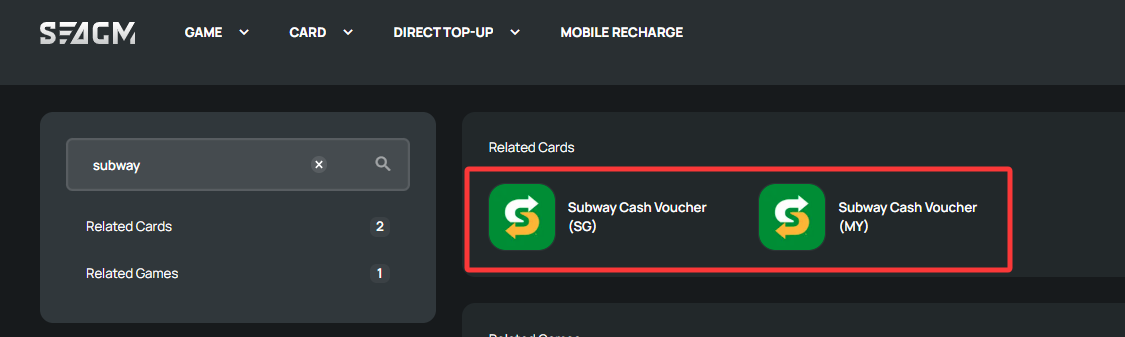
Step 2: Select the amount that you need, enter the quantity and click "buy now" to proceed.
Step 3: Kindly confirm the amount and quantity selected, then click " Pay Now" once confirmed.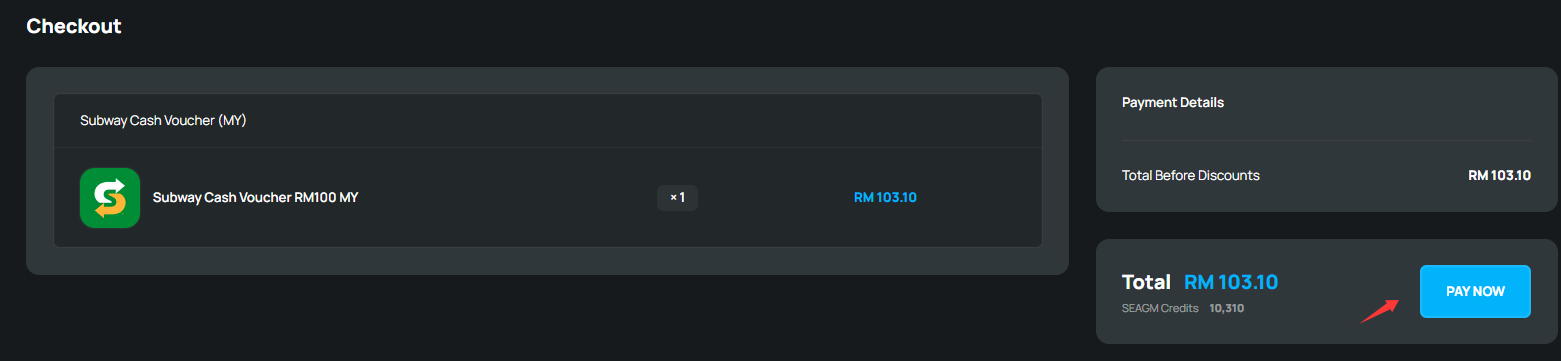
Step 4: Select your desired payment method and click "Pay Now" to complete your payment.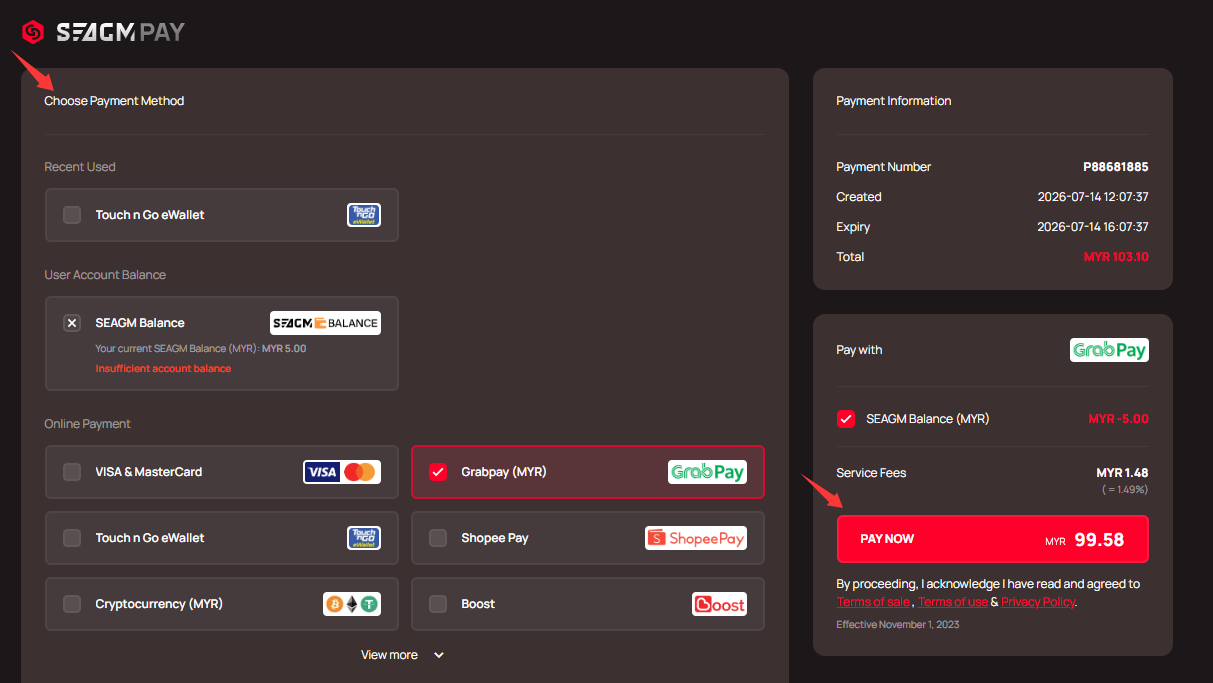 Step 5: Once payment is completed, you may retrieve your code under your User profile in My Cards. For Pre-Order products, it might take a few working days for the card to be delivered.
Thank you.
Visit the SEAGM Support site for quick answers and guides.
Need support? Contact our Customer Support via LiveChat .