Lotus's - We care about you with quality products. satisfaction guaranteed Whether fresh food, dry food and service.
Note:
- Lotus’s Gift Card (TH) sold by SEAGM is valid only for Thailand-registered Lotus account users.
- Be sure to read the Terms and Conditions in the description section before making a purchase.
- All purchases on SEAGM are final. Once delivered, they cannot be returned, exchanged, or refunded.
Step 1: Log in or register for an account in SEAGM. On the top menu, enter the keywords "Lotus" and search. Select "Lotus's Gift Card [TH]".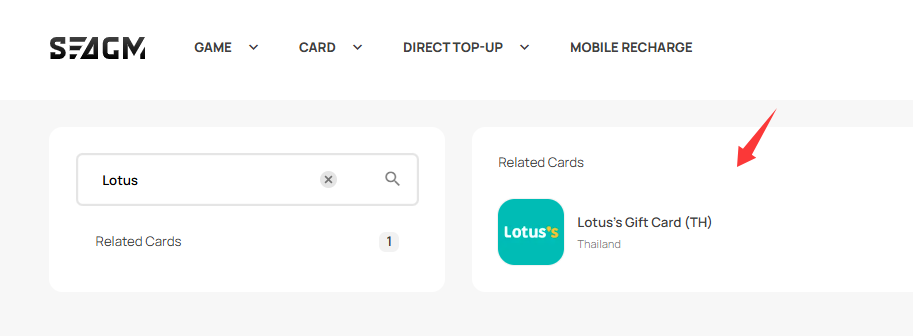
Step 2: Select the desired amount, enter the quantity, and click "Buy Now" to proceed.
Step 3: Please confirm the amount and quantity selected, then click "Pay Now" once confirmed. 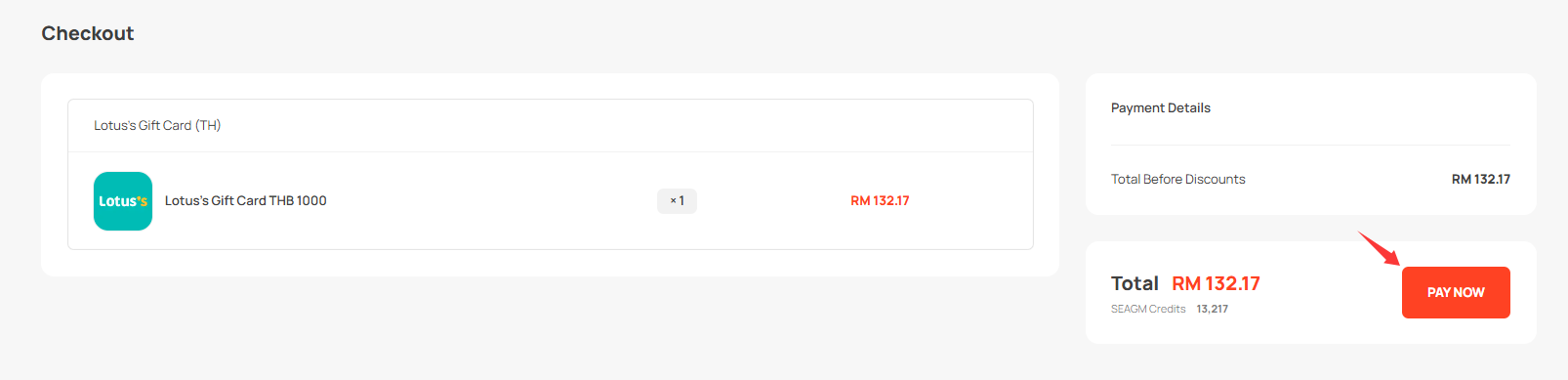
Step 4: Select your desired payment method and click "Pay Now" to complete your payment.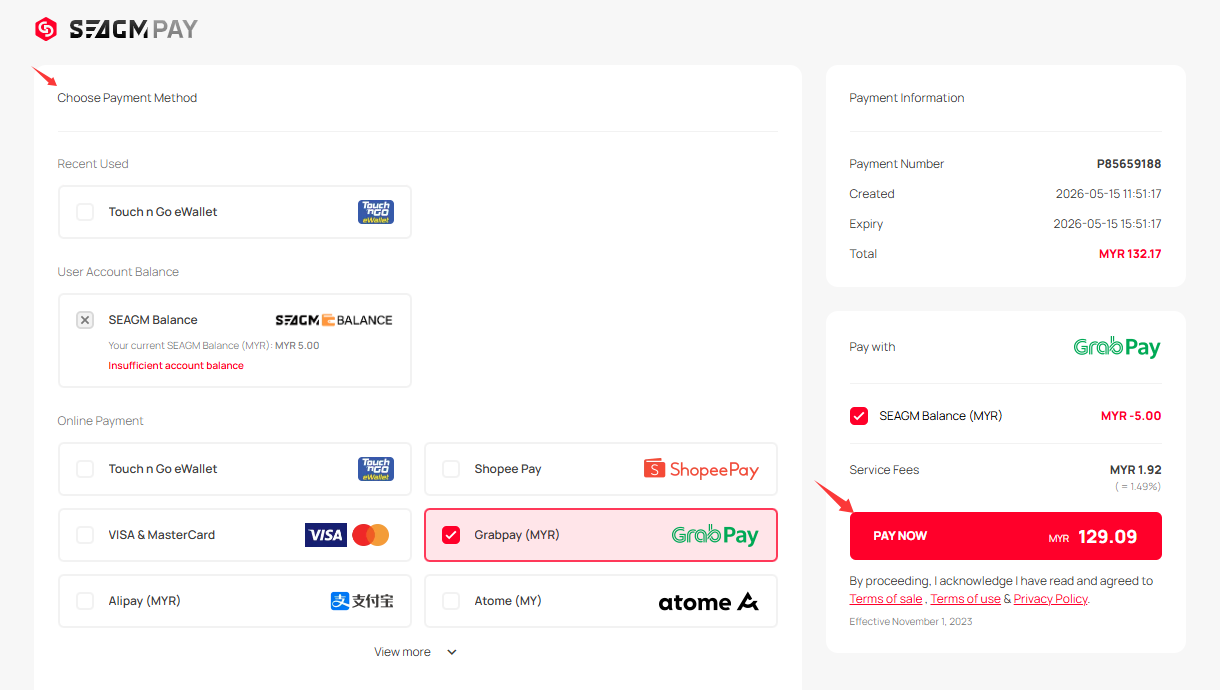
Step 5: Once payment is completed, you may retrieve your code under your User profile in My Cards. For pre-ordered products, it might take a few working days for the card to be delivered.
Thank you.
Visit the SEAGM Support site for quick answers and guides.
Need support? Contact our Customer Support via LiveChat .