If you encounter a problem with your code or PIN, you can follow these steps to get assistance from the SEAGM team:
1. Log in to your SEAGM account. Visit the SEAGM website and sign in using your registered email address and password.
2. Go to the “My Orders” page. You can access all your past purchases from your account.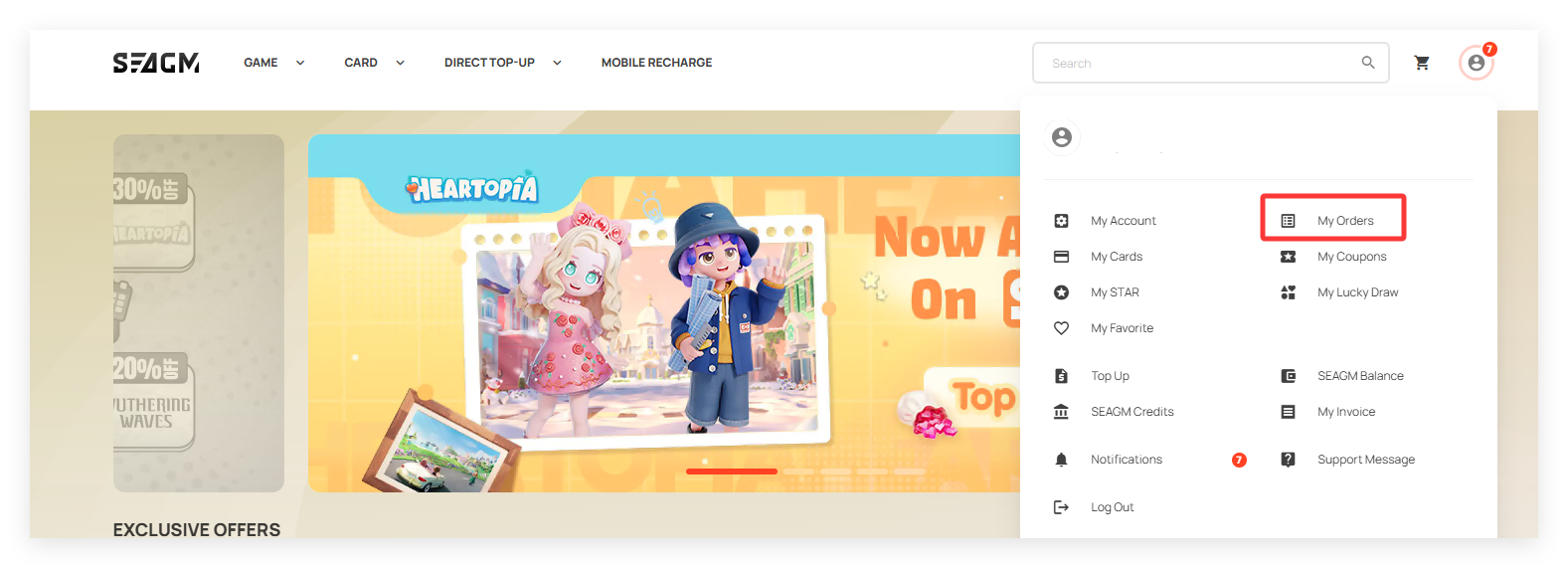
3. Select your order. Click on the order number that starts with the letter “C” to view the details of that order.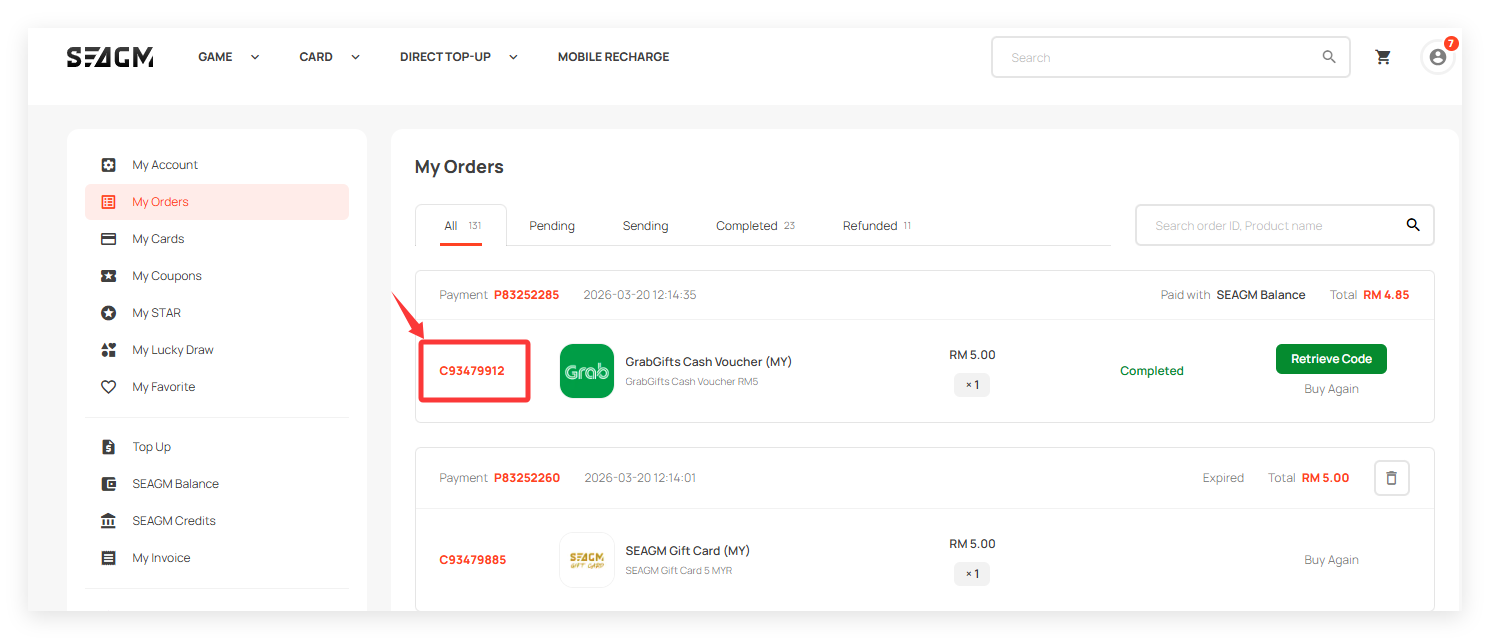
4. You will see a section labelled “Customer Service.” Click on Submit Message to proceed.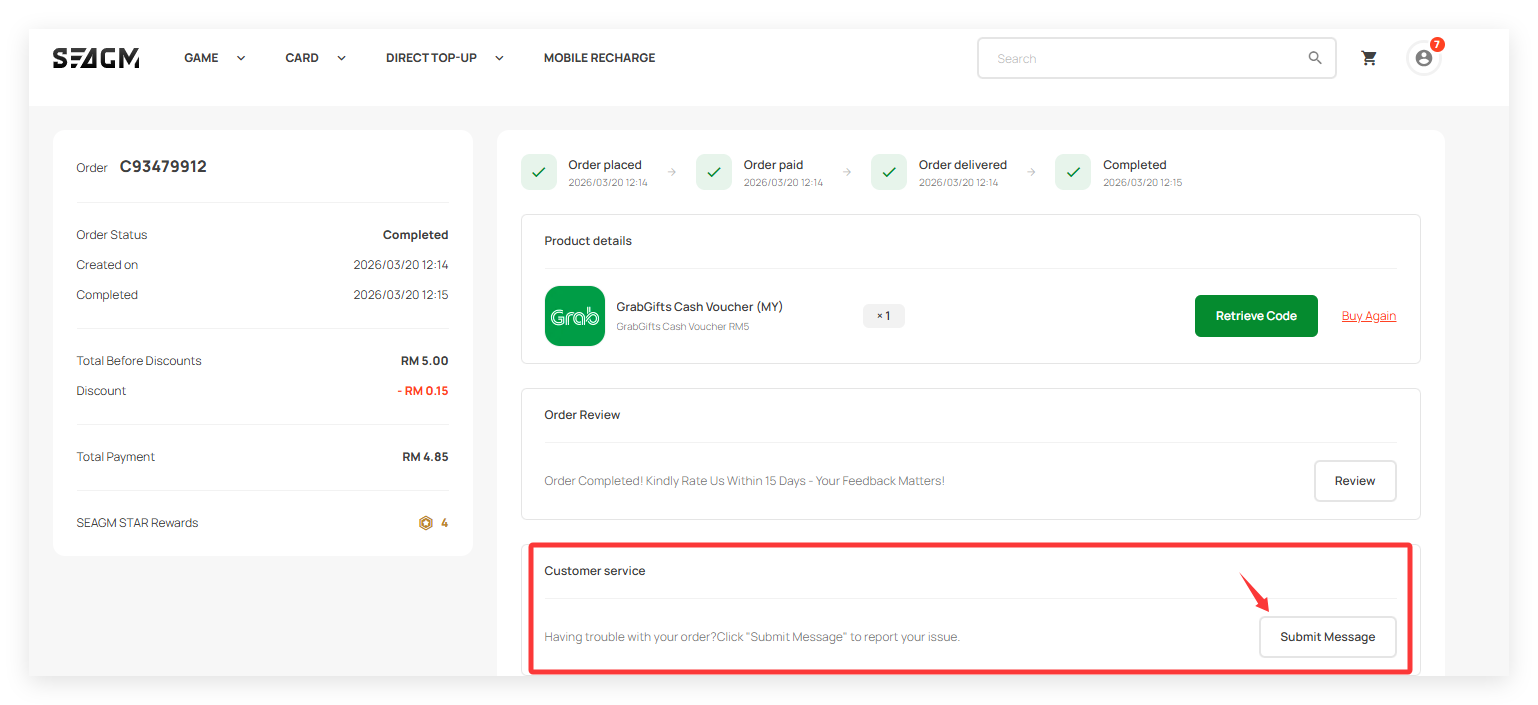
5. Choose your issue. Select Code/PIN Problem from the list of issues and enter all required information correctly.
6. Attach card error documents. Upload a picture of the card or a screenshot that clearly shows the issue.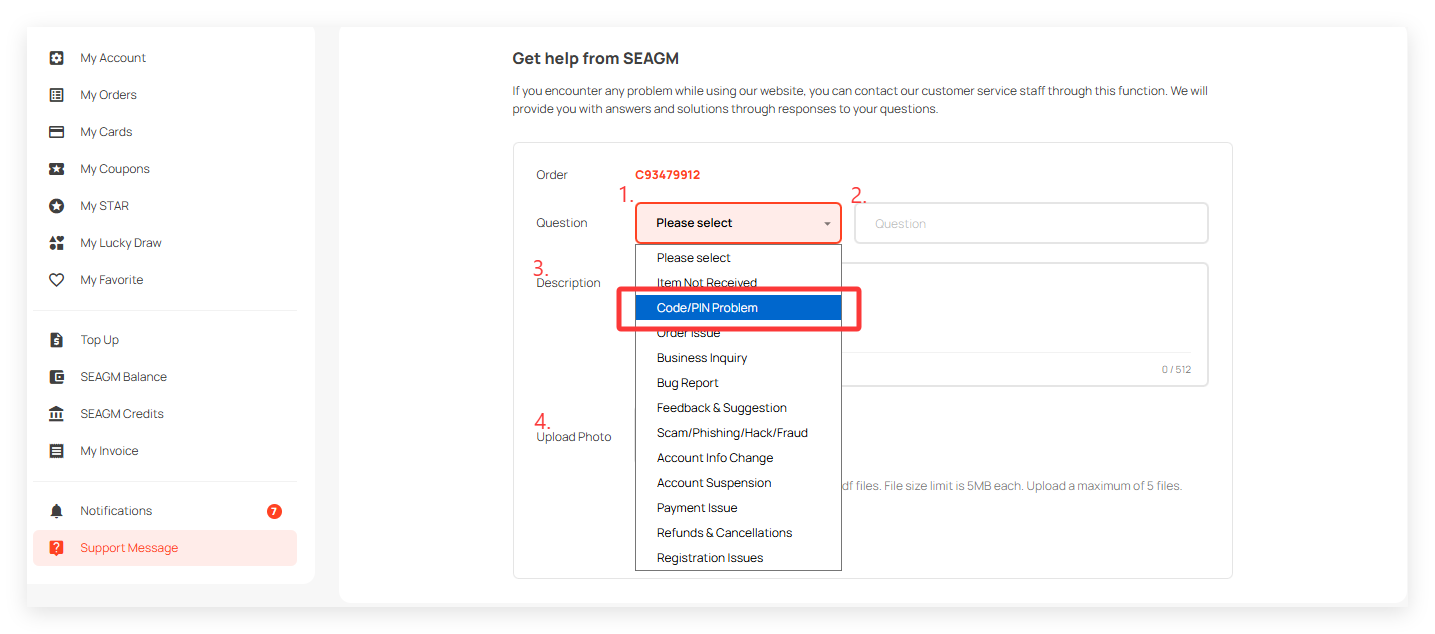
7. Submit your request. Click on Submit Message to send your inquiry.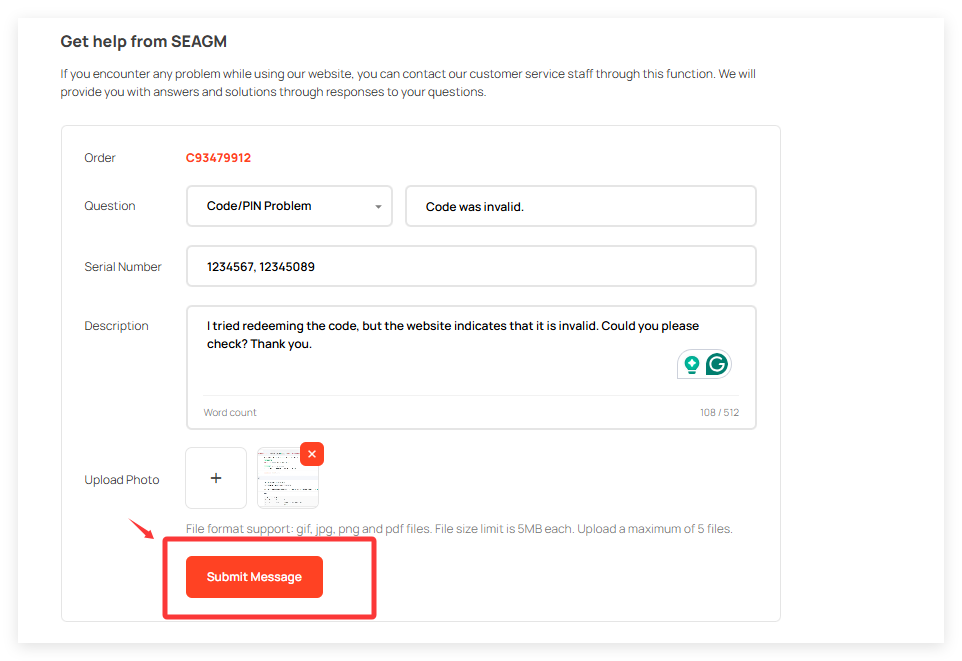
After you submit your message, the SEAGM Card team will review your request and get back to you with updates as soon as possible.
💡 Tip: Make sure your screenshots or pictures are clear and readable. This helps the team resolve your issue faster.
Thank you.
Visit the SEAGM Support site for quick answers and guides.
Need support? Contact our Customer Support via LiveChat .