Note: The Google Play gift cards sold by SEAGM are region-locked products. Please ensure that the gift card’s region matches the region of your registered Google account.
Step 1: Once the purchase from SEAGM is completed, kindly retrieve your game card code in "My Cards".
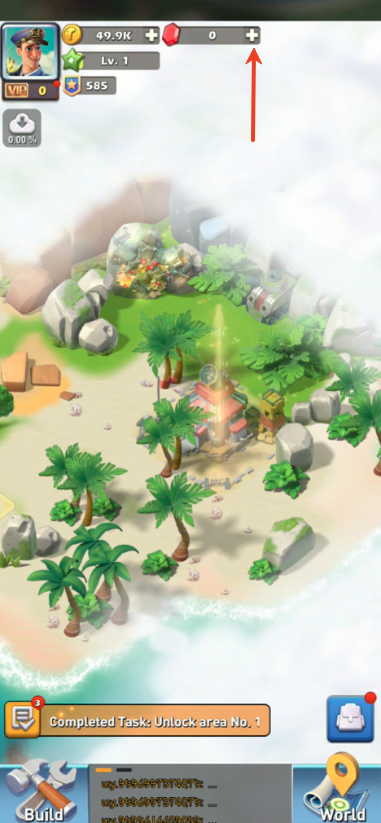
Step 2: Install and start the application then tap the "+" icon at the side of the gem icon and select the preferred type of value pack.
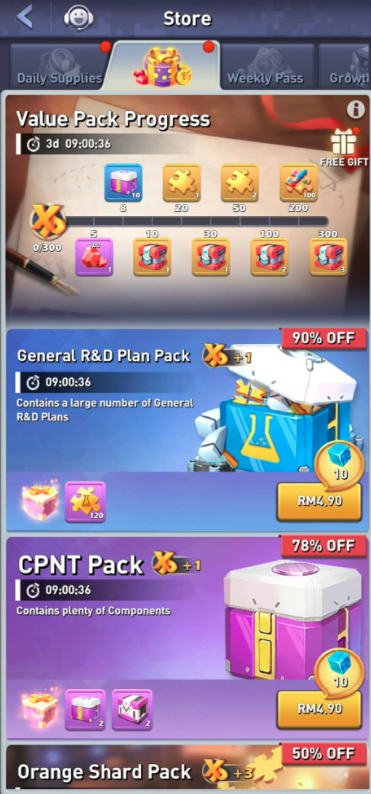
Step 3: Tap "Redeem code" to enter the code you purchased then click "Redeem".

Step 4: Once completed, your purchased item will be added automatically to your game account.
Thank you.
Visit the SEAGM Support site for quick answers and guides.
Need support? Contact our Customer Support via LiveChat .