Firework is a Chinese horror puzzle game. The story takes place in a remote mountain village. An accidental fire at a funeral forces the police to re-investigate a closed case of the massacre. Lin Lixun, a rookie police officer, participates in the re-investigation by chance. As the investigation goes deeper, the past of the victims gradually emerges. However, the case becomes more bewildering. Is it a supernatural phenomenon or an elaborate murder?
Note:
- The Steam Wallet Code sold in SEAGM was a region-currency-locked card. Steam users can only redeem it according to their original currency settings.
- All purchases made in SEAGM, once they're delivered, are non-returnable, non-exchangeable, and non-refundable.
Step 1: Once the purchase from SEAGM is completed, kindly retrieve your game card code in "My Cards".
Step 2: Visit the Steam Official Site and proceed with account login.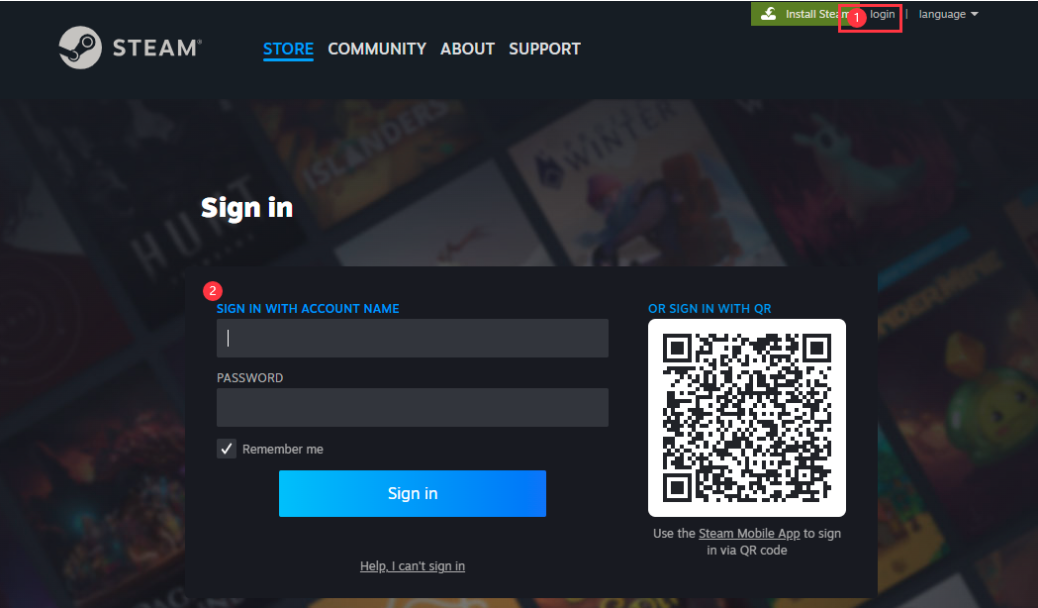
Step 3: Under the account name, in the dropdown section, select [view my wallet].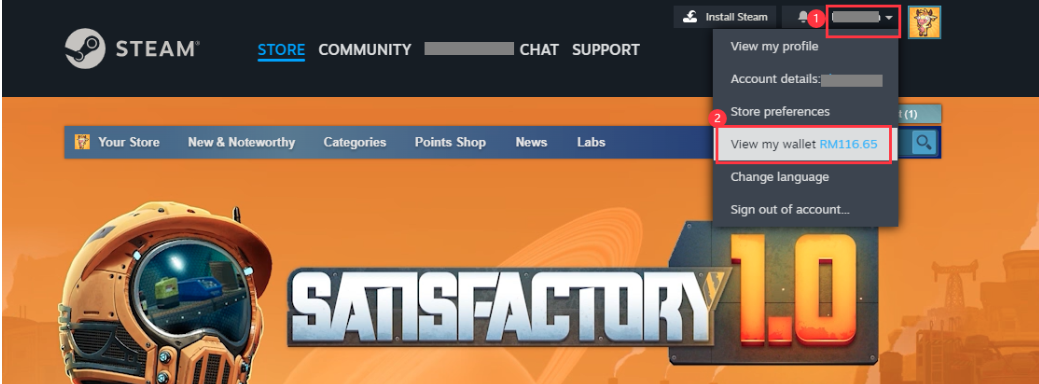
Step 4: Select [Redeem a Steam Gift Card or Wallet Code].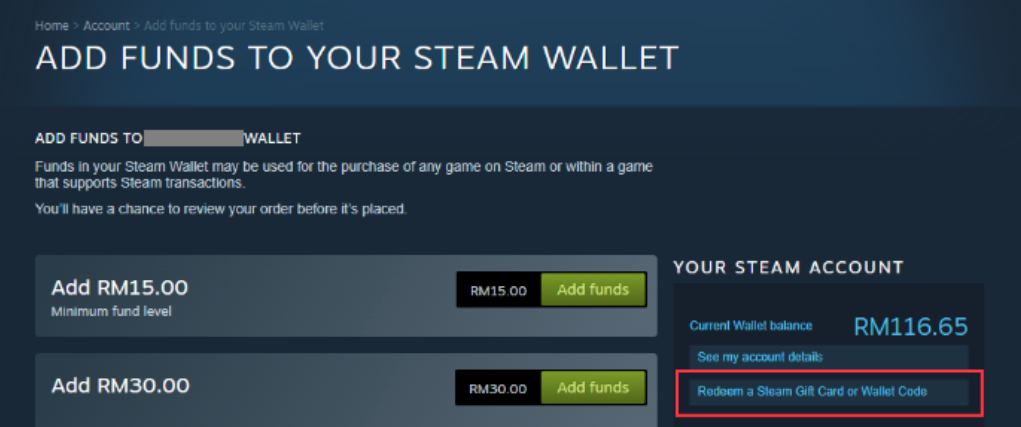
Step 5: Enter the code purchased from SEAGM and click [Continue].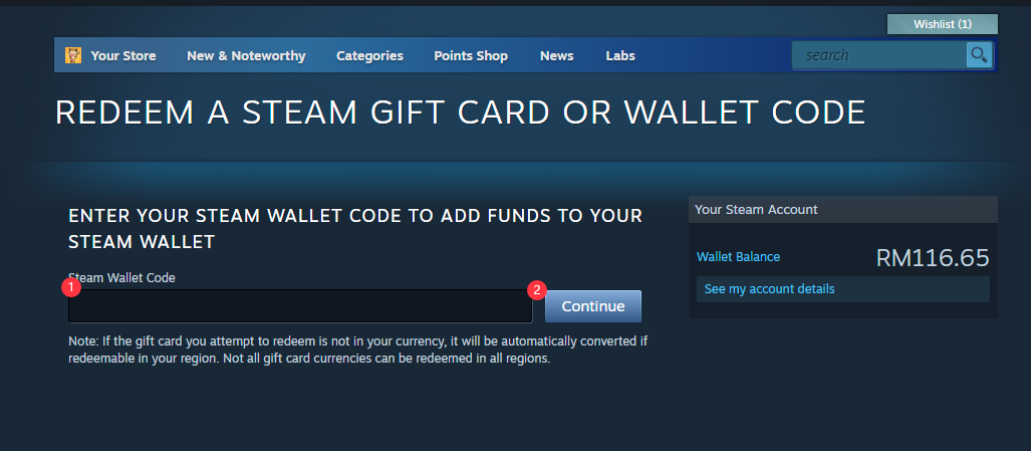
Step 6: Return to the main page, search [Firework], and select the game once reloaded to your account balance.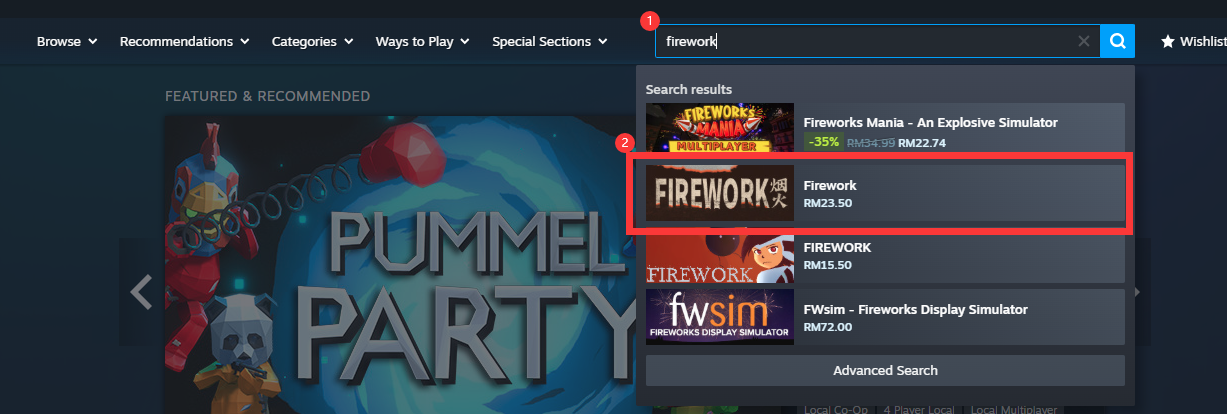
Step 7: Select the one you need, and click [Add to Cart].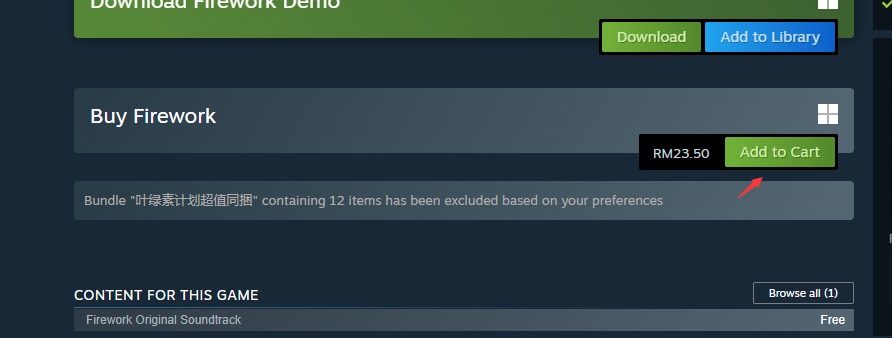
Step 8: Click [View my Cart].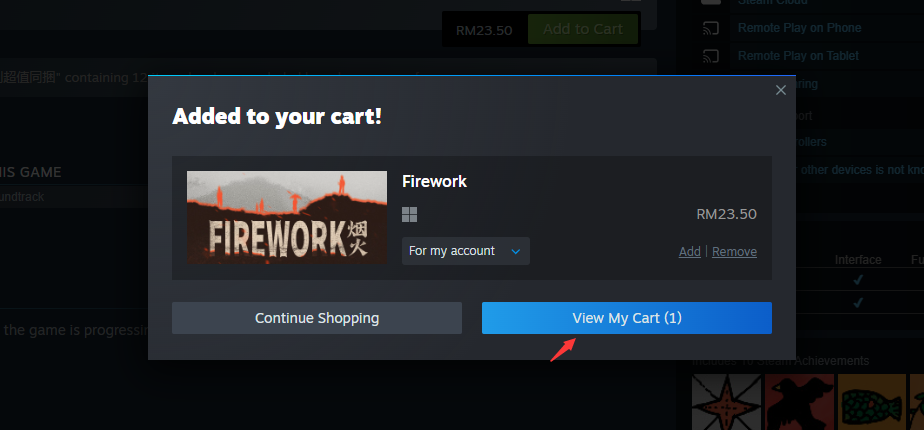
Step 9: Choose whether for self or friends. Then, click on [Continue to Payment]. 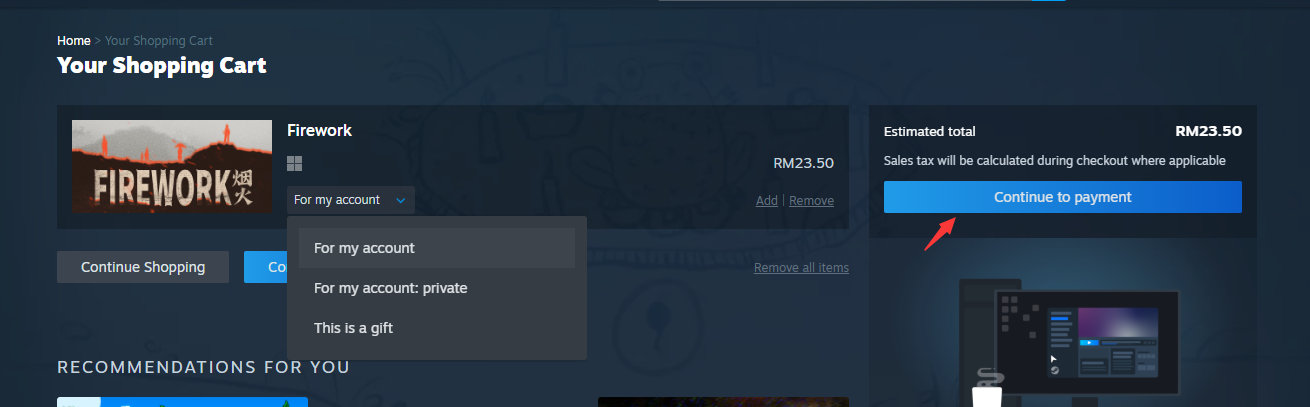
Step 10: Confirm payment method as wallet, tick the agreement box and click [purchase].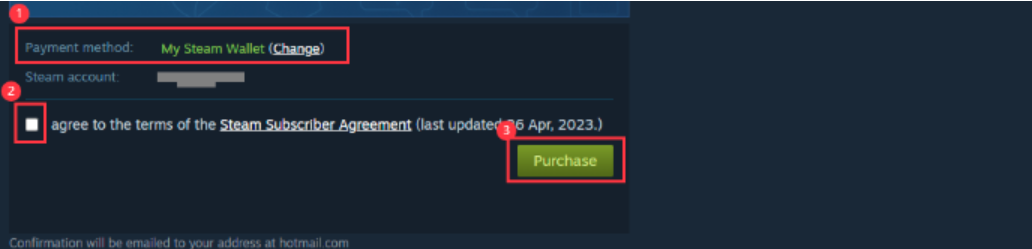
Step 11: Once done, your game will be automatically installed and ready to play once done.
Enjoy your game!
Thank you.
Visit the SEAGM Support site for quick answers and guides.
Need support? Contact our Customer Support via LiveChat .