Journey through the desolated kingdom of Penumbra and discover the hidden secrets of this long-forgotten land. Explore mystical temples, where you’ll need to master the art of movement to survive increasingly difficult 3D platforming challenges. During your adventure, you’ll slash your way through daunting adversaries, encounter survivors and take on strange quests to collect valuable items.
Note:
- The Steam Wallet Code sold in SEAGM was a region-currency-locked card. Steam users can only redeem it according to their original currency settings.
- All purchases made in SEAGM, once they're delivered, are non-returnable, non-exchangeable, and non-refundable.
Step 1: Log in/register an account in SEAGM. On the top menu, enter the keywords "Blue" and search. Select "Blue Fire".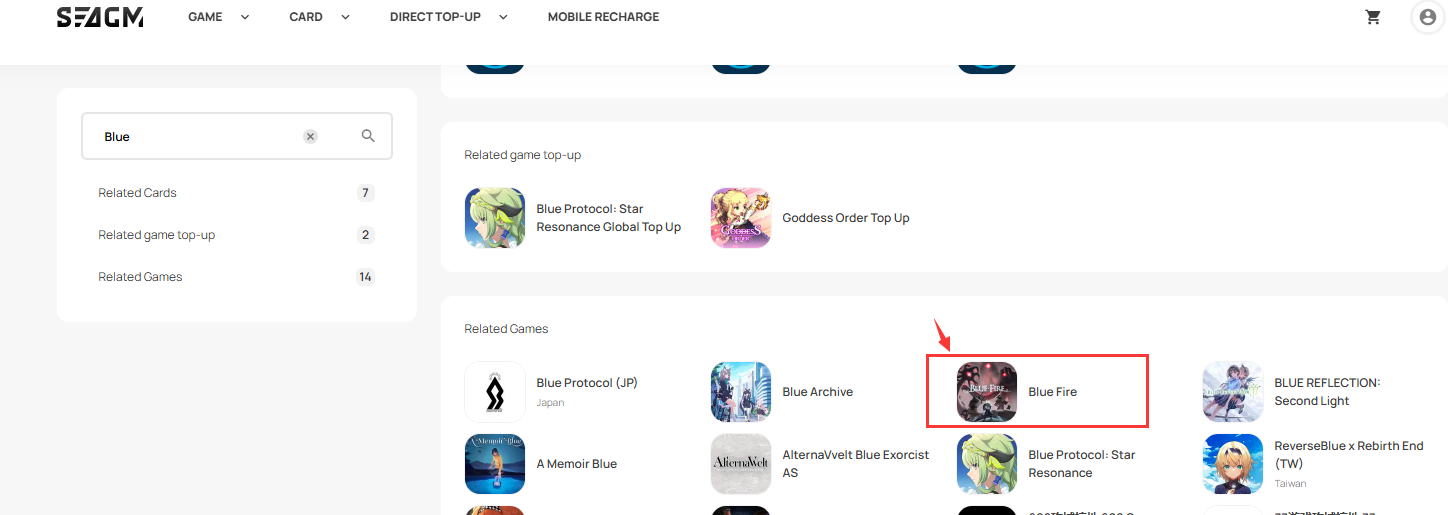 Step 2: Scroll down the page and select the Steam Wallet Code gift card based on your account region's currency.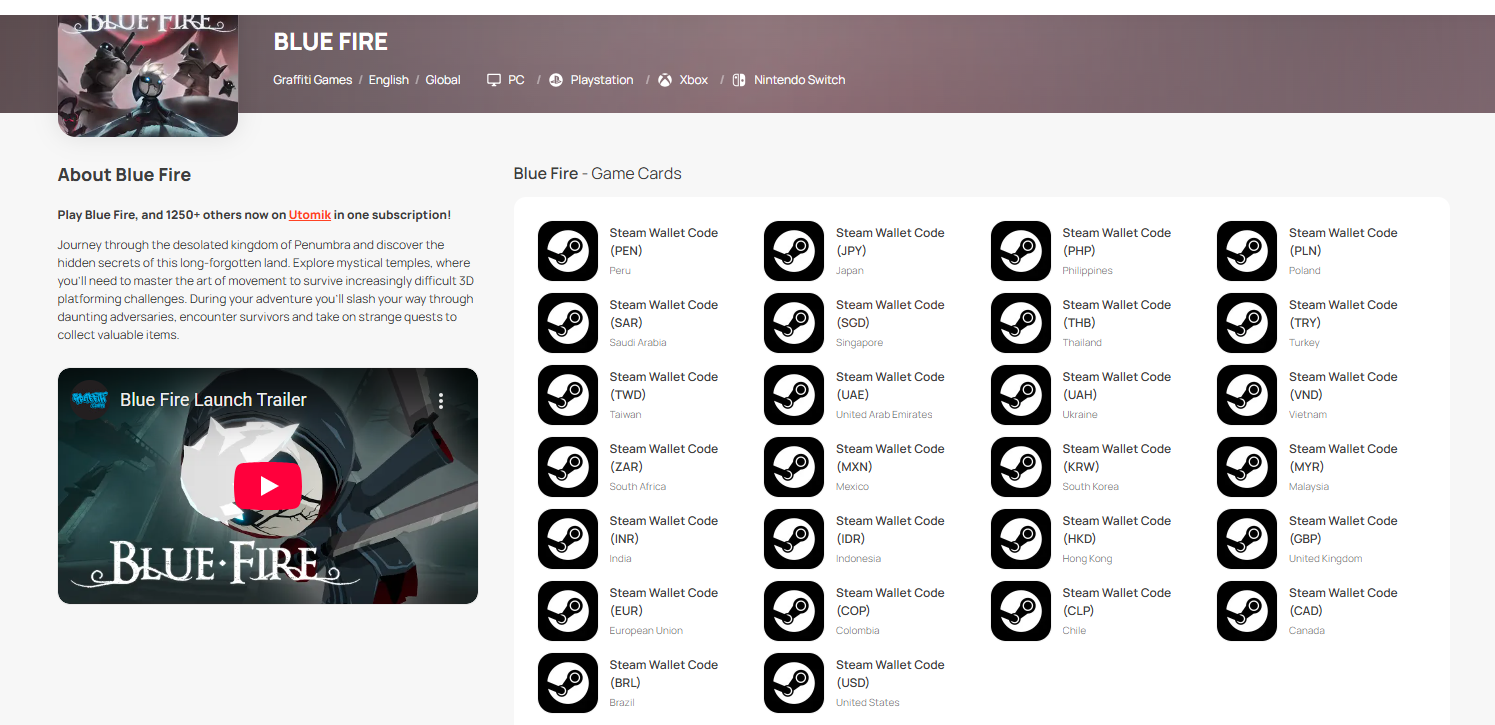
Step 3: Select the amount you need, enter the quantity and click "buy now" to proceed.
Step 4: Kindly confirm the amount and quantity selected, then click "Pay Now" once confirmed.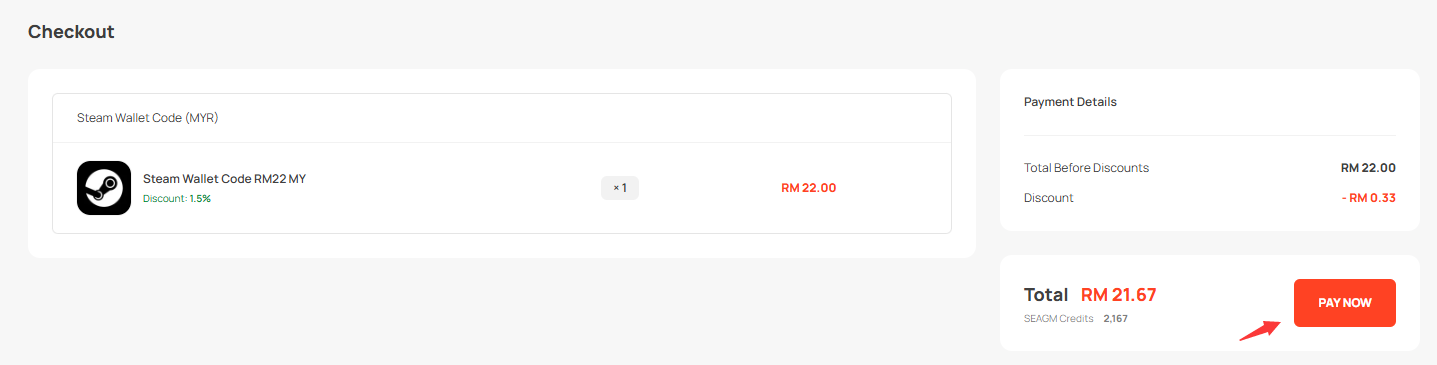
Step 5: Select your desired payment method and click "Pay Now" to complete your payment. 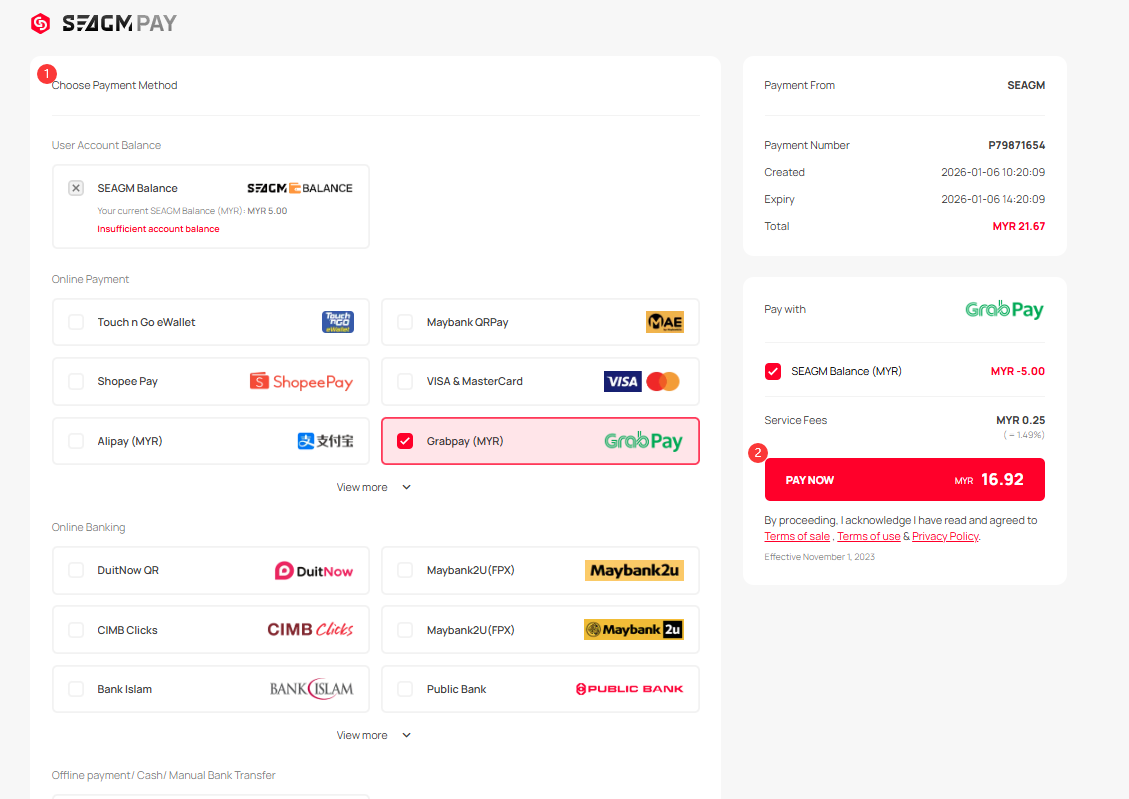
Step 6: Once payment is completed, you may retrieve your code under your User profile in My ards. Pre-ordered products might take a few working days for the card to be delivered.
Thank you.
Visit the SEAGM Support site for quick answers and guides.
Need support? Contact our Customer Support via LiveChat .