Batora: Lost Haven® is a choice-driven isometric action adventure with RPG elements and a unique duality system affecting combat, story, dialogues, puzzles, and endings, that will make you question the meaning of sacrifice.
Note:
- The Steam Wallet Code sold in SEAGM was a region-currency-locked card. Steam users can only redeem it according to their original currency settings.
- All purchases made in SEAGM, once they're delivered, are non-returnable, non-exchangeable, and non-refundable.
Step 1: Log in/register an account in SEAGM. On the top menu, enter the keywords "Batora" and search. Select "Batora: Lost Haven".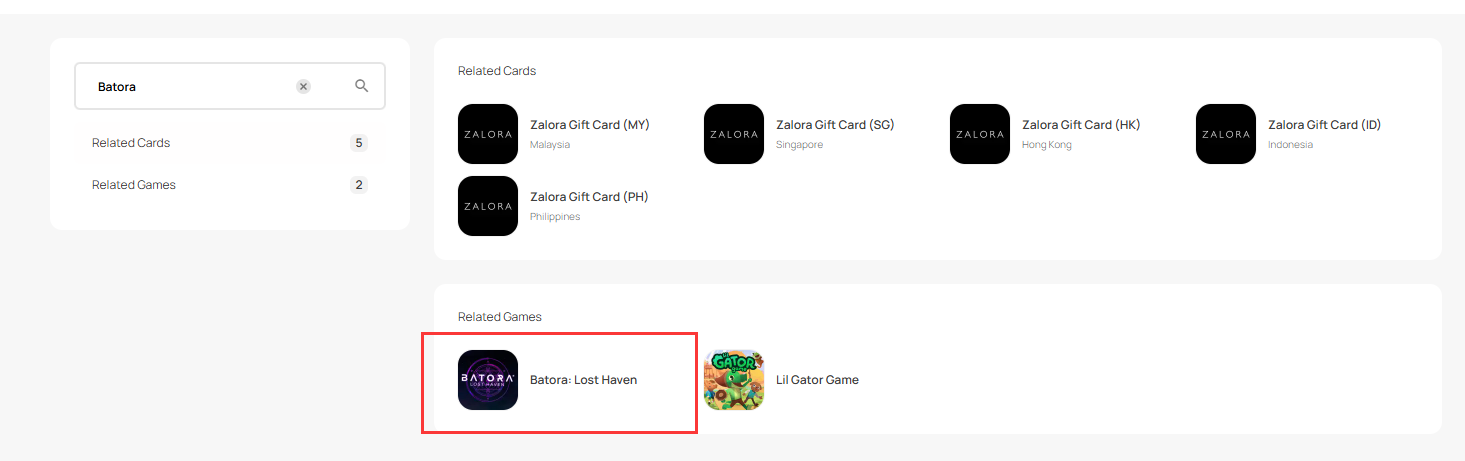
Step 2: Scroll down the page and select the Steam Wallet Code gift card based on your account region's currency. 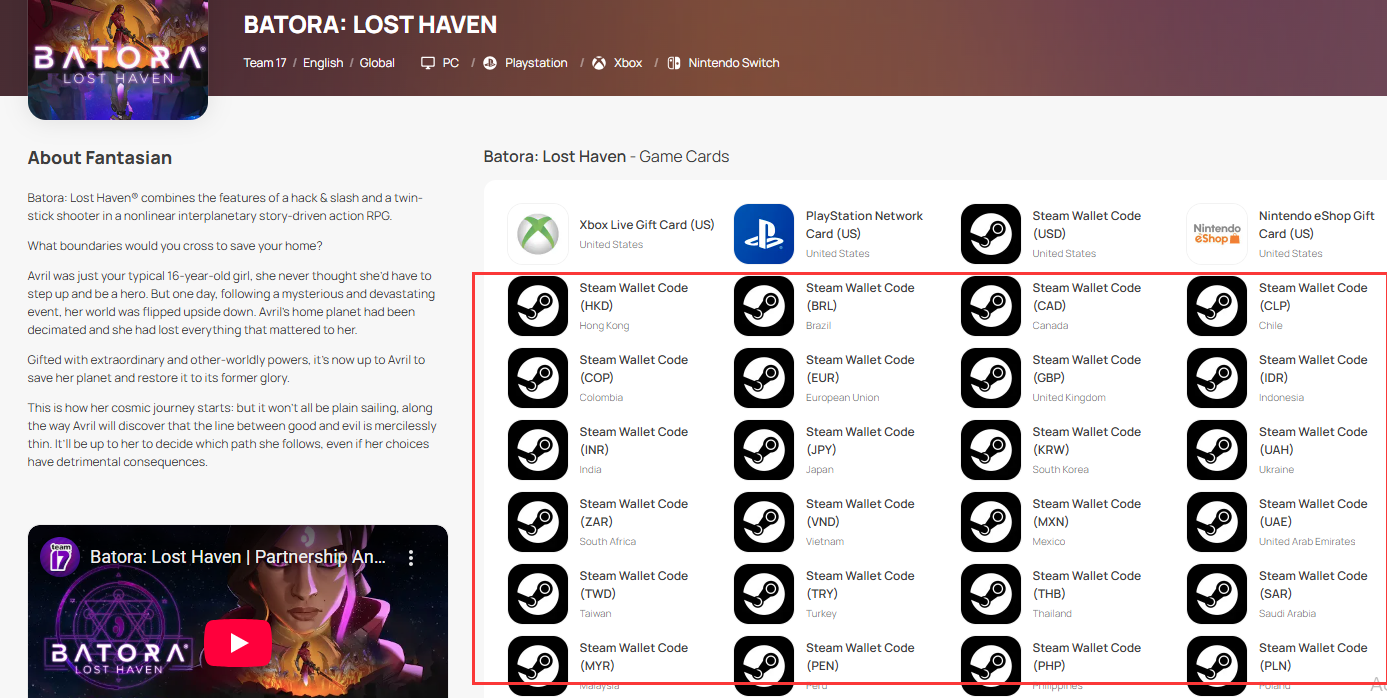
Step 3: Select the amount you need, enter the quantity and click "buy now" to proceed.
Step 4: Kindly confirm the amount and quantity selected, then click "Pay Now" once confirmed.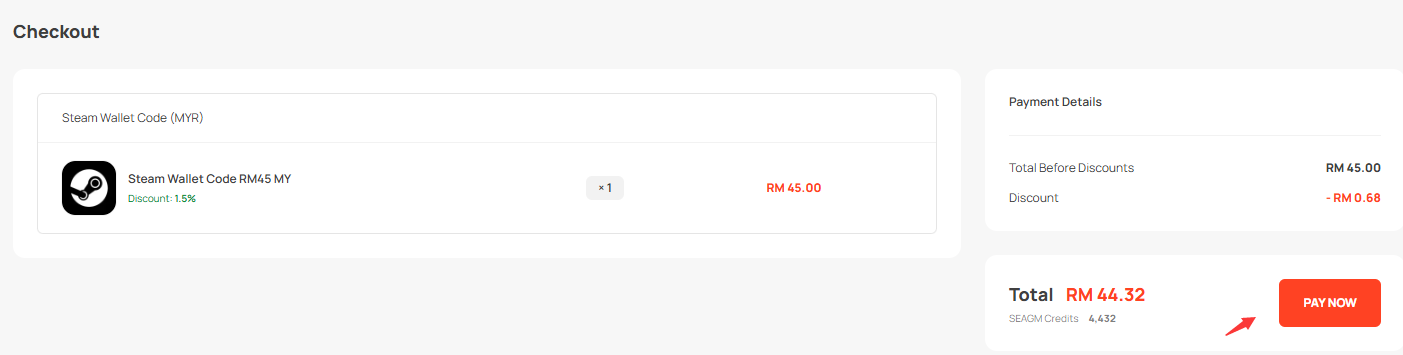
Step 5: Select your desired payment method and click "Pay Now" to complete your payment. 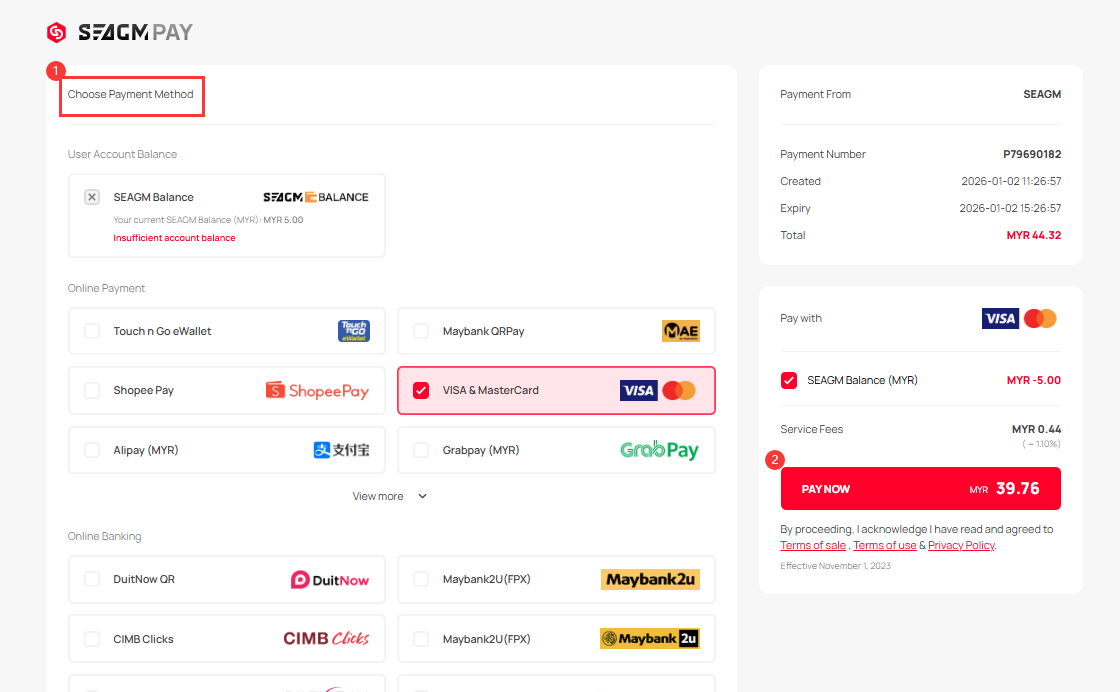
Step 6: Once payment is completed, you may retrieve your code under your User profile in My Cards. Pre-ordered products might take a few working days for the card to be delivered.
Thank you.
Visit the SEAGM Support site for quick answers and guides.
Need support? Contact our Customer Support via LiveChat .