When you subscribe to myHPcloud's one-time payment plan, you will only need to pay once to access the specific amount of storage space you need. The one-time payment plan is designed to provide users with a secure and convenient way to store their files in the cloud. With an intuitive interface, users can easily upload, manage, and share files, and share space with up to 10 users under a single plan. At myHPcloud, your privacy is extremely important to us, which is why we have made it our personal mission to keep your personal data away from prying eyes with AES 256-bit encryption.
Important Note:
- myHPcloud Cloud Storage (MY) sold by SEAGM is available for Malaysia only.
- All purchases made in SEAGM, once they're delivered, are non-returnable, non-exchangeable, and non-refundable.
Step 1: Once the purchase from SEAGM is completed, kindly retrieve your game card code in "My Cards".
Step 2: Visit the myHPcloud official webpage and proceed with login or register an account. 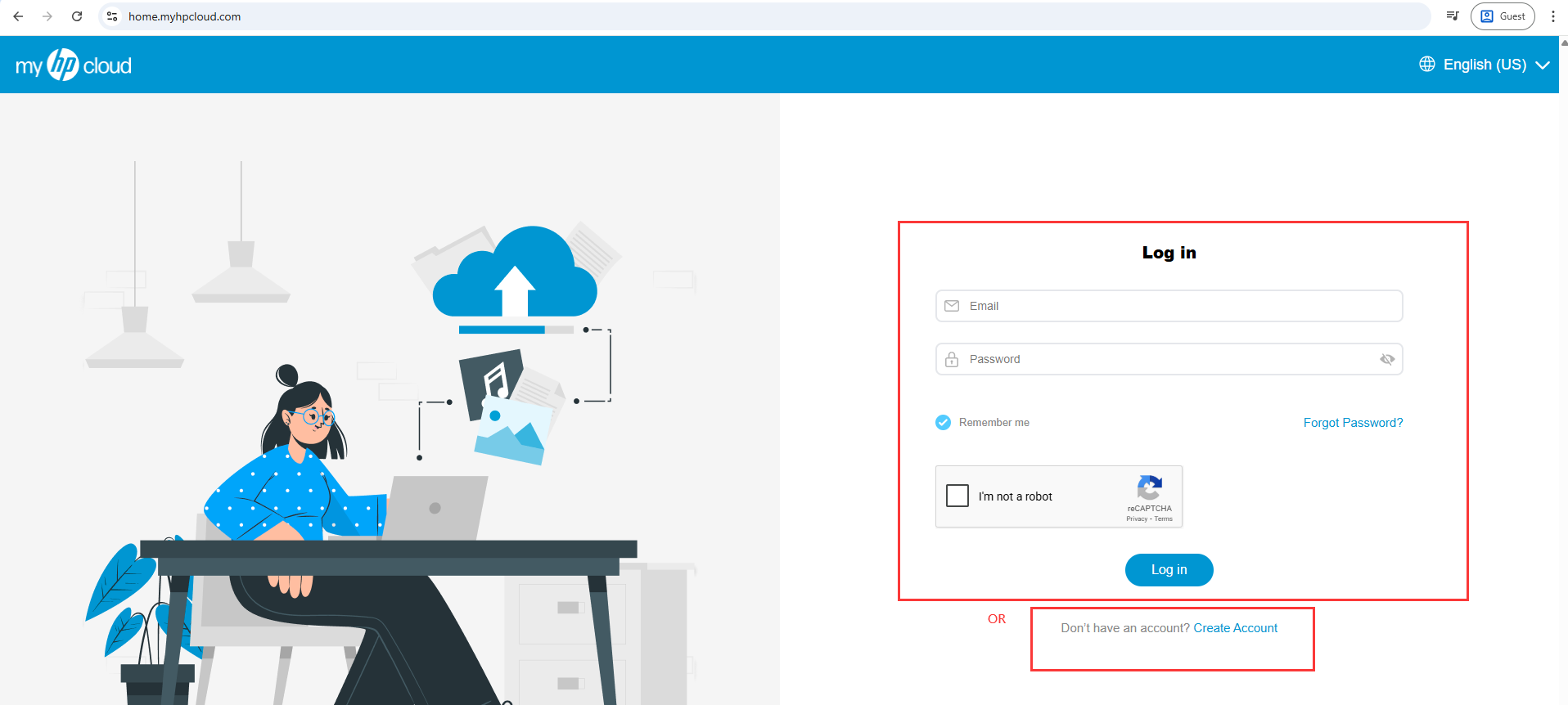
Step 3: Once logged in, click on [upgrade] at side of the page. 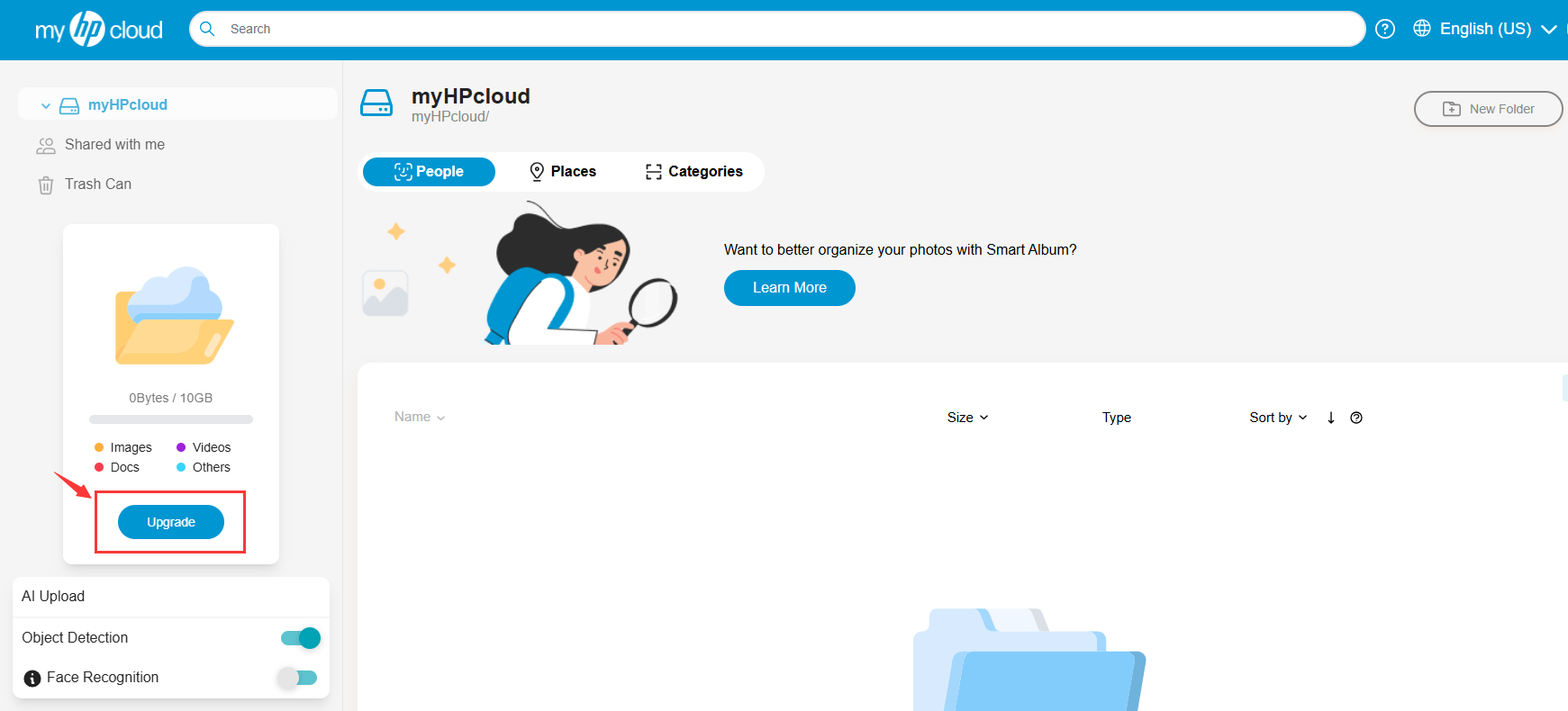
Step 4: Select [I have a voucher]. Then, enter the code purchased from SEAGM, and click Apply Voucher.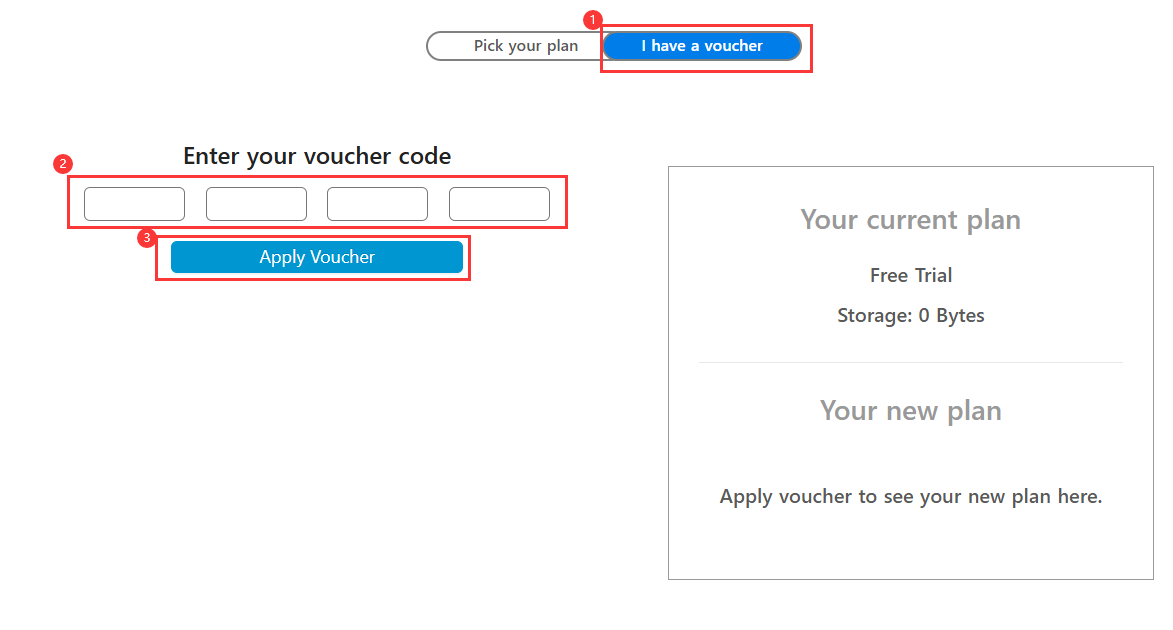
Step 5: Your account will be upgraded to the purchased cloud storage capacity immediately upon completion.
Thank you.
Visit the SEAGM Support site for quick answers and guides.
Need support? Contact our Customer Support via LiveChat .