Buying digital products online can be convenient and exciting, but nothing is more frustrating than discovering your purchase doesn’t work due to regional restrictions. Many digital products on SEAGM are region-locked, meaning they can only be used in certain countries or with accounts registered in specific regions. To make sure your purchase works as intended, follow these simple steps:
Step 1: Read the product notes and description
Most products include important notes in their description. These notes often specify the supported regions or countries. Always check these carefully before placing an order.
Examples: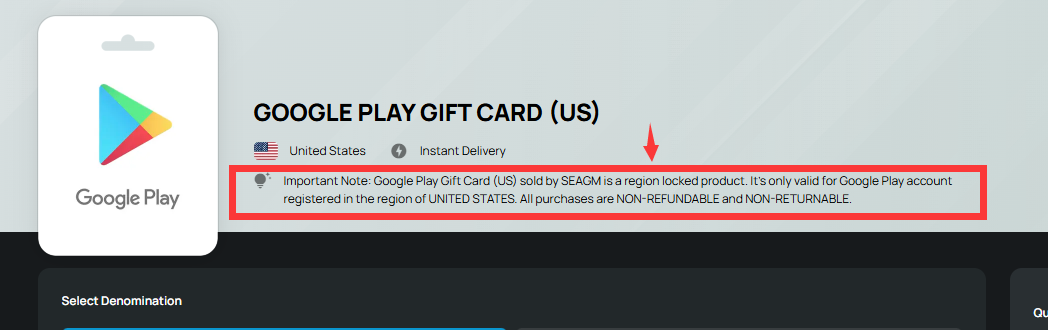
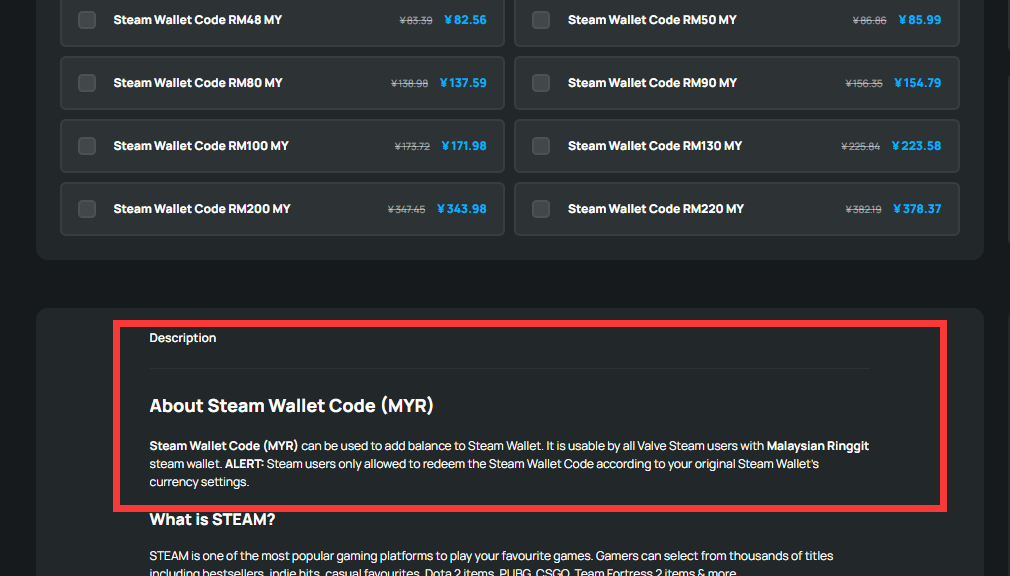
By reading the product notes and description, you’ll know upfront whether the item will work with your account or in your country.
Step 2: Check your account region.
Ensure your account (such as iTunes, Steam, Google Play) matches the supported region mentioned in the product notes. If your account is registered in a different country, the product may not work, even if purchased successfully.
⚠️ Once delivered, SEAGM does not provide any refund or exchange for region-incompatible products. Always review the Terms of Sale on the SEAGM page before placing an order.
Step 3: Confirm before purchasing.
Always double-check the product notes before completing your order. If your country or account region isn’t supported, the product will not function. Taking a moment to verify can save you from wasted money and frustration.
Tip: When in doubt, contact SEAGM support via LiveChat to confirm the product’s supported regions before purchasing.
Thank you.
Visit the SEAGM Support site for quick answers and guides.
Need support? Contact our Customer Support via LiveChat .