Sign in to SEAGM quickly using your mobile phone to access your account, place orders, and make payments easily.
Step 1: On the SEAGM site, click on the top right corner [Sign in]. 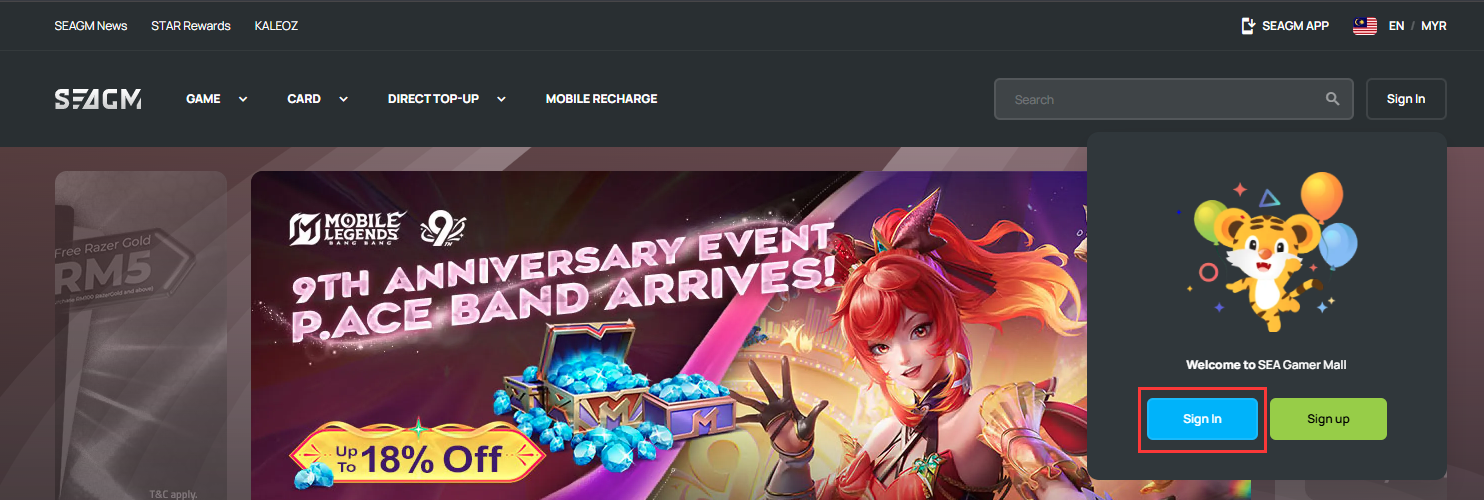
Step 2: On the login screen, select [mobile phone] as your login method.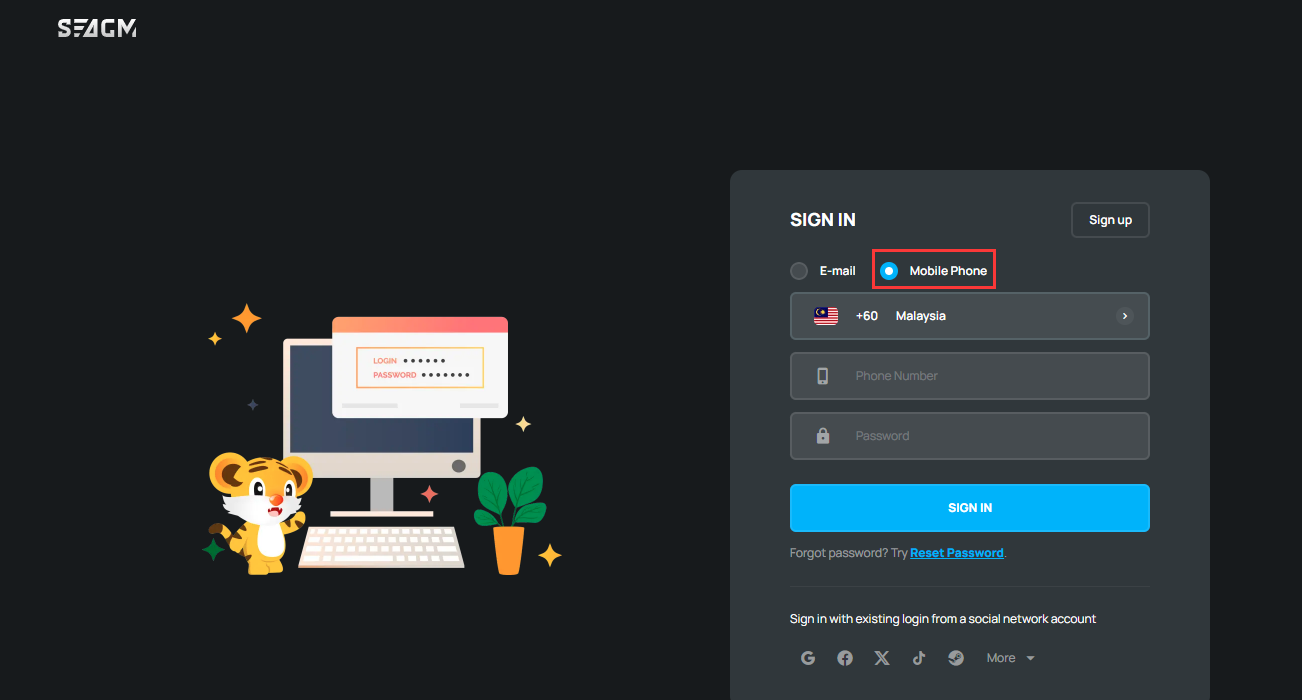
Step 3: Select the country code, enter your phone number and password. Then, click [Sign in] to proceed. 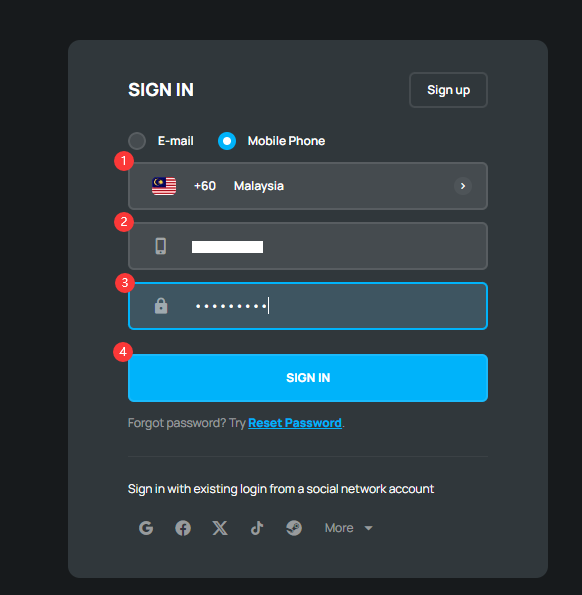
Step 4: After signing in successfully, you can place orders and make payments according to your needs.
Thank you.
Visit the SEAGM Support site for quick answers and guides.
Need support? Contact our Customer Support via LiveChat .