Step 1: Visit the WTFast Official Website and log in to your WTFast account. Select "Account", then click "Enter Key".
Step 2: Enter the WTFast key code purchased from SEAGM, then click "Activate".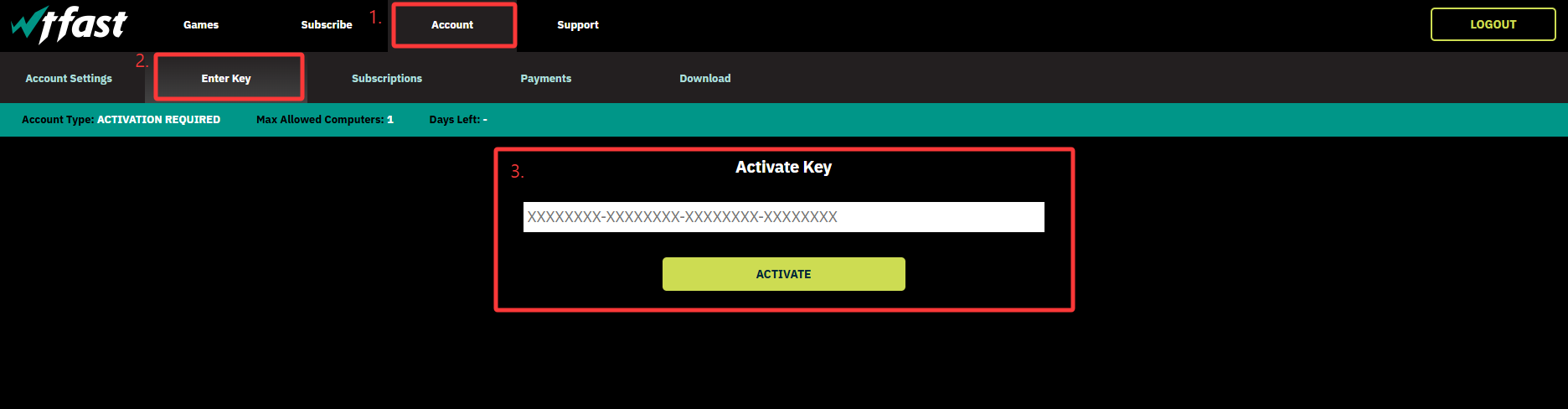
Step 3: Once the activation is completed, your subscription will be automatically updated in your WTFast account.
Thank you.
Visit the SEAGM Support site for quick answers and guides.
Need support? Contact our Customer Support via LiveChat .