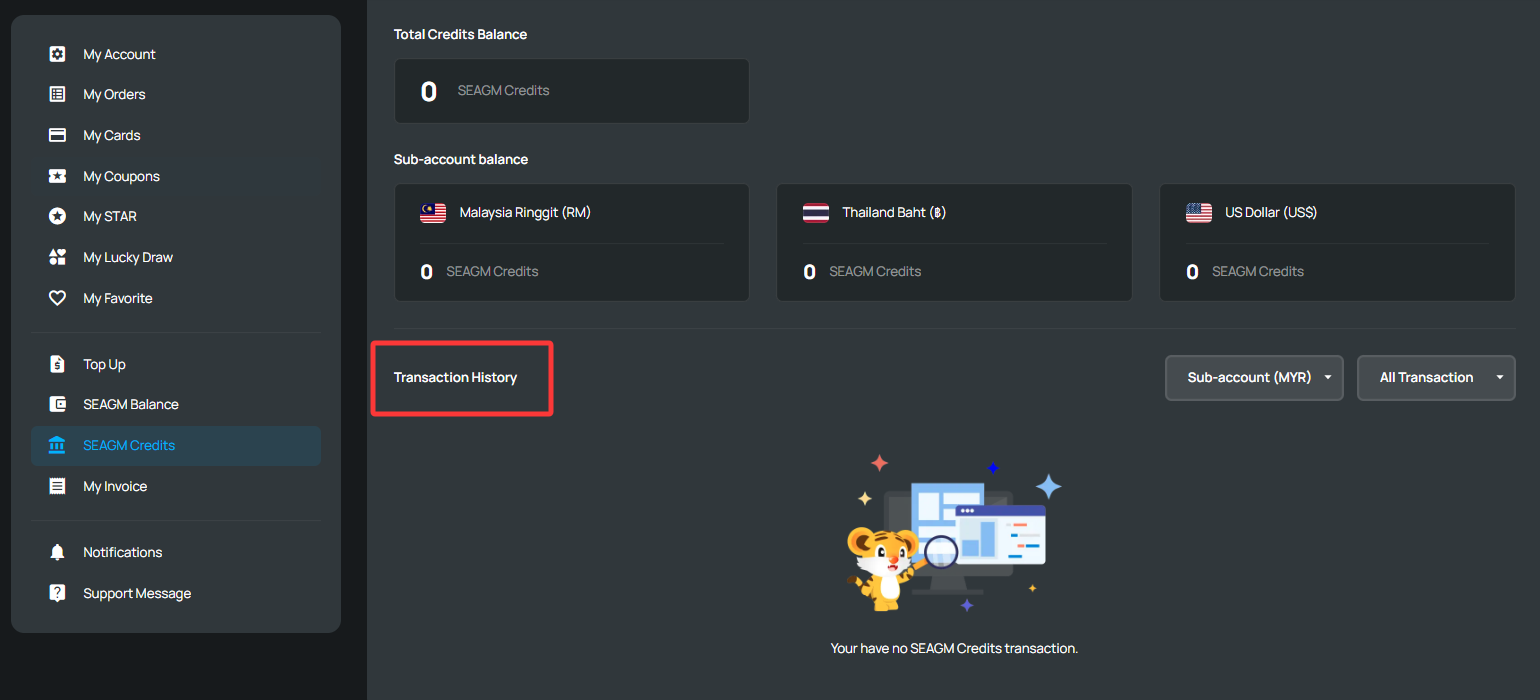
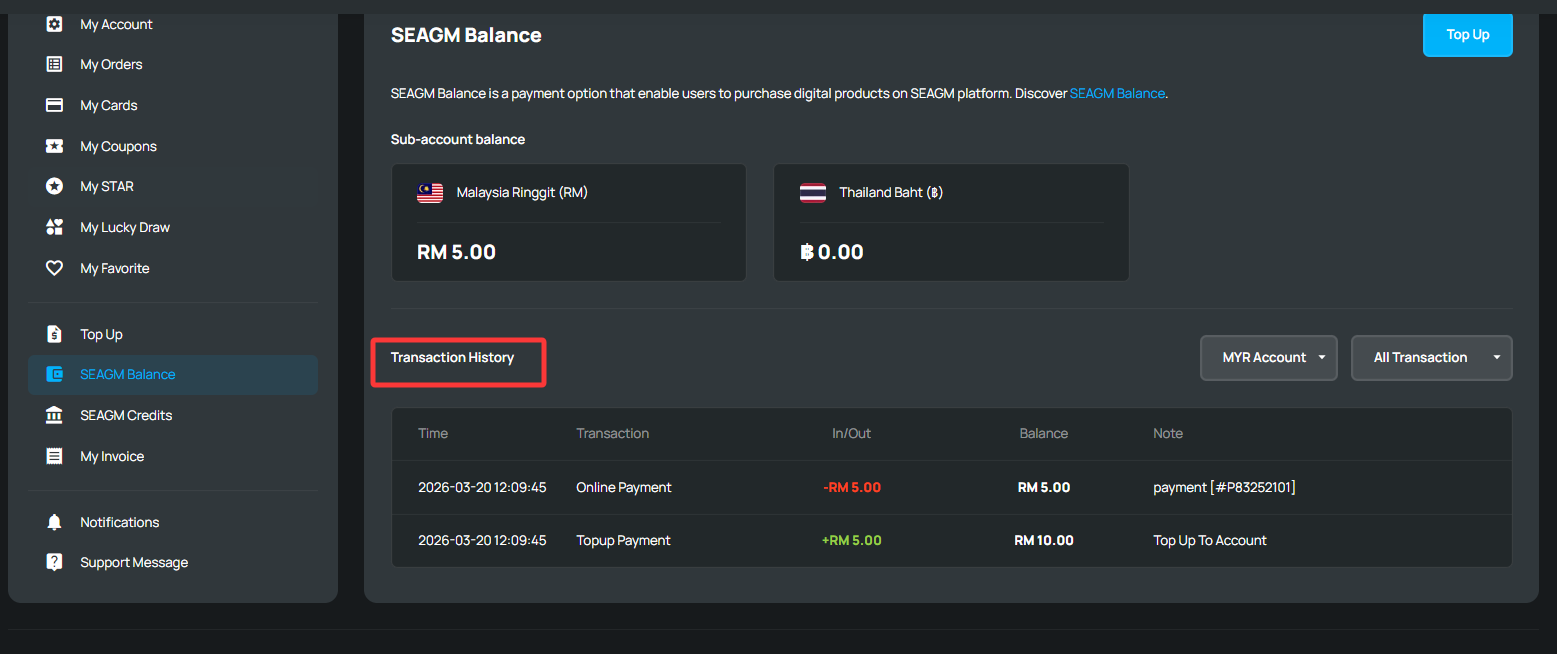
Here's how to check your transaction history:
1. Sign in to your SEAGM account and go to either "SEAGM Balance" or "SEAGM Credit", depending on the payment method used for your purchase.
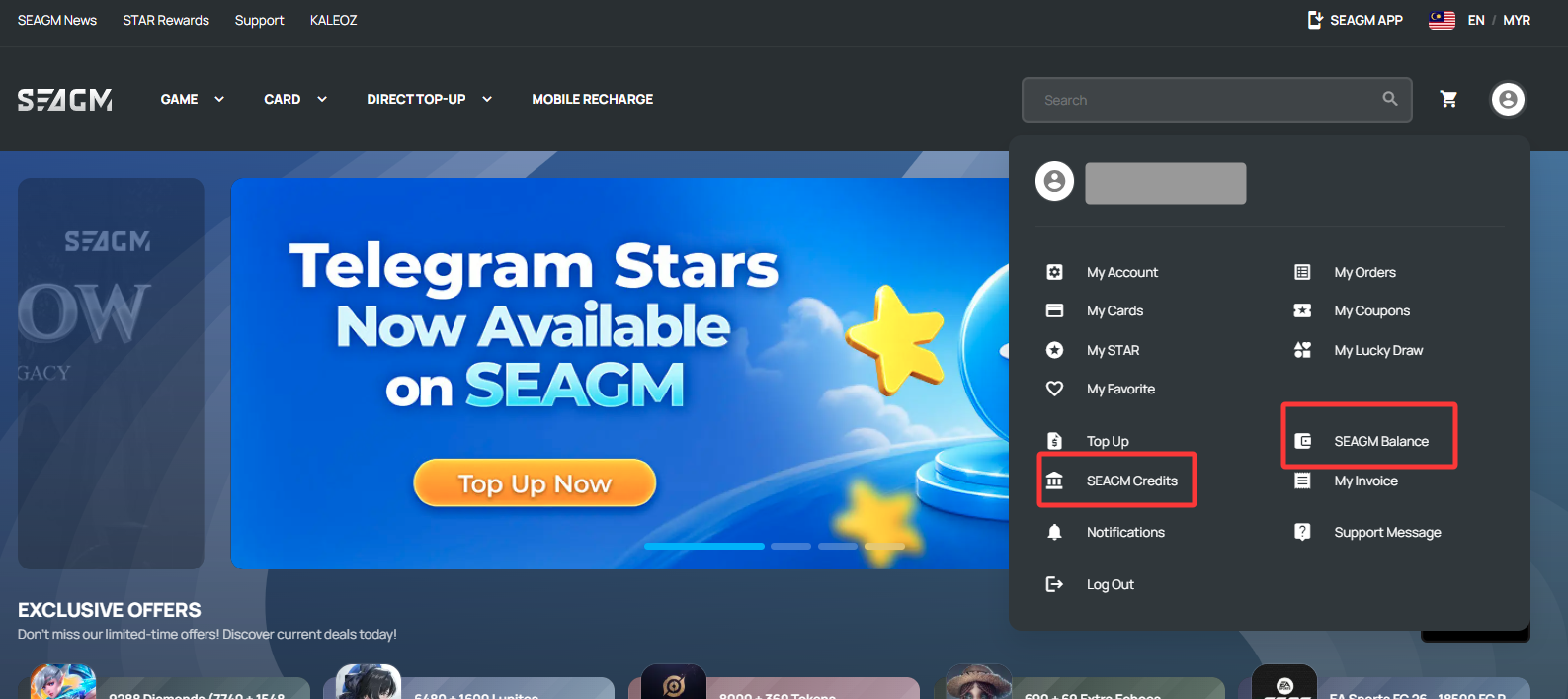
- If you used your available SEAGM Credits for the purchase, click "SEAGM Credit" to view the transaction records.
- If you paid through the normal checkout process using SEAGM Balance or another payment method, click "SEAGM Balance" instead.
Thank you.
Visit the SEAGM Support site for quick answers and guides.
Need support? Contact our Customer Support via LiveChat .