Mobile Legends: Bang Bang was released in 2016, a mobile multiplayer online battle arena developed and published by Moonton. Join your friends in a brand new 5v5 MOBA showdown against real human opponents in Mobile Legends. Choose your favourite heroes and build the perfect team with your comrades-in-arms today.
Important Note:
- The Mobile Legends Diamonds PIN cannot be redeemed by users located in the United States.
- All purchases on SEAGM are final. Once delivered, they cannot be returned, exchanged, or refunded.
Step 1: Once the purchase is completed from SEAGM, kindly retrieve your game card code in "My Cards".
Step 2: Launch the Mobile Legends game on your device.
Step 3: Tap your avatar icon at the top-left corner of the main screen to access your profile page.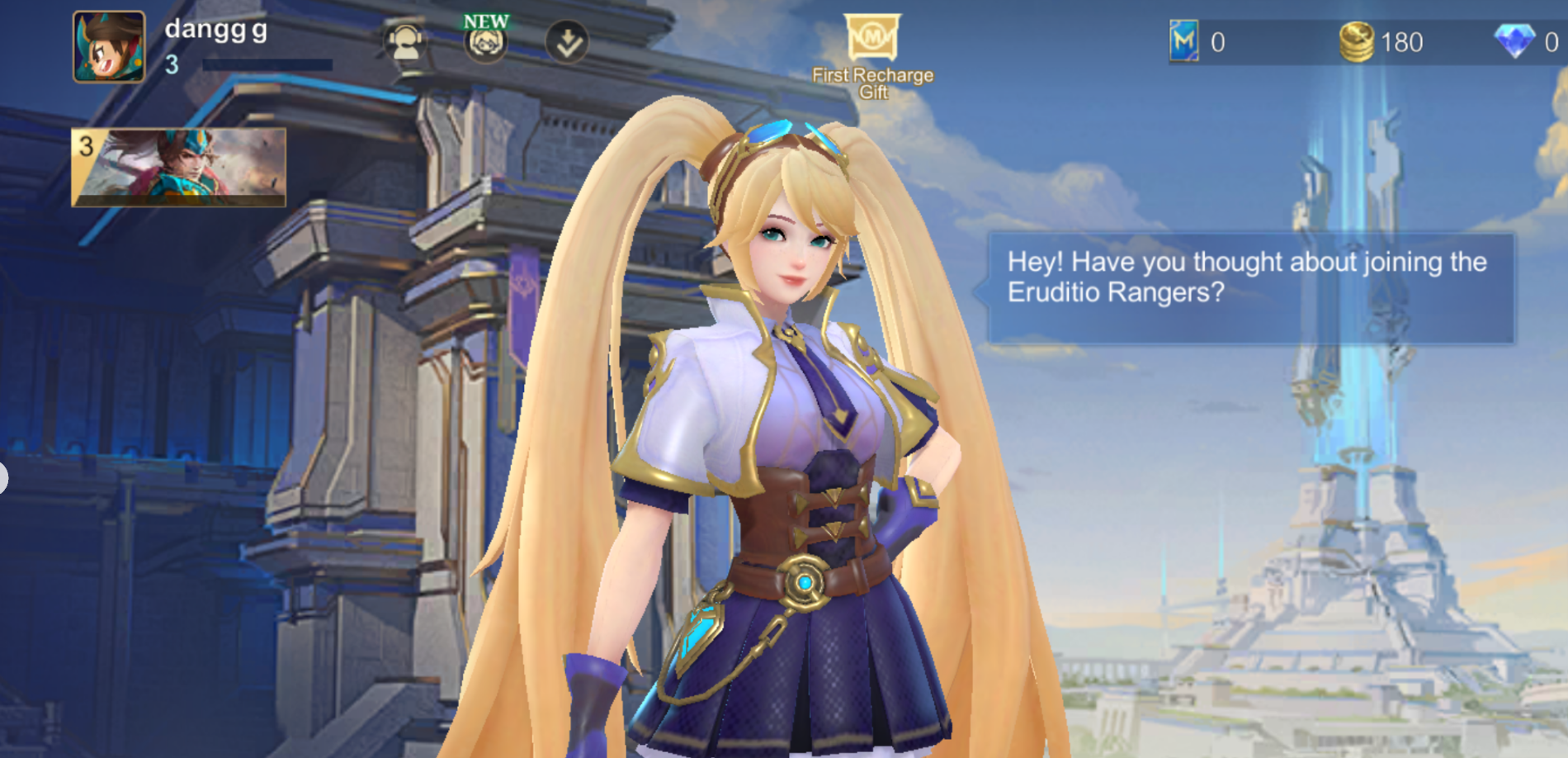
Step 4: Go to "Settings" and select "Redemption Code".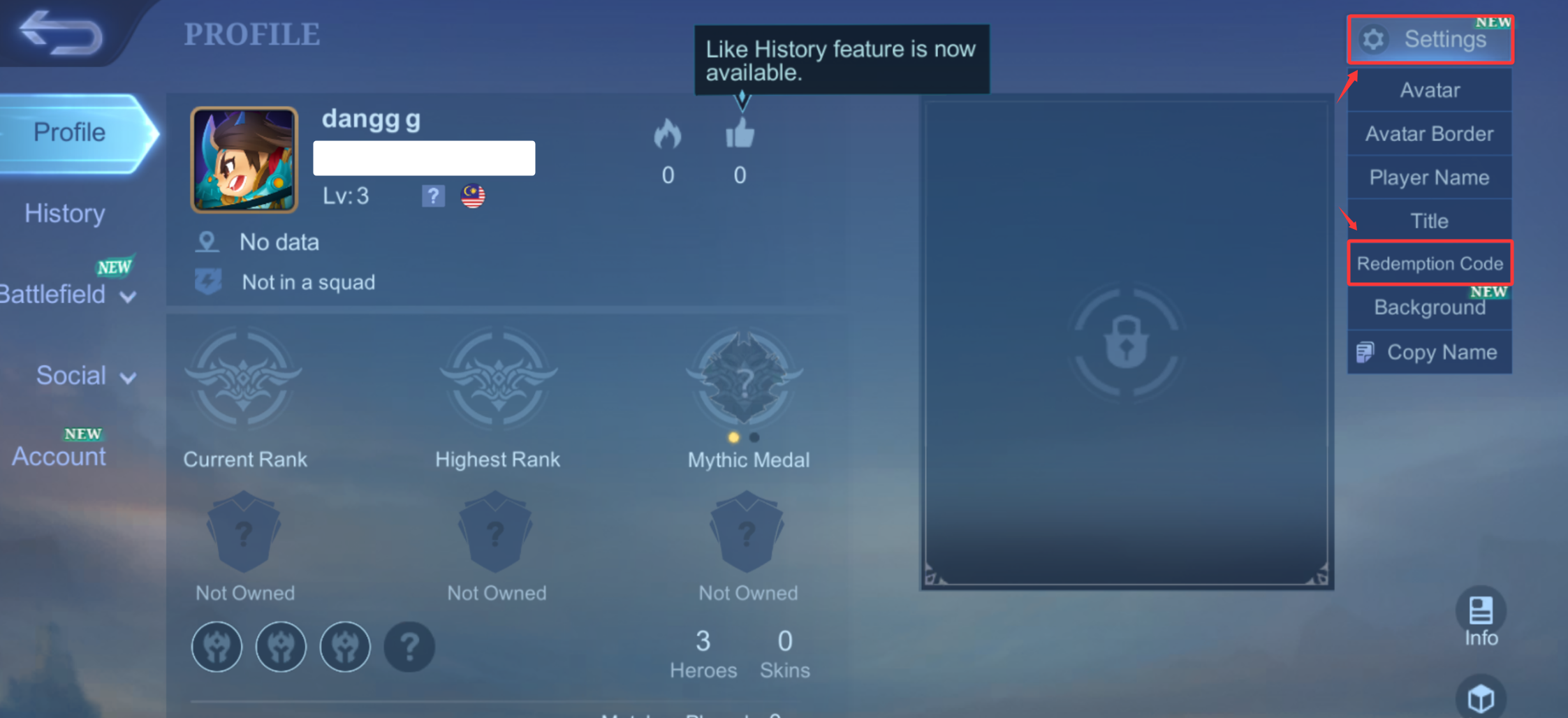
Step 5: Enter the SEAGM purchased redemption code in the provided field.
Note: Please ensure the code is entered exactly as shown, including uppercase letters and any special characters.
Step 6: Tap "Okay" to submit the code.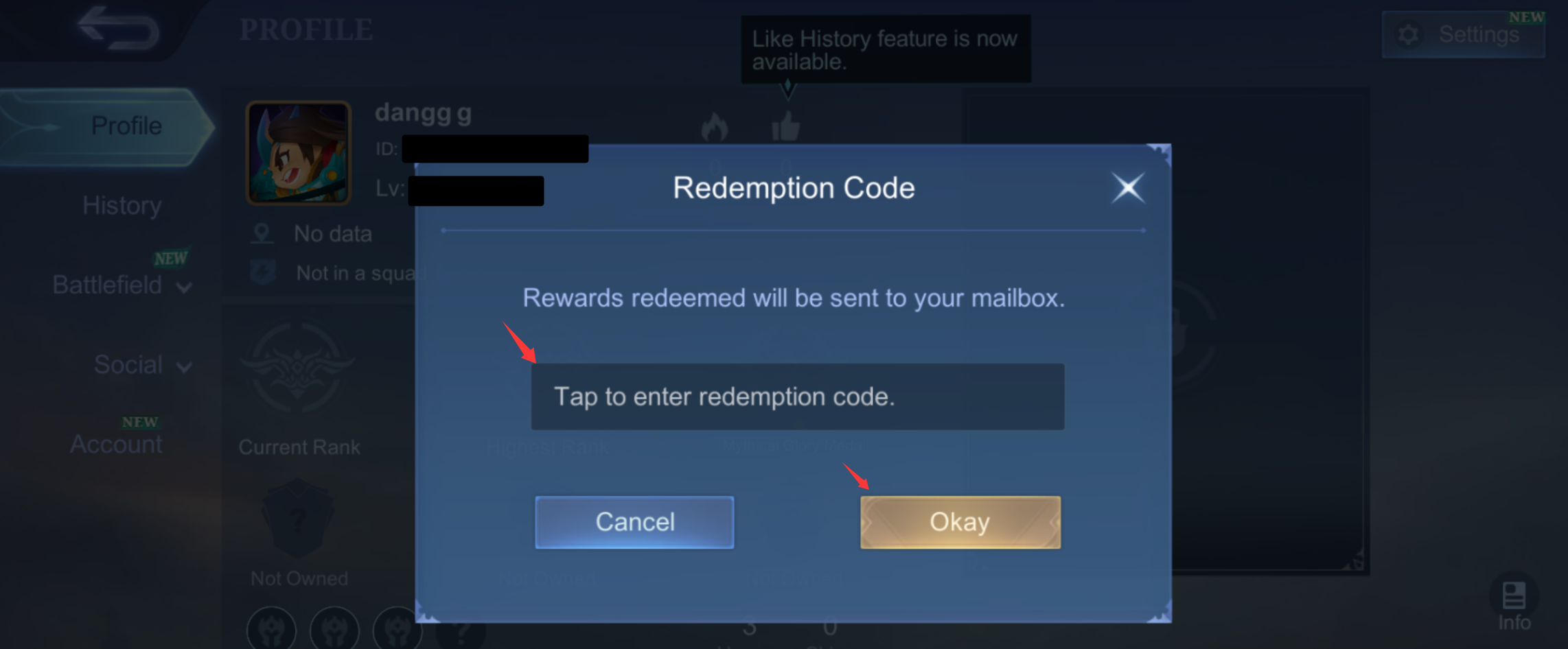 Step 7: Once the redemption is successful, the diamonds will be sent directly to your in-game mailbox. If you do not receive them immediately, please check your mailbox again after a short while.
Enjoy your game!
Thank you.
Visit the SEAGM Support site for quick answers and guides.
Need support? Contact our Customer Support via LiveChat .