Netflix is a streaming service that offers a wide variety of award-winning TV shows, movies, anime, documentaries, and more on thousands of internet-connected devices. You can watch as much as you want, whenever you want without a single commercial – all for one low monthly price. There's always something new to discover and new TV shows and movies are added every week!
Important Note: Netflix Gift Card sold in SEAGM was region-locked. Kindly confirm your Netflix account region before purchase.
Step 1: Once your purchase from SEAGM is completed, retrieve your code from "My Cards" in your SEAGM account.
Step 2: Visit the official Netflix website to redeem your gift card code.
Step 3: Enter the PIN code purchased from SEAGM, then click "Redeem" to proceed.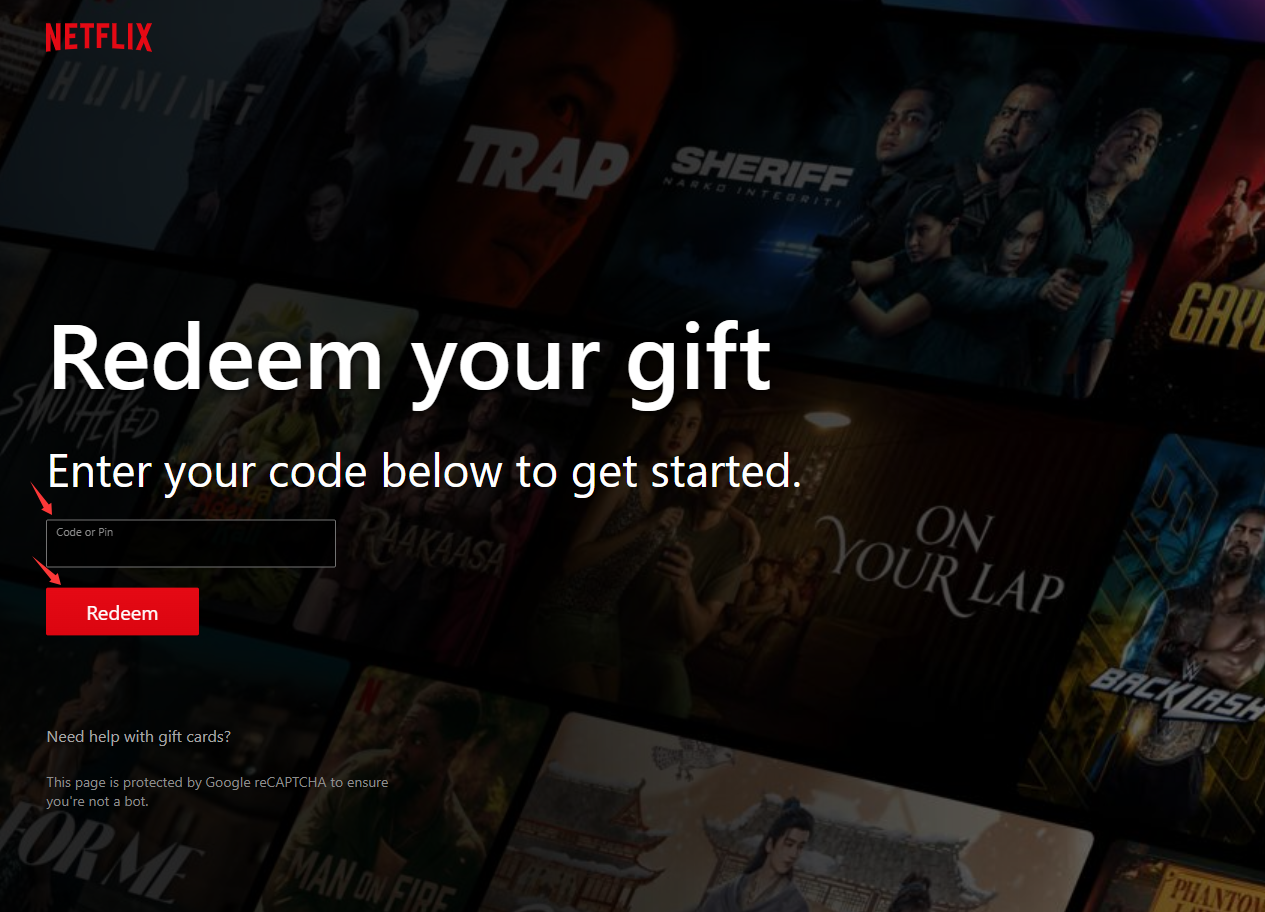
Step 4: Once the redemption is completed, the gift card balance will be automatically added to your Netflix account.
Thank you.
Visit the SEAGM Support site for quick answers and guides.
Need support? Contact our Customer Support via LiveChat .