Funcard (VN) is a game card launched by the Funtap publisher. Funcard (VN) offers various denominations for its players. It can be recharged into all games published by Funtap. Players can then upgrade their in-game items by using the converted Diamonds, KNB or Gold.
Step 1: Once the purchase from SEAGM is completed, kindly retrieve your game card code in "My Cards".
Step 2: On the Funtap website, go to Nạp thóc from the main page.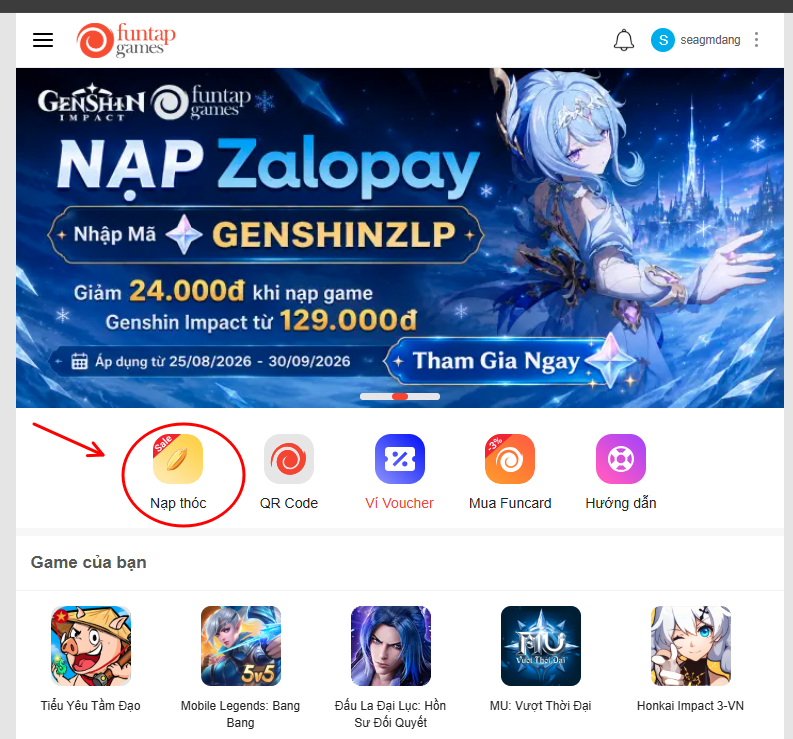
Step 3: You will be directed to the recharge page. Select Funcard, then choose the denomination you wish to recharge.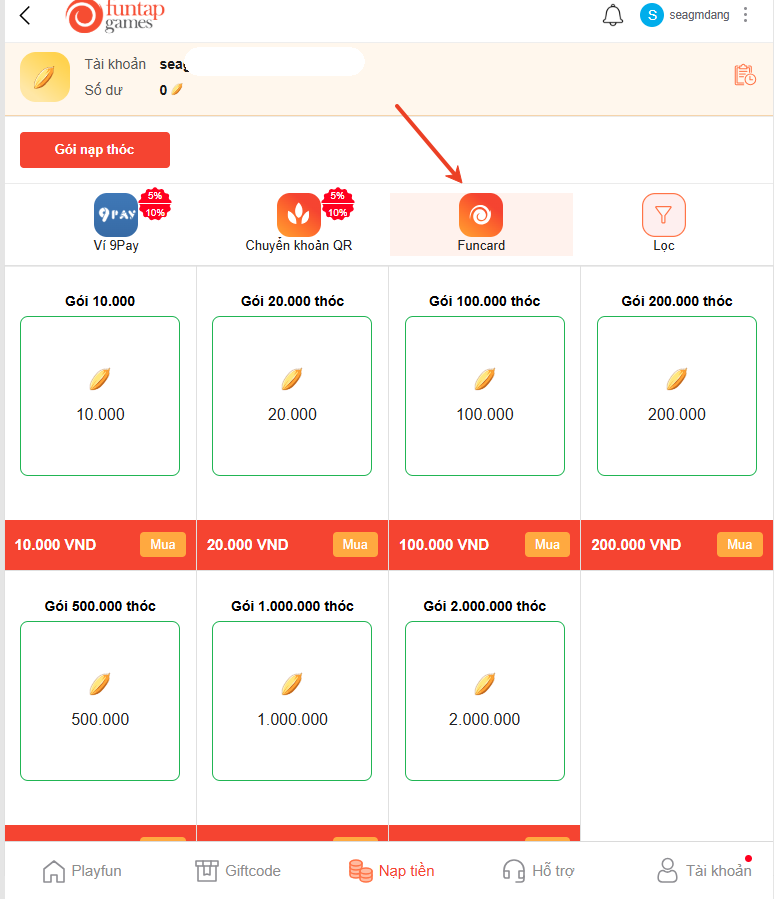
Step 4: Enter the Serial Number and PIN code purchased from SEAGM. Then, click Thanh toán to complete the transaction.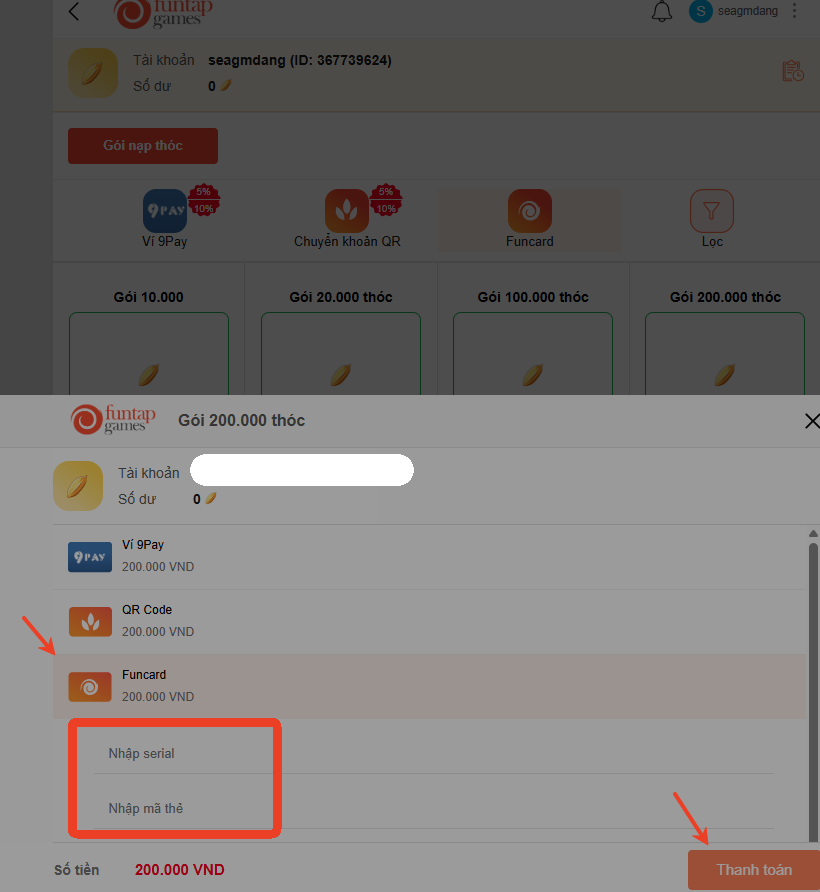
Step 5: Once the recharge is completed, the corresponding balance will be credited to your account.
Thank you.
Visit the SEAGM Support site for quick answers and guides.
Need support? Contact our Customer Support via LiveChat .