For Physical Store (7-eleven):
Step 1: Log in to your account, select your desired item.
Step 2: At the checkout page, check your order details and click pay now. 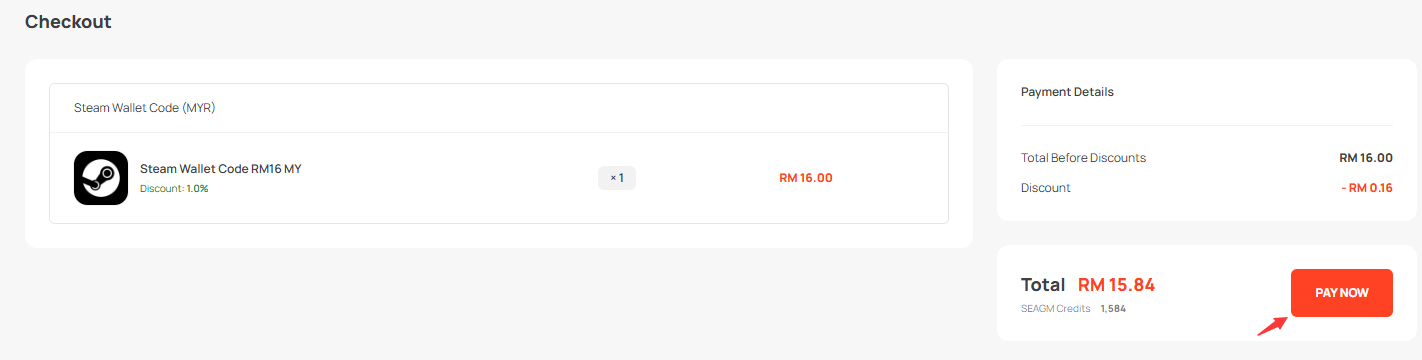
Step 3: On the Payment page, select offline payment and click “7-Eleven” as your preferred payment method payment then click Create payment. 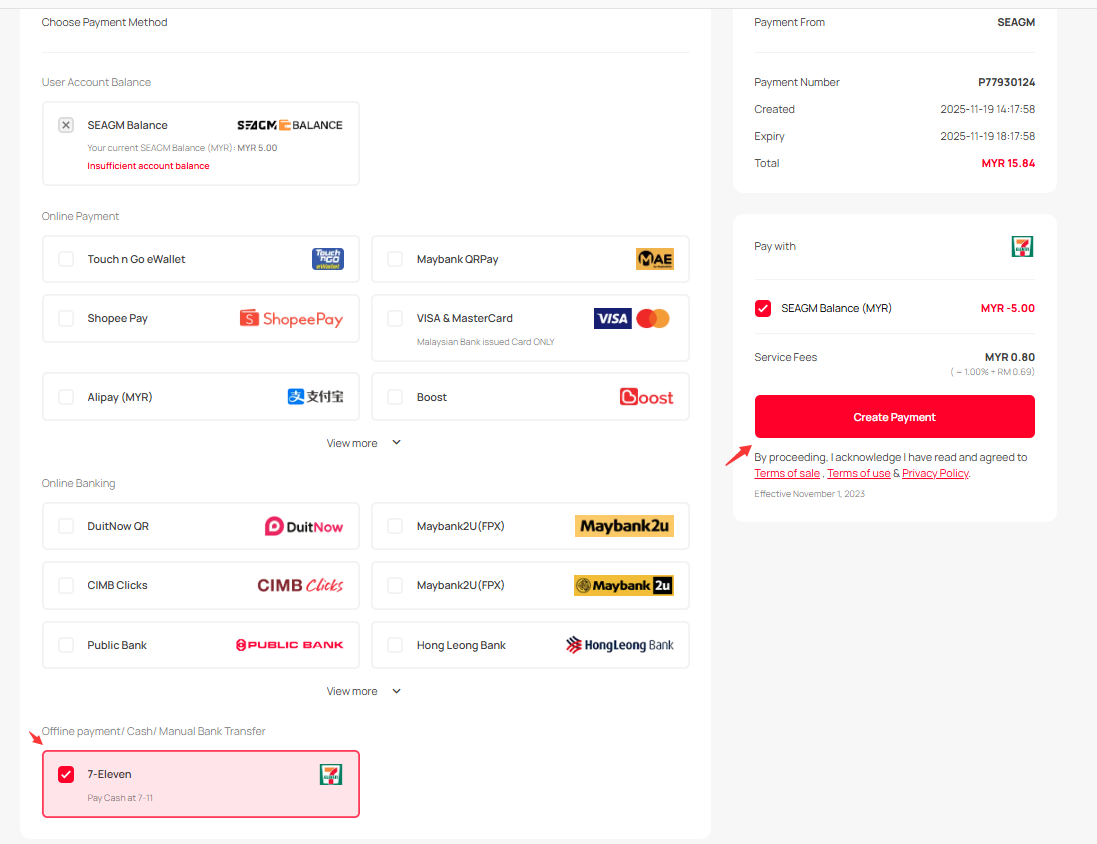
Step 4: You’ll be given a Transaction ID and Verification Code along with barcodes. You may screenshot/print it out and show it to the 7-11 staff. 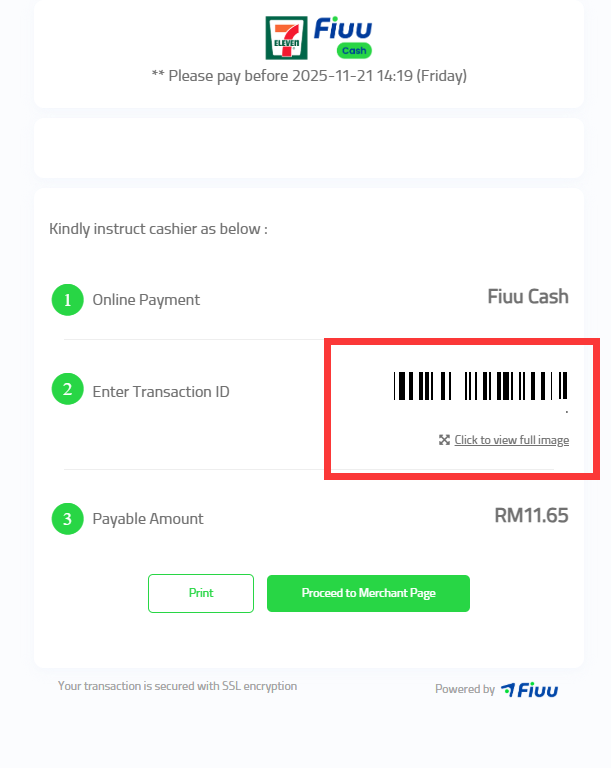
Step 5: Head over to the nearest 7-Eleven store, and tell the cashier you want to pay via MOLPay Cash. Present the transaction ID and verification Code for cash payment.
Step 6: You’ll be given a MOLPay receipt and a 7-Eleven receipt (2 receipts) once payment’s done.
Step 7: Contact our customer support via LiveChat to verify and confirm your payment. Goods will be delivered once the payment is captured.
Notes: You may also show the barcodes to 7-11 staff in your email for scanning. Kindly proceed with the payment within 4 hours before it expires.
Thank you.
Visit the SEAGM Support site for quick answers and guides.
Need support? Contact our Customer Support via LiveChat .