需要查看您在 SEAGM 的ticket回复吗?按照以下简单步骤即可快速查看更新并回复客服:
1. 登录您的 SEAGM 账号。
2. 点击右上角的个人头像。
3. 在菜单中选择“客服中心”。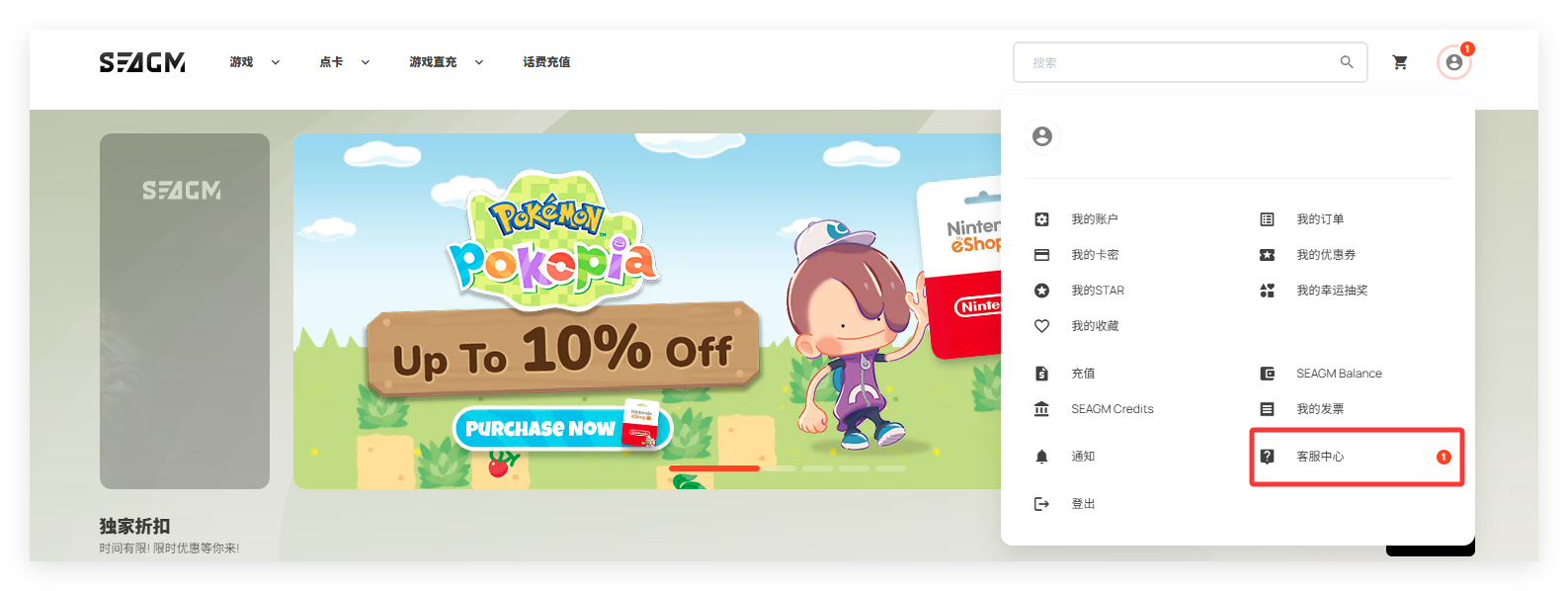
4. 如有回复,您将看到更新列表。
5. 点击相关消息即可查看完整回复。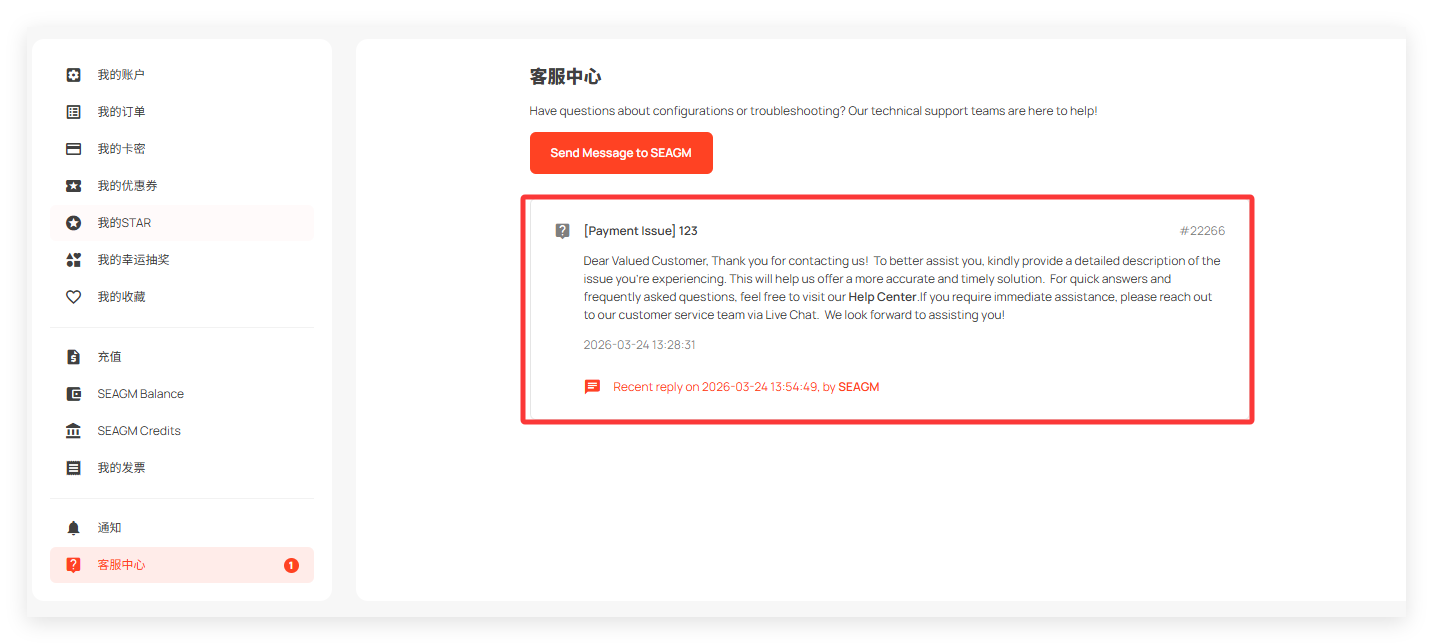
6. 如需回复,输入您的信息并点击“Submit Message”。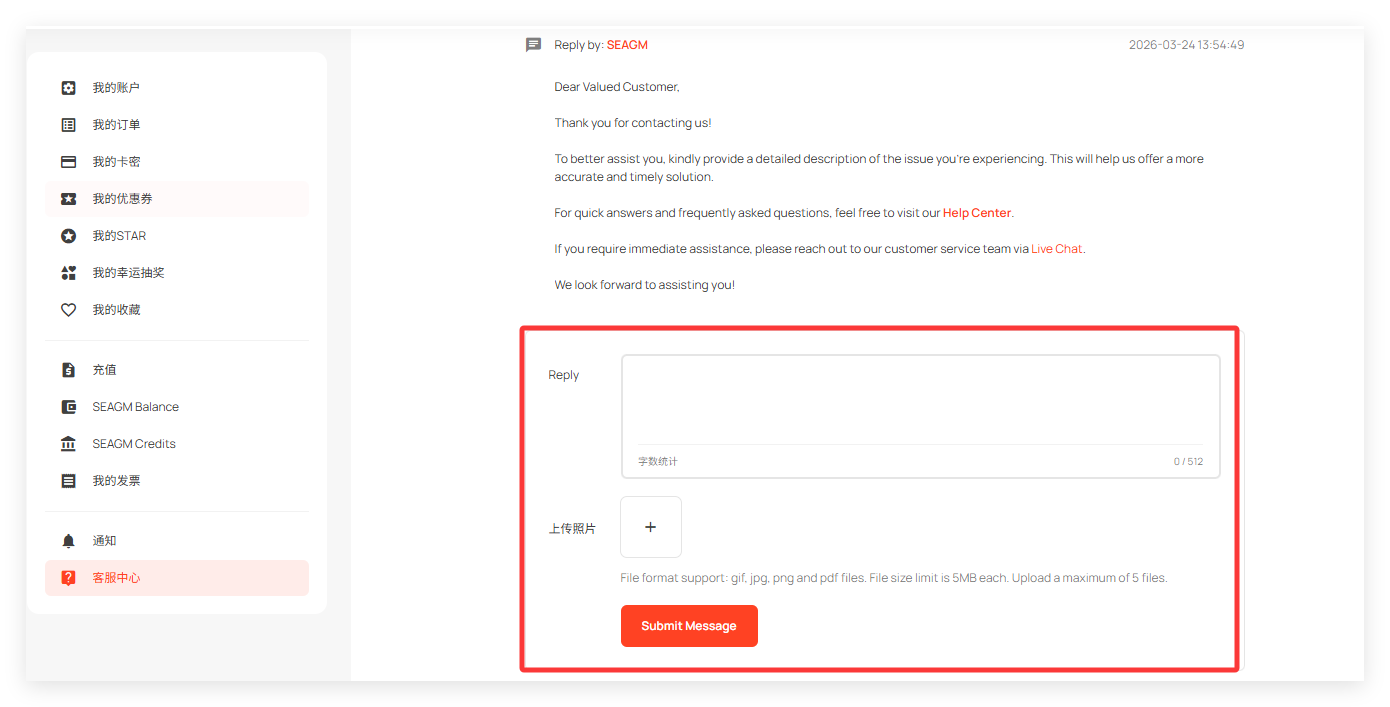
Thank you.
Visit the SEAGM Support site for quick answers and guides.
Need support? Contact our Customer Support via LiveChat .