步骤 1: 完成 SEAGM 购买后,请登录您的 SEAGM 账户,并前往 “我的卡密” 获取您的代码。
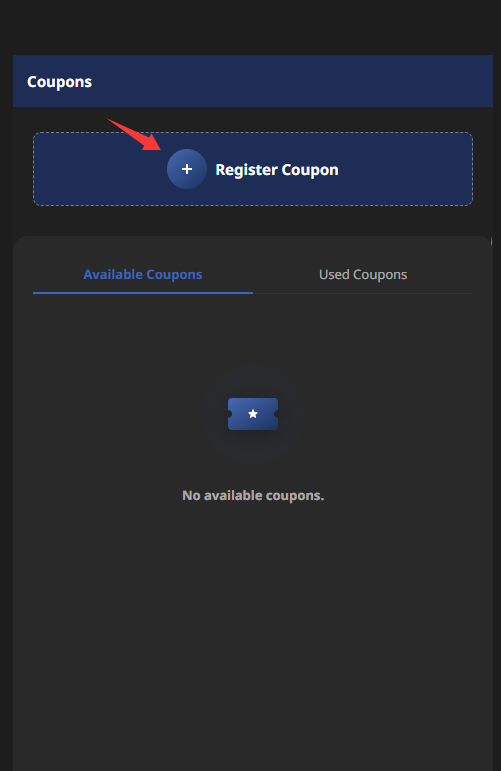
步骤 2: 登录您的 NCSoft 账户,然后选择 “Register Coupon(注册优惠券)”。
步骤 3: 输入您的代码。验证成功后,您可在 “Available Coupons(可用优惠券)” 区域查看可使用的优惠券。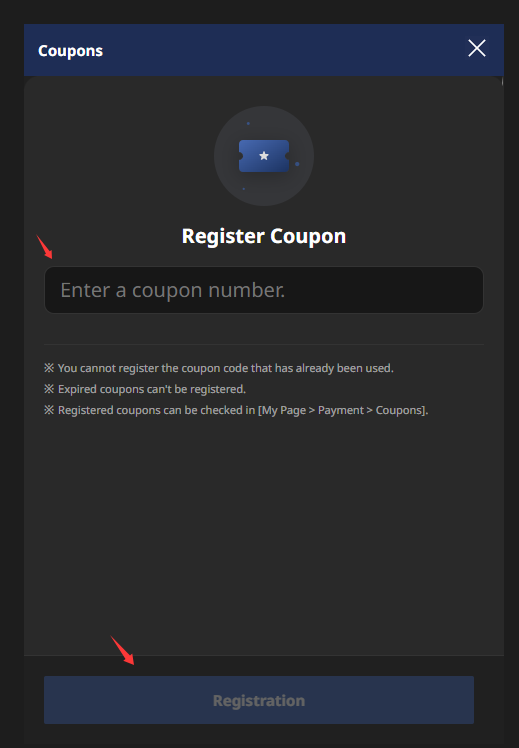
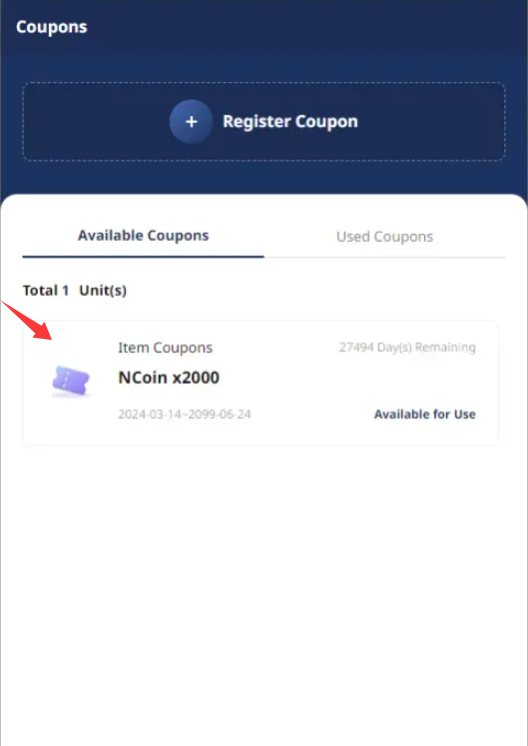
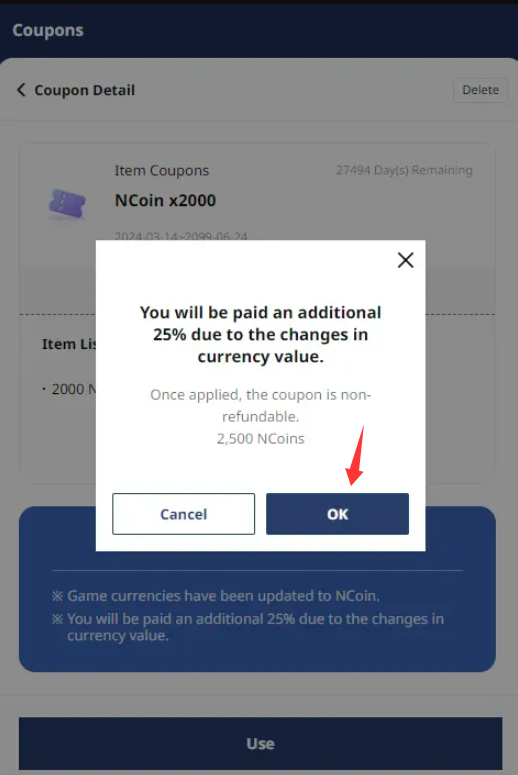
步骤 4: 选择您要兑换的优惠券,然后点击 “Use(使用)”。
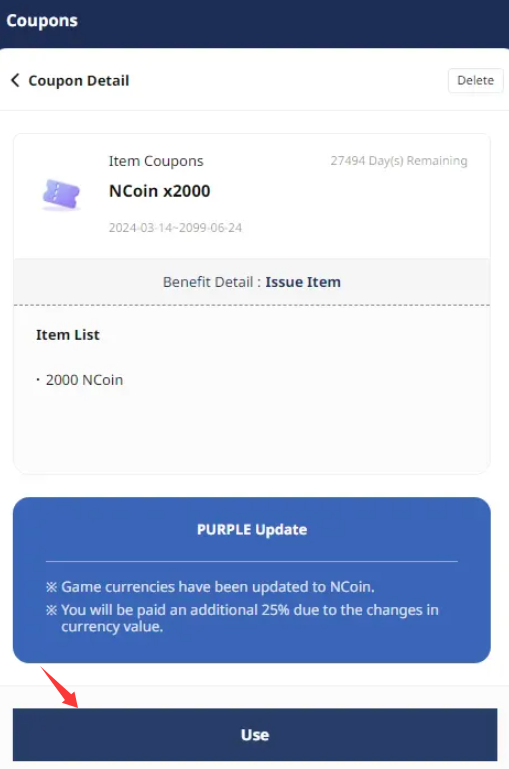
步骤 5: 当您看到显示额外 25% 价值 的确认通知时,点击 “OK” 继续。
您的 NCSoft [Global] 代码现已成功兑换。祝您游戏愉快!
Thank you.
Visit the SEAGM Support site for quick answers and guides.
Need support? Contact our Customer Support via LiveChat .