Need proof of a payment? You can easily retrieve your payment receipt through Maybank Online Banking. With just a few clicks, you can view, download, and screenshot your transaction details.
Step 1:Visit the Maybank2u website or open the Maybank2u mobile app, then enter your username and password to access your account.
Step 2: Once logged in:
[a] Website: Click [accounts], then scroll down and you'll see [transaction history]. Click on [transaction history] and select [m2u transaction] to see your transactions. Tap the download icon next to the transaction to retrieve your receipt.
i. 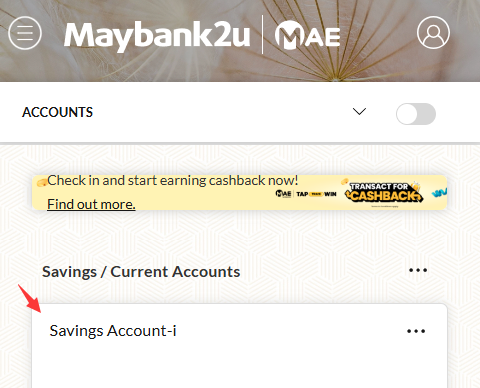 ii.
ii. 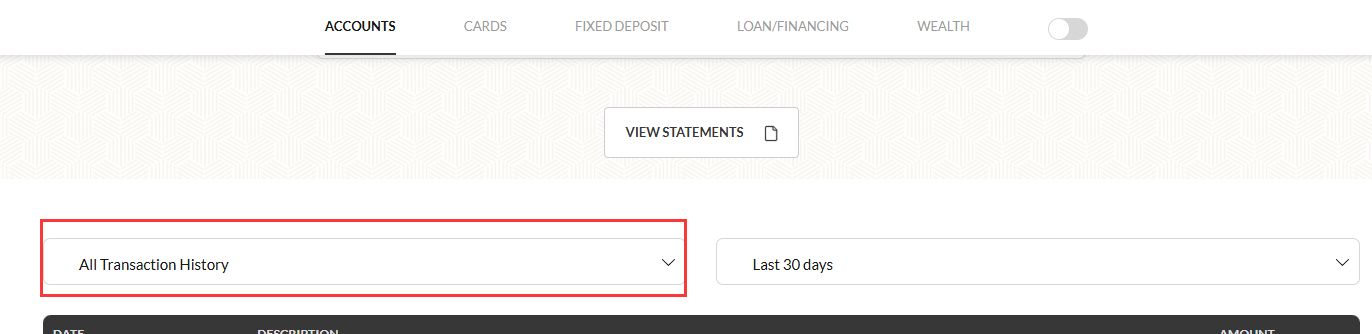 iii.
iii.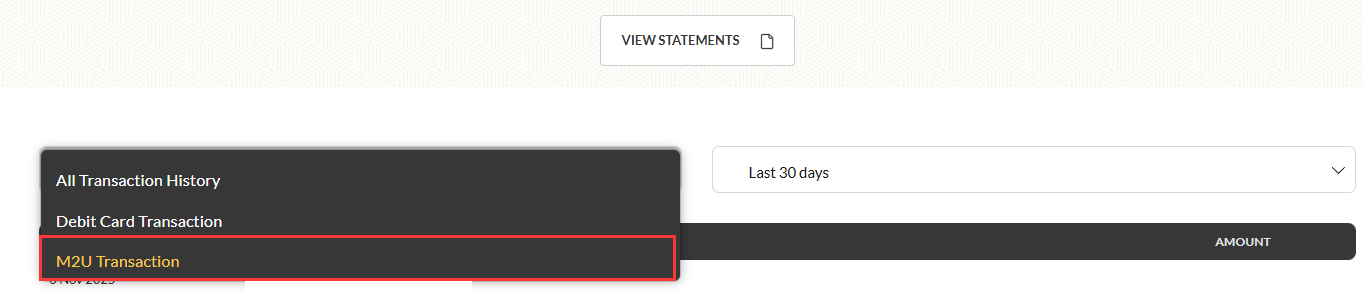 iv.
iv. v.
v.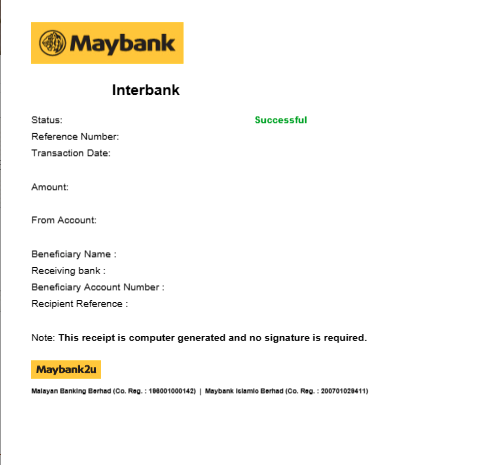
[ii] Apps: Click [savings/current accounts], then scroll down, and you'll see [view transactions]. Click on [view transactions] and select [m2u history] to see your transactions. Tap the download icon next to the transaction to retrieve your receipt.
i.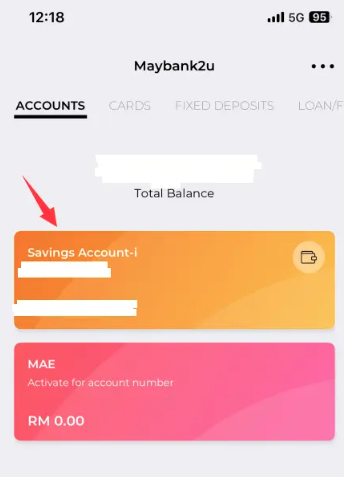 ii.
ii. 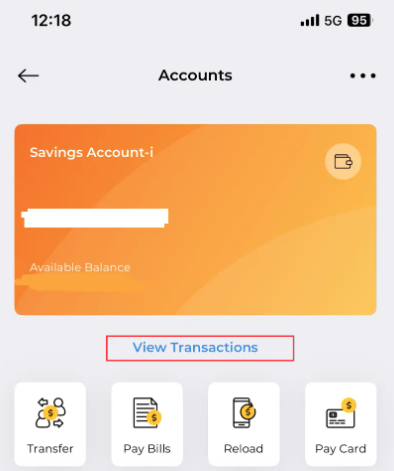 iii.
iii.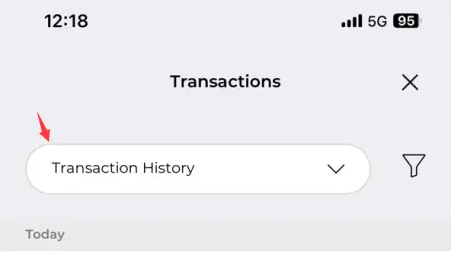 iv
iv 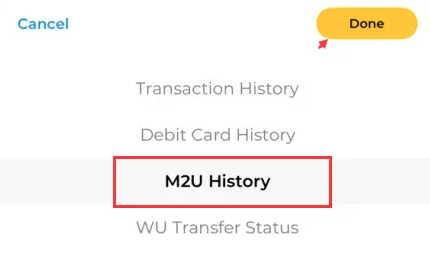 v.
v.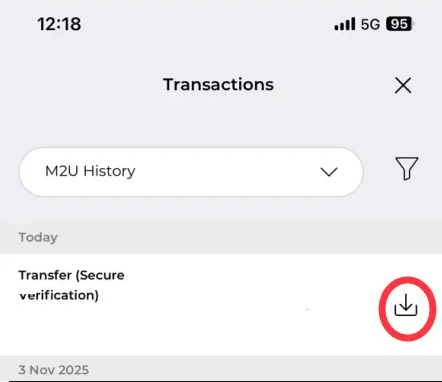 vi.
vi. 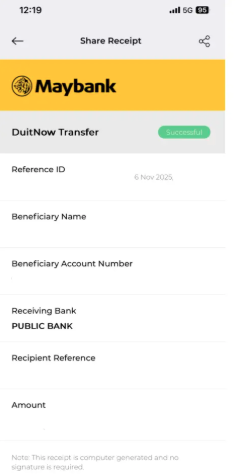
Step 3: You may download or screenshot the receipt for reference.
Thank you.
Visit the SEAGM Support site for quick answers and guides.
Need support? Contact our Customer Support via LiveChat.
谢谢。
请前往 SEAGM 有关文章网站 以获取快速解答和指南。
需要帮助吗? 联系我们 客服支持 通过 LiveChat .