About:
In Marvel’s Spider-Man Remastered, the worlds of Peter Parker and Spider-Man collide in an original action-packed story. Play as an experienced Peter Parker, fighting big crime and iconic villains in Marvel’s New York. Web-swing through vibrant neighborhoods and defeat villains with epic takedowns.
Note:
- The Marvel's Spider-Man 2 (Steam ROW) or (Steam LATAM) sold by SEA Gamer Mall is a region-locked product.
- You can check the supported or not supported countries at the bottom of the SEAGM product page. The supported countries and regions may change from time to time without prior notice. Please always check the product page for the latest information before making a purchase.
- All purchases made in SEAGM, once they're delivered, are non-returnable, non-exchangeable, and non-refundable.
Step 1: Log in/register an account in SEAGM. On the top menu, enter the keywords "Spider" and search. Select "Marvel's Spider-Man 2 (Steam ROW) or (Steam LATAM)" based on your needs.
Step 2: Select the type of card, enter the quantity and click "buy now" to proceed.
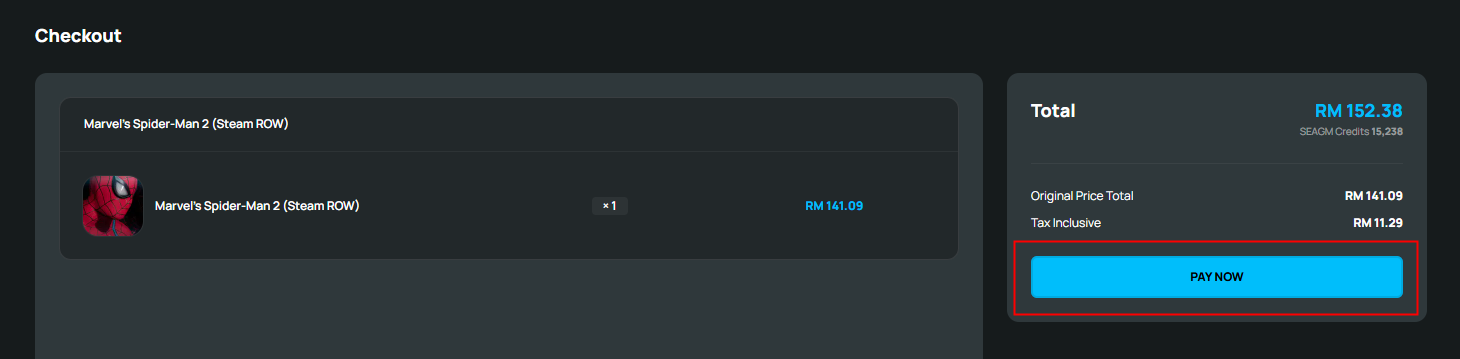
Step 3: Kindly confirm the type of card and quantity, then click " Pay Now" once confirmed.
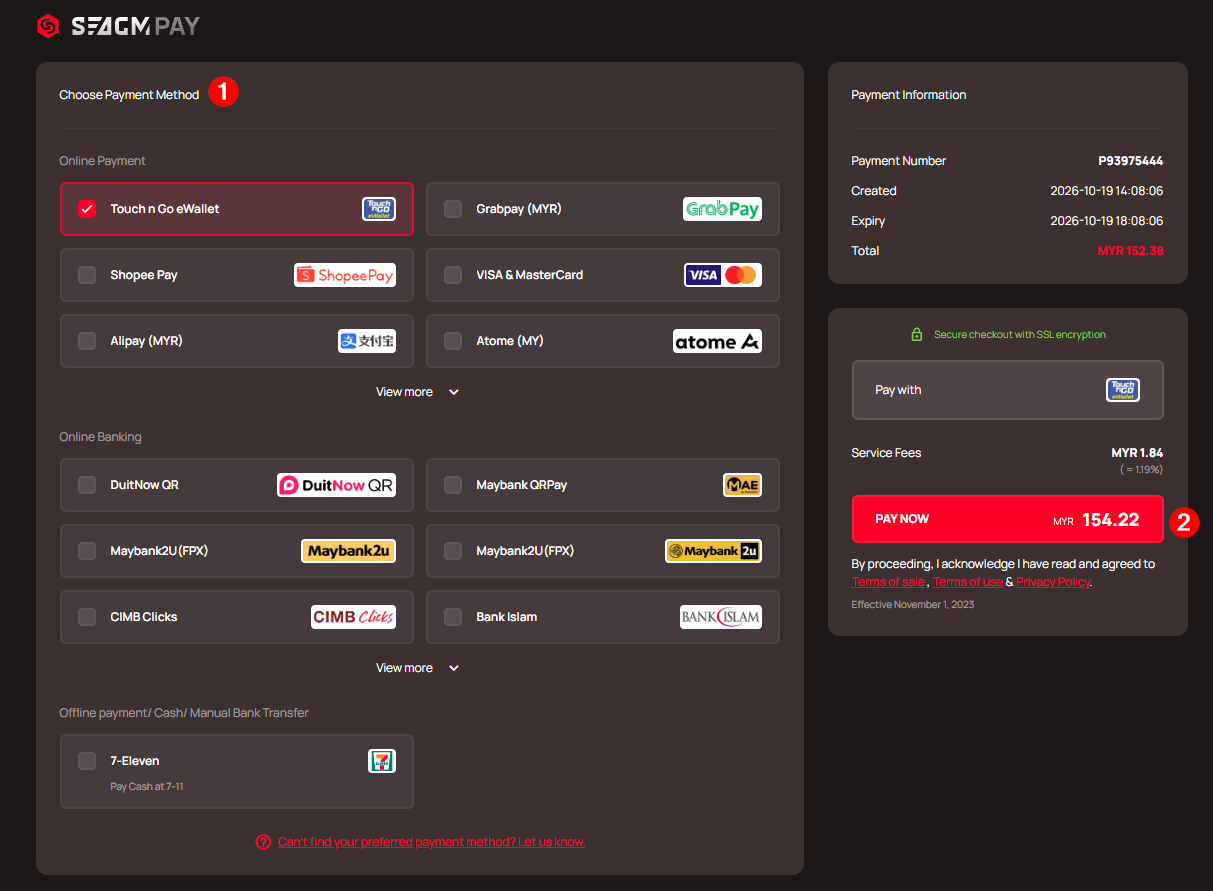
Step 4: Select your preferred payment method and click "Pay Now" to finalize your payment.
Step 5: Once payment is completed, you may retrieve your code under your User profile in My Cards. For Pre-Order products, it might take a few working days for the card to be delivered
ขอบคุณ
เยี่ยมชม เว็บไซต์สนับสนุน SEAGM เพื่อรับคำตอบและคำแนะนำอย่างรวดเร็ว
ต้องการความช่วยเหลือใช่ไหม? ติดต่อเรา ฝ่ายสนับสนุนลูกค้า ผ่านทาง LiveChat .