Project Zomboid is an open-ended zombie-infested sandbox. It asks one simple question: how will you die? In the towns within the Knox Event Exclusion Zone, our survivors must loot houses, build defences and do their utmost to delay their inevitable death day by day. No help is coming. Continued survival relies on cunning, luck, and the ability to evade a relentless horde.
Note: All purchases made in SEAGM are non-returnable, non-exchangeable, and non-refundable once delivered.
Step 1: Login/register an account in SEAGM. On the top menu, enter the keywords "Zomboid" and search. Select "Project Zomboid [Steam]".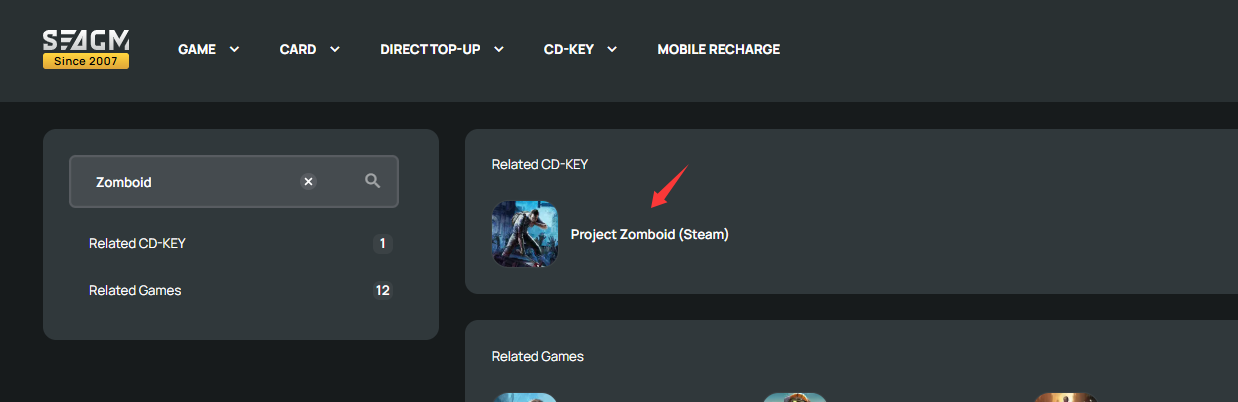
Step 2: Select the amount that you need, enter the quantity and click "Buy Now" to proceed.
Step 3: Kindly confirm the amount and quantity selected then click " Pay Now" once confirmed.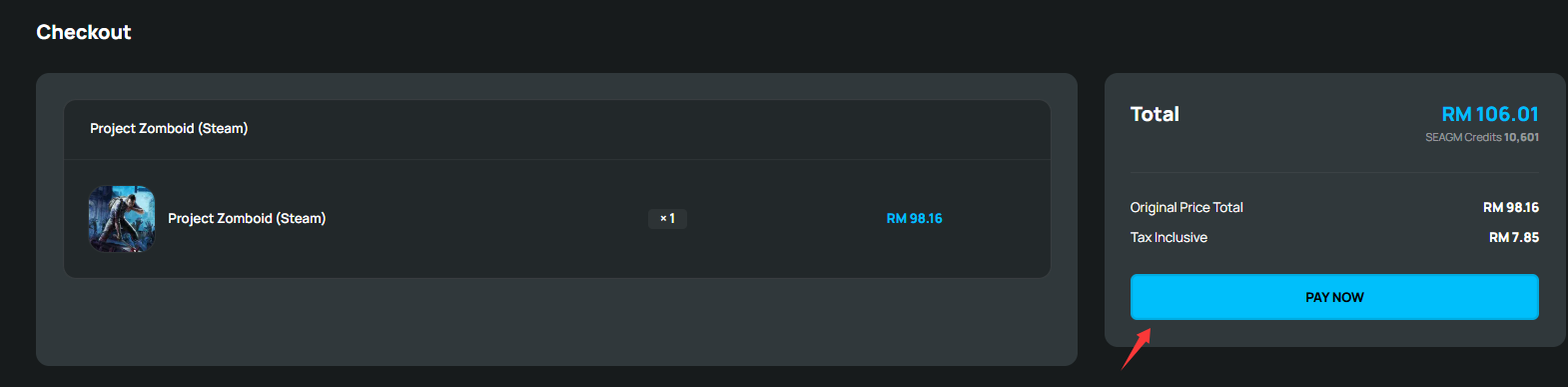
Step 4: Select your desired payment method and click "Pay Now" to complete your payment.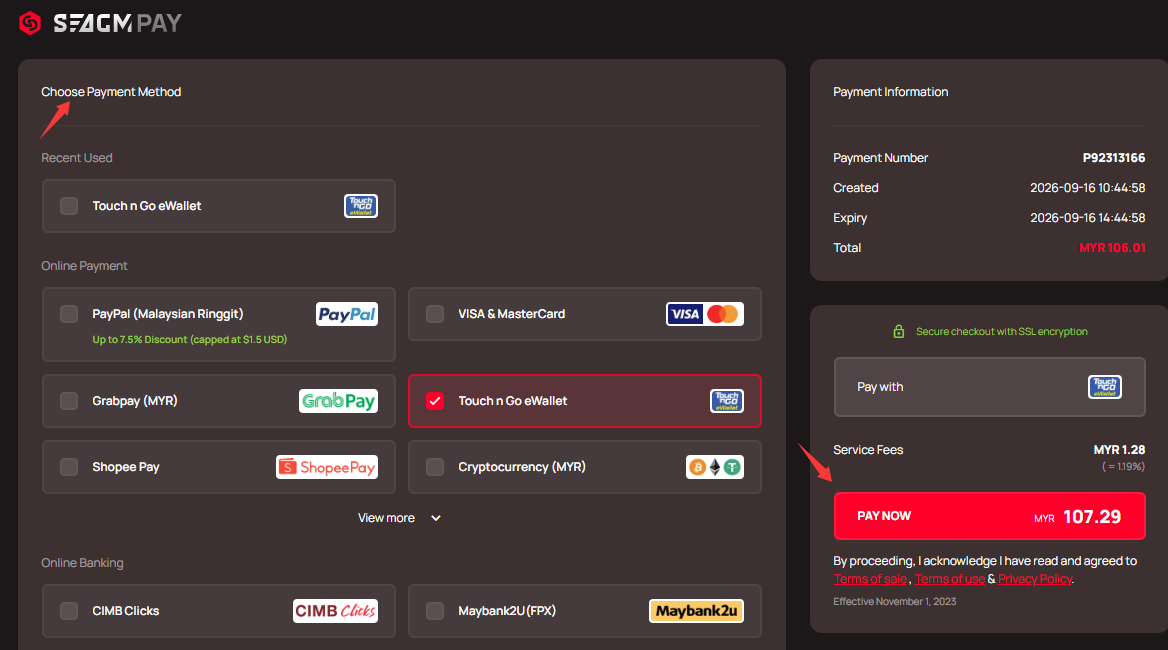
Step 5: Once payment is completed, you may retrieve your code under your User profile in My Cards. For Pre-Order products, it might take a few working days for the card to be delivered.
ขอบคุณ
เยี่ยมชม เว็บไซต์สนับสนุน SEAGM เพื่อรับคำตอบและคำแนะนำอย่างรวดเร็ว
ต้องการความช่วยเหลือใช่ไหม? ติดต่อเรา ฝ่ายสนับสนุนลูกค้า ผ่านทาง LiveChat .