Looking for extra savings on your purchases? Follow the steps below to check and claim the latest available coupons on SEAGM.
Note: If the [Available Coupons] section is not displayed, it means there are currently no coupons available. Please check back regularly for future promotions and offers.
Step 1: Visit the SEAGM website and scroll down until you find the [Available Coupons] section.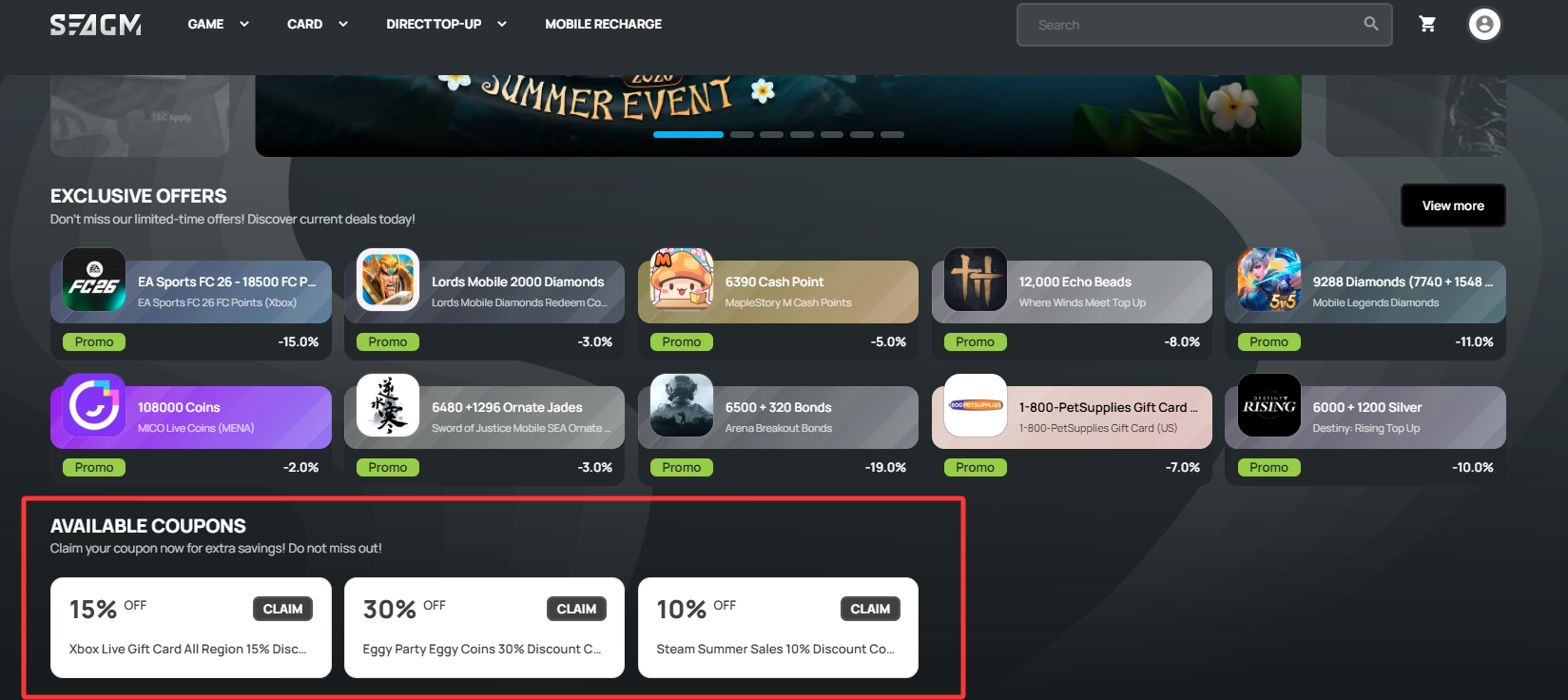
Step 2: If coupons are available, click on the coupon you are interested in to view the supported products, usage requirements, and terms and conditions.
Step 3: Once you have reviewed the details, click [Claim] to collect the coupon.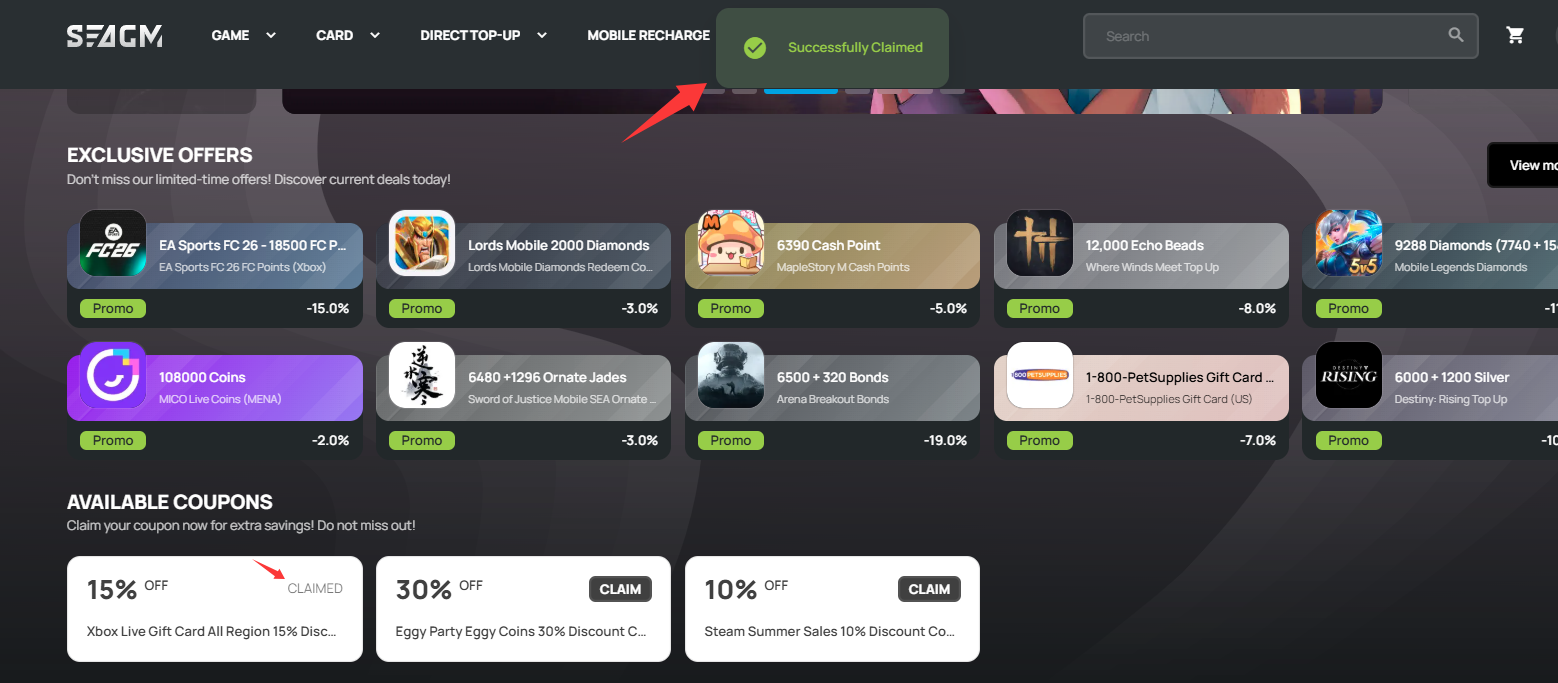
Step 4: After successfully claiming your coupon, refer to our Coupon Redemption Guide article to learn how to apply the coupon when making your purchase.
Claim your coupon today and enjoy extra savings with SEAGM! Don’t miss out on our latest deals and promotions.
ขอบคุณ
เยี่ยมชม เว็บไซต์สนับสนุน SEAGM เพื่อรับคำตอบและคำแนะนำอย่างรวดเร็ว
ต้องการความช่วยเหลือใช่ไหม? ติดต่อเรา ฝ่ายสนับสนุนลูกค้า ผ่านทาง LiveChat .