Today, KFC has the widest global footprint of any quick-service restaurant brand with 30,000+ restaurants in 150 countries and is one of the world’s fastest-growing retail brands.
Note:
- Please choose the correct KFC eGift Voucher according to your currency and region, as these vouchers are region-restricted.
- Be sure to read the Terms and Conditions in the description section before making a purchase.
- All purchases on SEAGM are final. Once delivered, they cannot be returned, exchanged, or refunded.
Step 1: Log in or register for a SEAGM account, search for "KFC" using the top menu, and select the KFC eGift Voucher for your preferred country/region.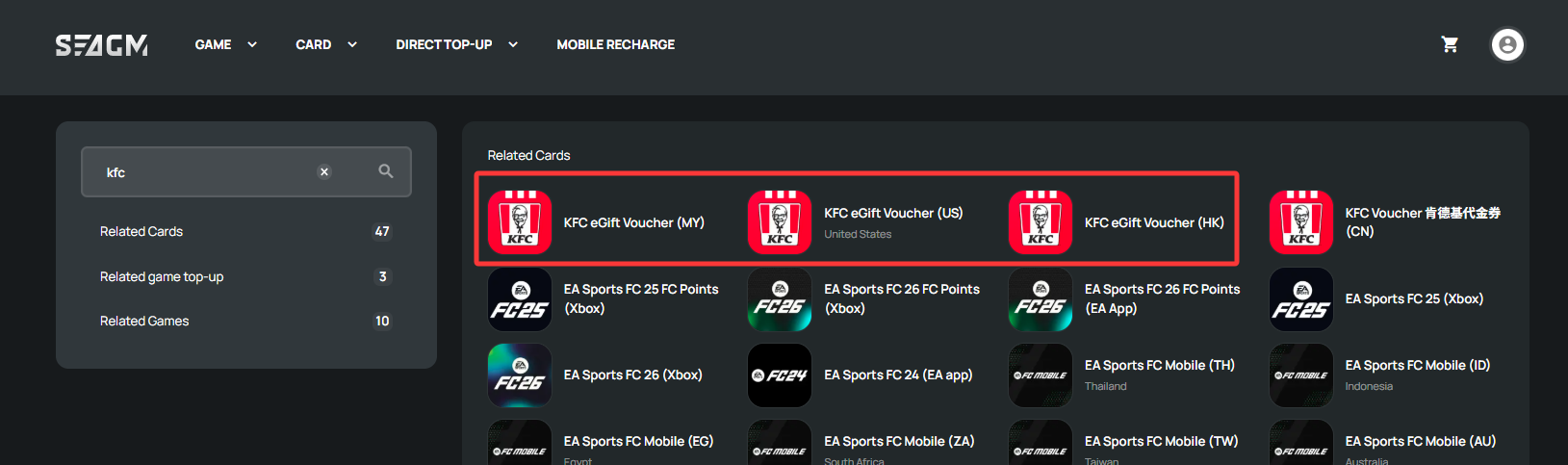
Step 2: Select the card amount that you need, enter the quantity and click "buy now" to proceed.
Step 3: Review and confirm the selected amount and quantity, then click "Pay Now" to complete the purchase.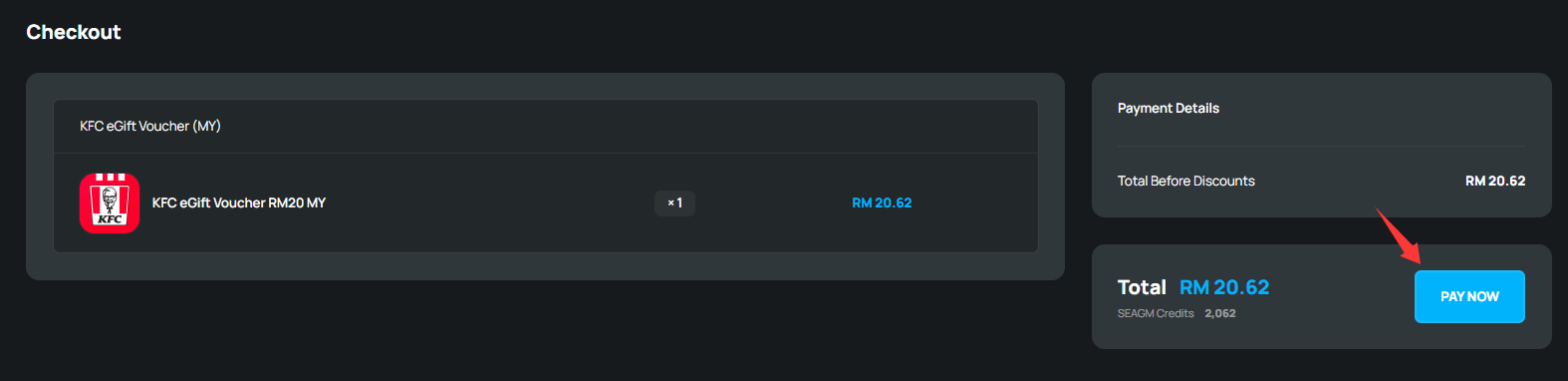
Step 4: Pick your desired payment method and click "Pay Now" to complete your payment.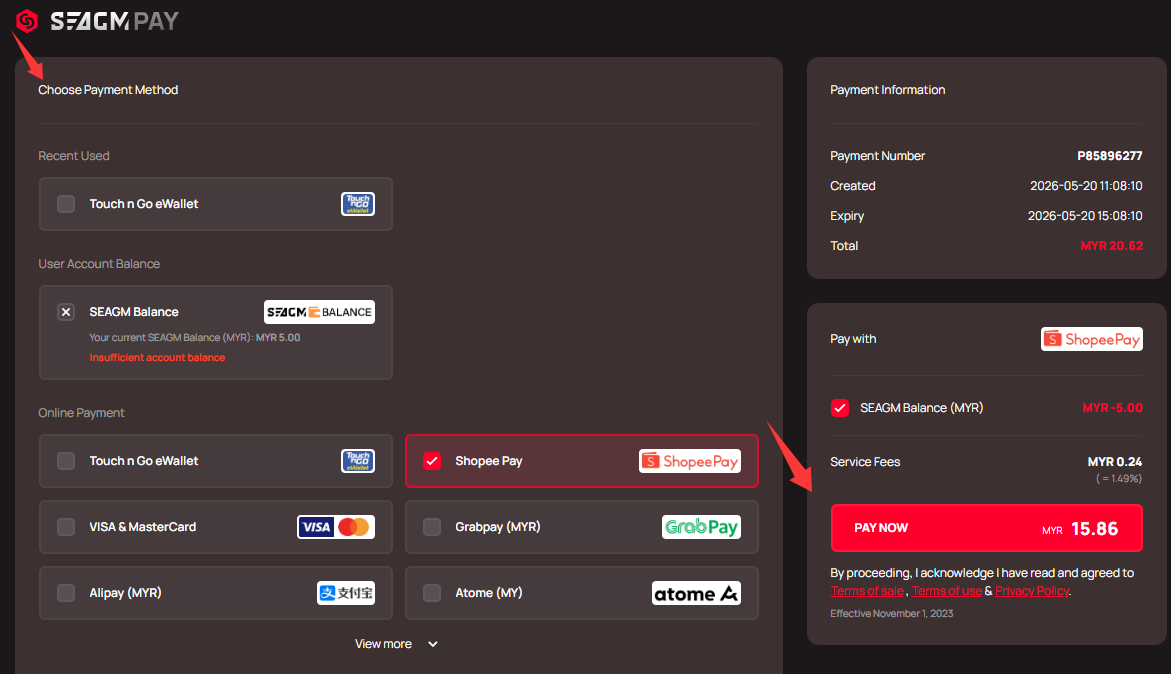
Step 5: Once payment is completed, you may retrieve your code under your User profile in My Cards. For pre-ordered products, it might take a few working days for the card to be delivered.
ขอบคุณ
เยี่ยมชม เว็บไซต์สนับสนุน SEAGM เพื่อรับคำตอบและคำแนะนำอย่างรวดเร็ว
ต้องการความช่วยเหลือใช่ไหม? ติดต่อเรา ฝ่ายสนับสนุนลูกค้า ผ่านทาง LiveChat .