A Shells e-voucher is a digital gift card that can be redeemed for fuel or other products at any Shell station. To redeem one, present the e-voucher's code or barcode to the cashier at a Shell station, who will key in the code to instantly validate and apply the voucher's value to your transaction. These are typically purchased online, and their value can be used for cashless payments, but some vouchers cannot be combined with other offers.
Note:
- Shells Voucher (MY) sold by SEAGM is valid for use in Malaysia only and cannot be redeemed outside the country.
- Be sure to read the Terms and Conditions in the product description section before making your purchase.
- All purchases on SEAGM are final. Once delivered, they cannot be returned, exchanged, or refunded.
Step 1: Log in or register for an account in SEAGM. On the top menu, enter the keywords "Shells" and search. Select "Shells Voucher [MY]". 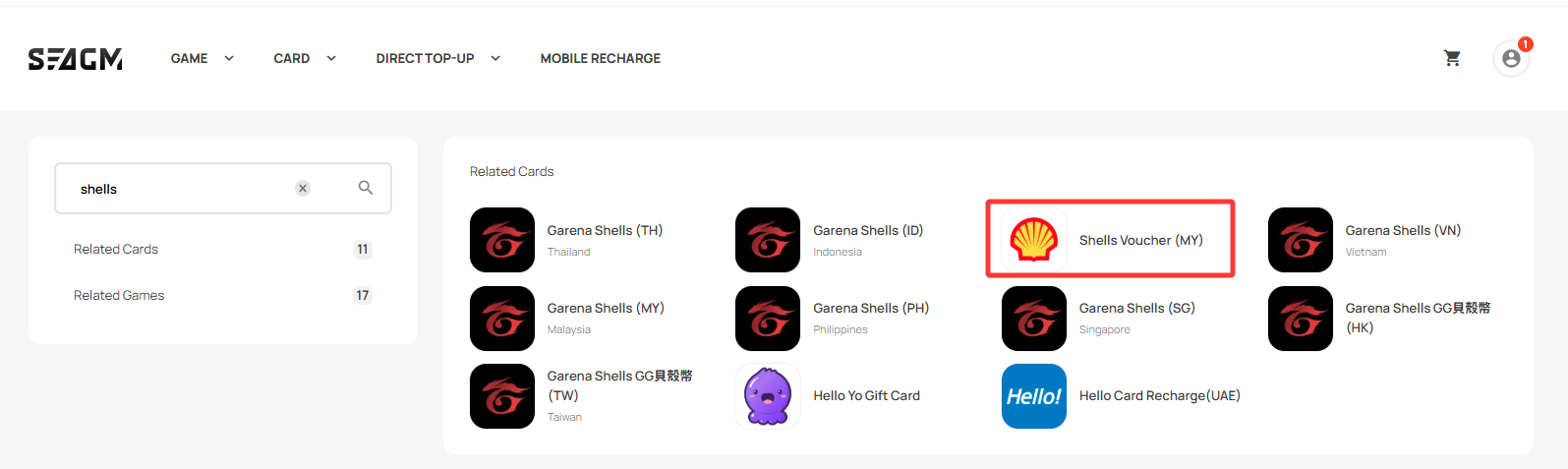
Step 2: Select the desired amount, enter the quantity, and click "Buy Now" to proceed.
Step 3: Please confirm the amount and quantity selected, then click "Pay Now" once confirmed. 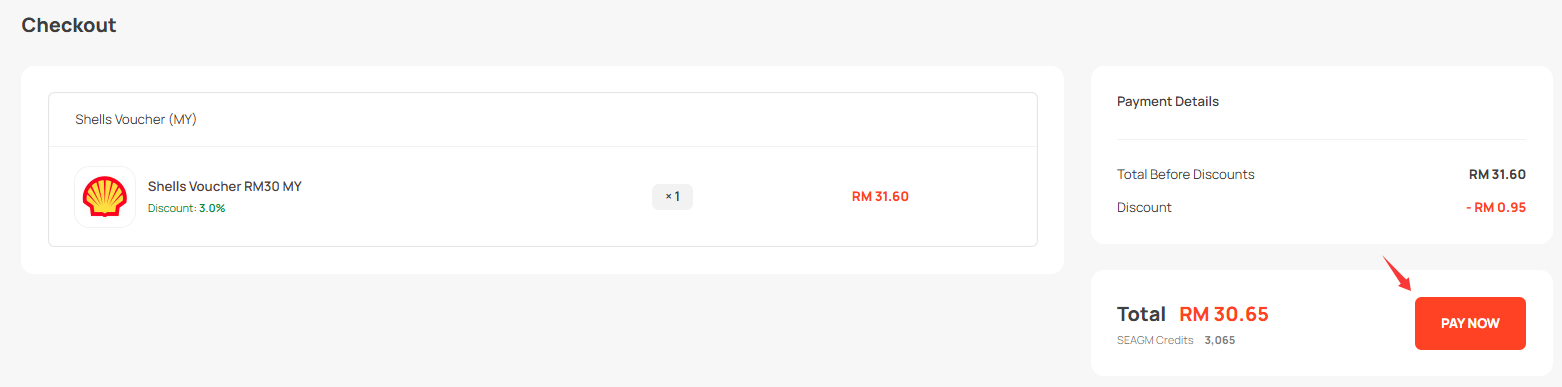
Step 4: Select your desired payment method and click "Pay Now" to complete your payment.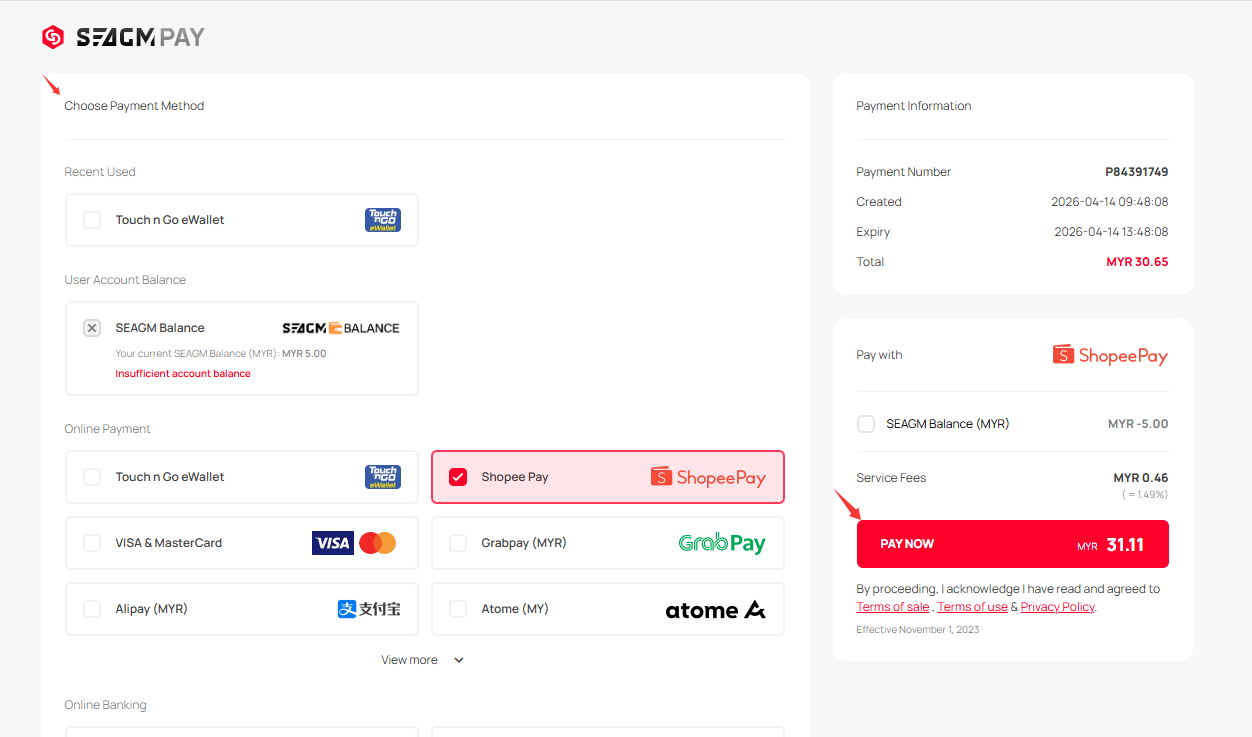
Step 5: Once payment is completed, you may retrieve your code under your User profile in My Cards. For pre-ordered products, it might take a few working days for the card to be delivered.
ขอบคุณ
เยี่ยมชม เว็บไซต์สนับสนุน SEAGM เพื่อรับคำตอบและคำแนะนำอย่างรวดเร็ว
ต้องการความช่วยเหลือใช่ไหม? ติดต่อเรา ฝ่ายสนับสนุนลูกค้า ผ่านทาง LiveChat .