Since its launch in 1964, Nike has become world-famous for its high-quality footwear and range of sports apparel. And now it is all instantly available from your smartphone or computer thanks to a digital Nike Gift Card. From Converse to Air Jordan’s, t-shirts to swimwear and everything in between – get it all with secure prepaid credit. Use your digital code like cash at checkout online for your favourite Nike products!
Note:
- The Nike Gift Card sold in SEAGM was a region-currency-locked card.
- All purchases made in SEAGM, once they're delivered, are non-returnable, non-exchangeable, and non-refundable.
Step 1: Log in or register for an account in SEAGM. On the top menu, enter the keywords "Nike" and search. Select "Nike Gift Card [based on your account region/country]".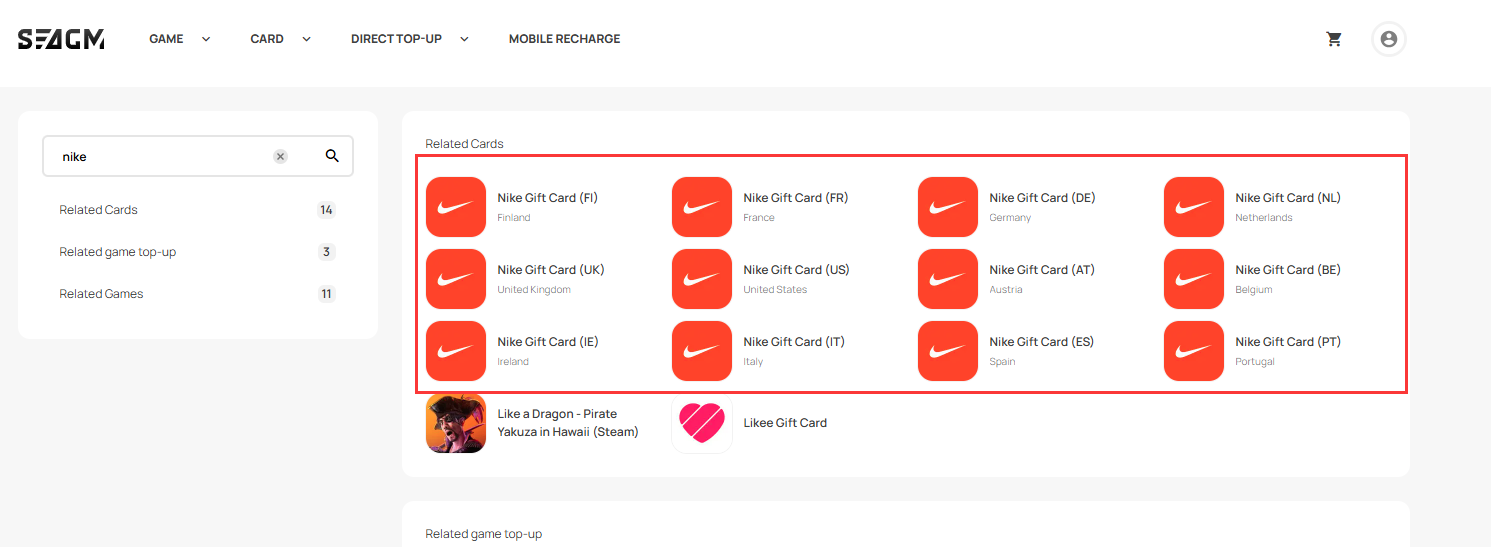
Step 2: Select the amount that you need, enter the quantity and click "buy now" to proceed.
Step 3: Please confirm the amount and quantity selected, then click "Pay Now" once confirmed.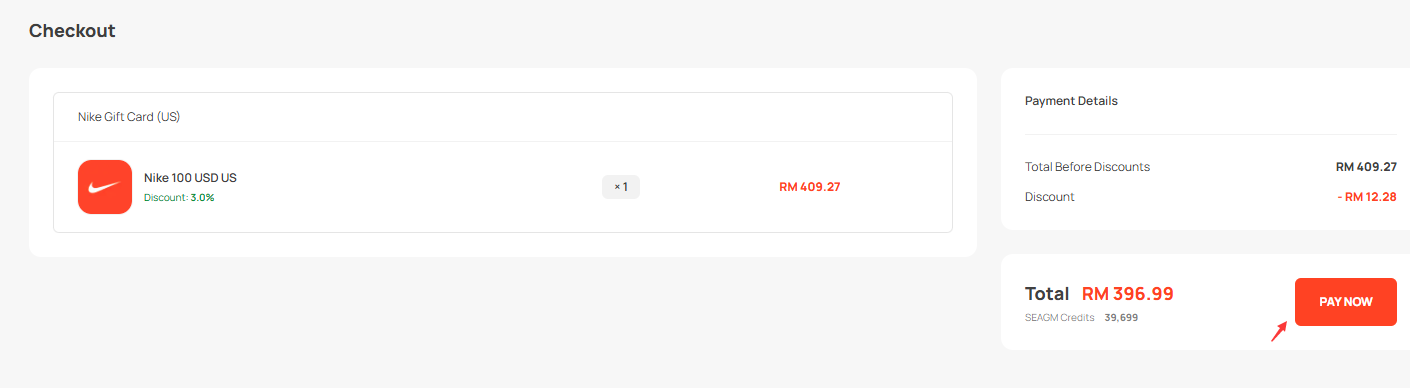
Step 4: Select your desired payment method and click "Pay Now" to complete your payment.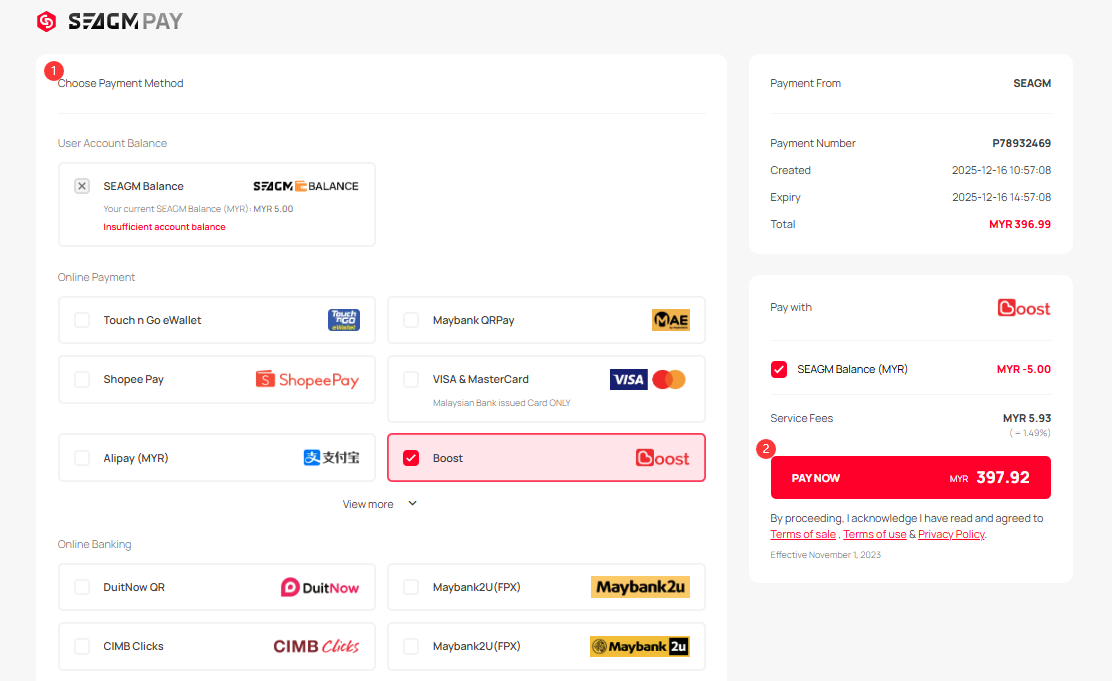
Step 5: Once payment is completed, you may retrieve your code under your User profile in My Cards. For pre-ordered products, it might take a few working days for the card to be delivered.
ขอบคุณ
เยี่ยมชม เว็บไซต์สนับสนุน SEAGM เพื่อรับคำตอบและคำแนะนำอย่างรวดเร็ว
ต้องการความช่วยเหลือใช่ไหม? ติดต่อเรา ฝ่ายสนับสนุนลูกค้า ผ่านทาง LiveChat .