A Fortnite Gift Card is a prepaid option that allows players to redeem V-Bucks, subscribe to Fortnite Crew, or access other digital content through the Epic Games Store. It offers a safe and convenient way to add funds to an Epic Games account without the need for a credit card. Players can use the card to purchase in-game cosmetics such as outfits, emotes, pickaxes, and Battle Passes, or, with the newer cards introduced in 2025, extend its use to Epic Games Store games and add-ons. This versatility makes it an appealing choice for gamers, while also serving as a thoughtful gift that gives recipients the freedom to select their favourite content.
Important Note:
- Fortnite gift cards are currency-specific, so the currency of your card must match the currency of your Epic account balance to redeem the card.
- All purchases made in SEAGM, once they're delivered, are non-returnable, non-exchangeable, and non-refundable.
Step 1: Once the purchase from SEAGM is completed, kindly retrieve your game card code in "My Cards".
Step 2: Visit the official Epic Games redemption page.
Step 3: Sign in using your Epic Games account. Make sure it’s the same account you use to play Fortnite.
Step 4: Enter the gift card code purchased from SEAGM, then click Next.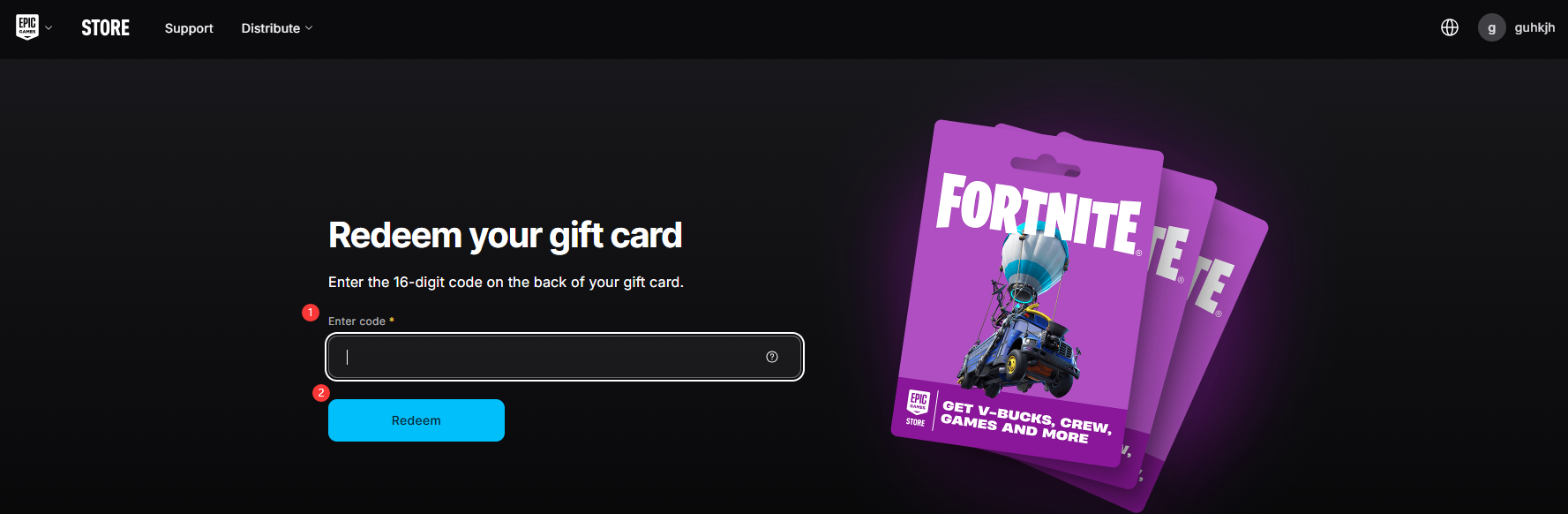
Step 5: Select the platform on which you play Fortnite.
Step 6: Confirm the details and proceed with the redemption. Your V-Bucks or applicable content will be added to your Epic Games account shortly after the process is completed.
ขอบคุณ
เยี่ยมชม เว็บไซต์สนับสนุน SEAGM เพื่อรับคำตอบและคำแนะนำอย่างรวดเร็ว
ต้องการความช่วยเหลือใช่ไหม? ติดต่อเรา ฝ่ายสนับสนุนลูกค้า ผ่านทาง LiveChat .